
Sendlore features
Save with context. Find it when it matters.
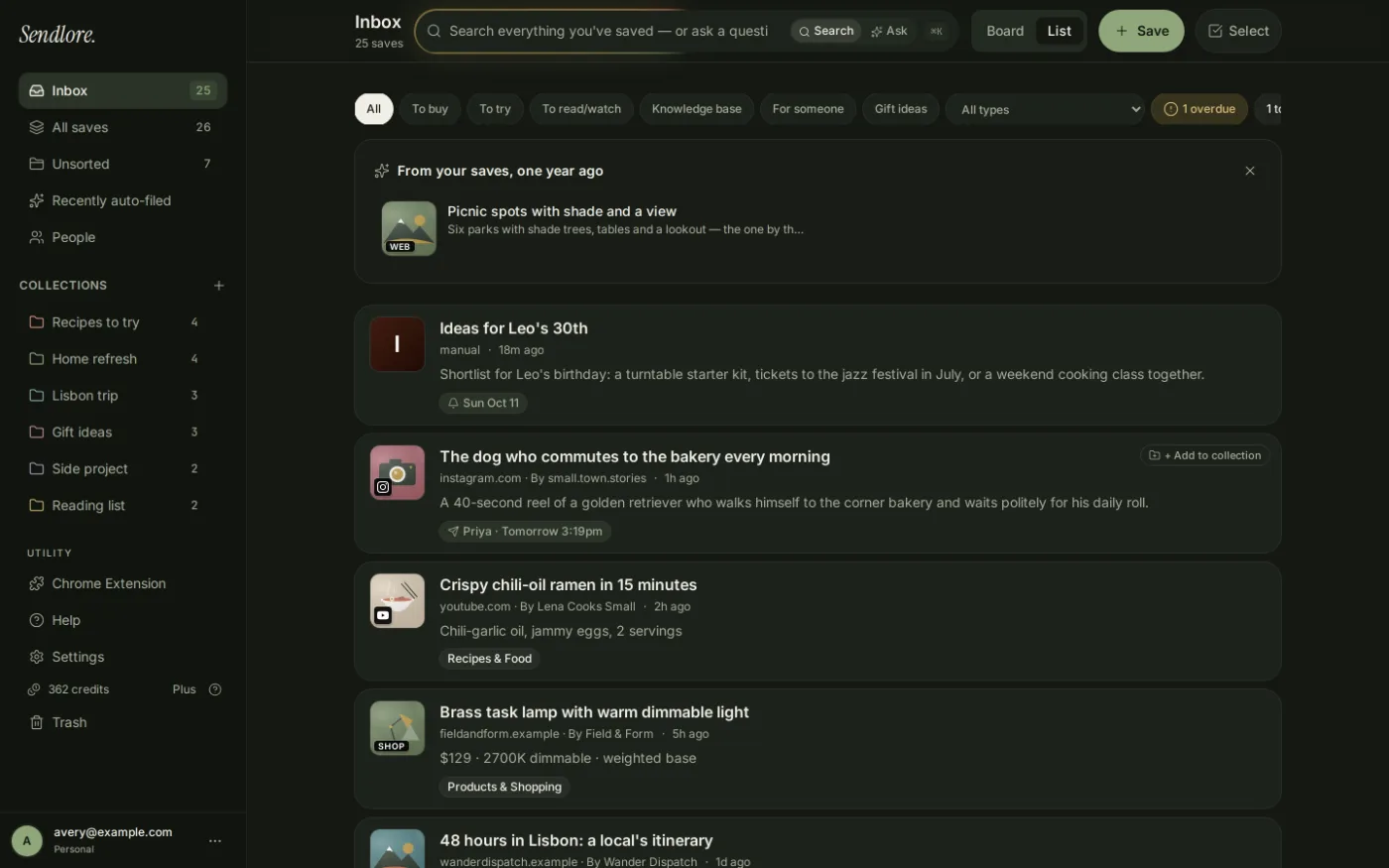
Sendlore is a personal knowledge inbox for links, notes, files, videos, and other saved sources. Keep where something came from, add why it matters to you, then organize, search, ask, share, or export it later.
Single-user accounts. Free plan available. Extraction depth varies by source.
Core workflows
The useful parts of a bookmark manager, research inbox, and second brain — without pretending every source behaves the same.
Sendlore is built around a simple loop: capture something useful, keep enough context to recognize why it mattered, let the app organize what it can, and make the material easier to retrieve later.
Import bookmarks and saved links
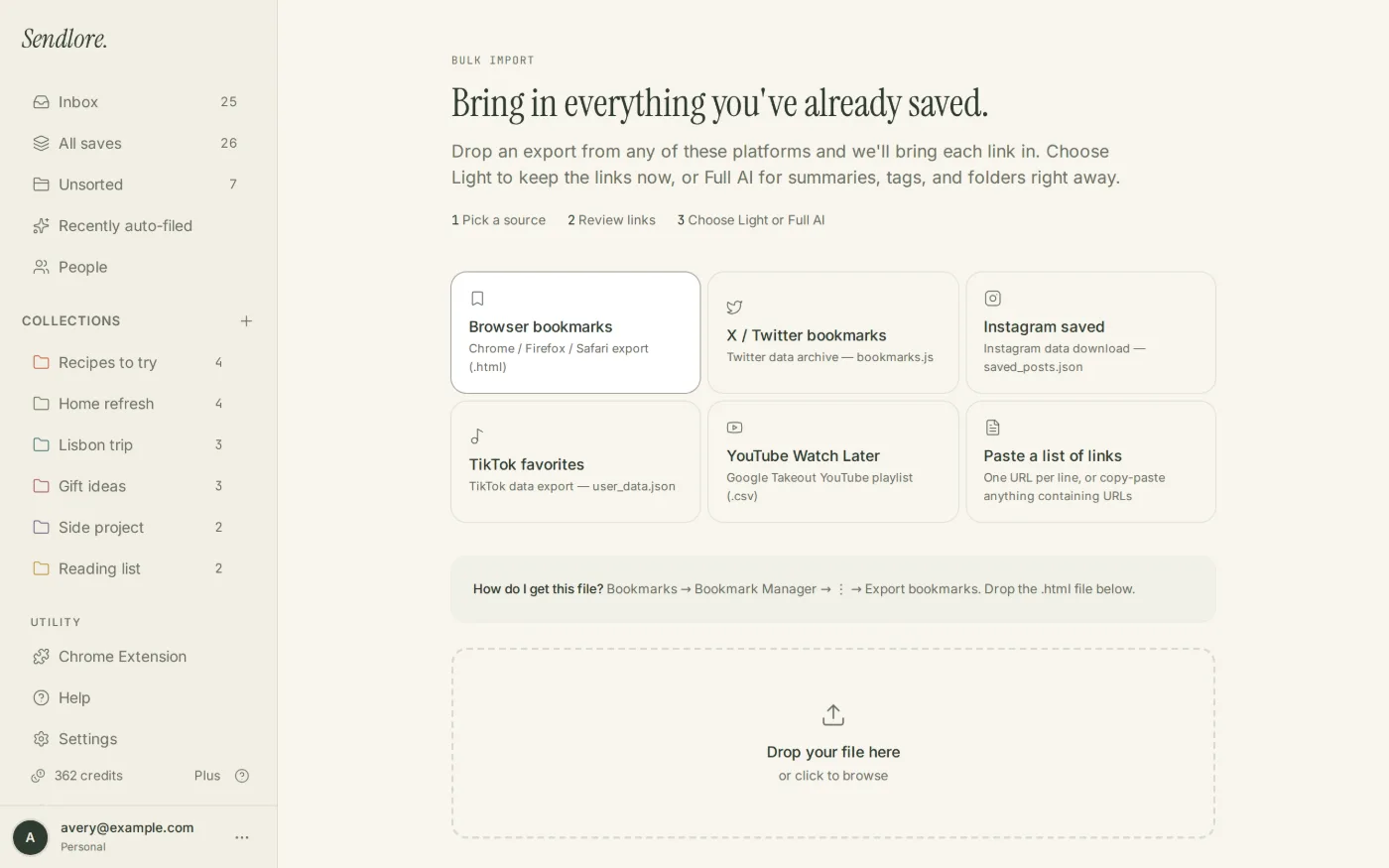
Bring browser bookmarks, supported saved-post exports, YouTube exports, or a pasted list of links into Sendlore instead of rebuilding an old library by hand.
Explore bookmark import →
Browser capture
Save richer context with Chrome
The Chrome extension can send richer browser-captured information into Sendlore when a normal URL fetch does not expose enough useful content.
Explore the Chrome extension →
Save links, notes, and files
The main capture flow accepts a single link, several links for import review, written notes, and files through the web app. Sendlore also supports email-in capture.
Keep the source and your reason
A save can retain its source details alongside your own “why I saved this” context, making the item easier to understand when you return to it later.
Folders, types, tags, and smart filing
Sendlore classifies saves, can suggest or apply filing decisions, and lets you override folder, type, and organization choices when the app gets them wrong.
Find bookmarks by what you remember
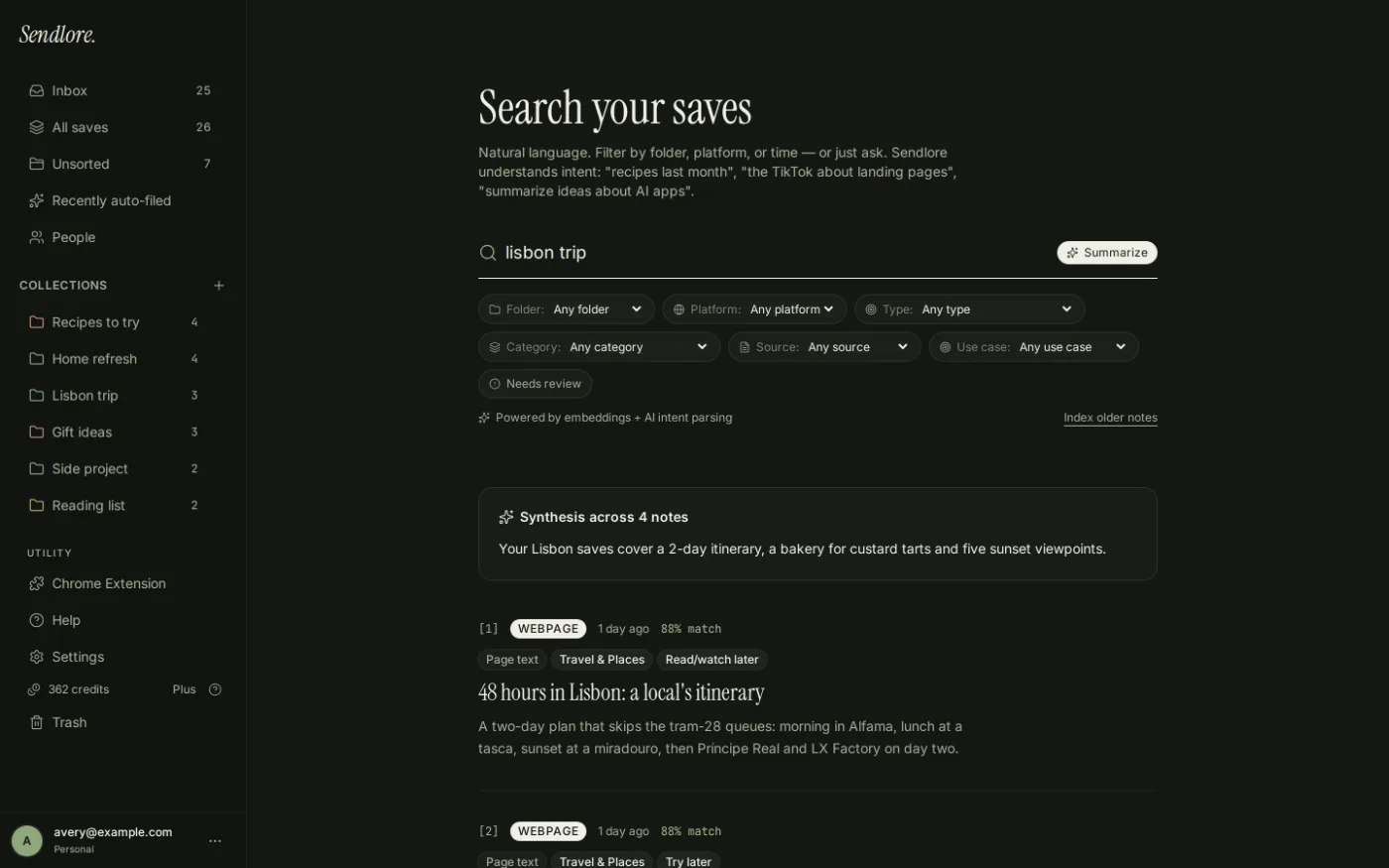
Use exact terms, natural language, and meaning-based retrieval across the information Sendlore captured instead of depending on the exact title or folder.
Explore AI bookmark search →
Ask
Ask questions across your saves
Ask can synthesize information from saved notes and point back to the saves it used, so you can reopen the supporting source instead of treating the answer as detached evidence.
Explore Ask your saved research →
Share an individual saved note
Create a share link for an individual note when you need to pass along a saved item without turning Sendlore into a team workspace.
Export your saved information
Sendlore supports JSON and Markdown export, giving you a way to move saved information out of the app rather than locking your library into one interface.
Save with context
A link is only the address. Sendlore keeps more of the reason you cared.
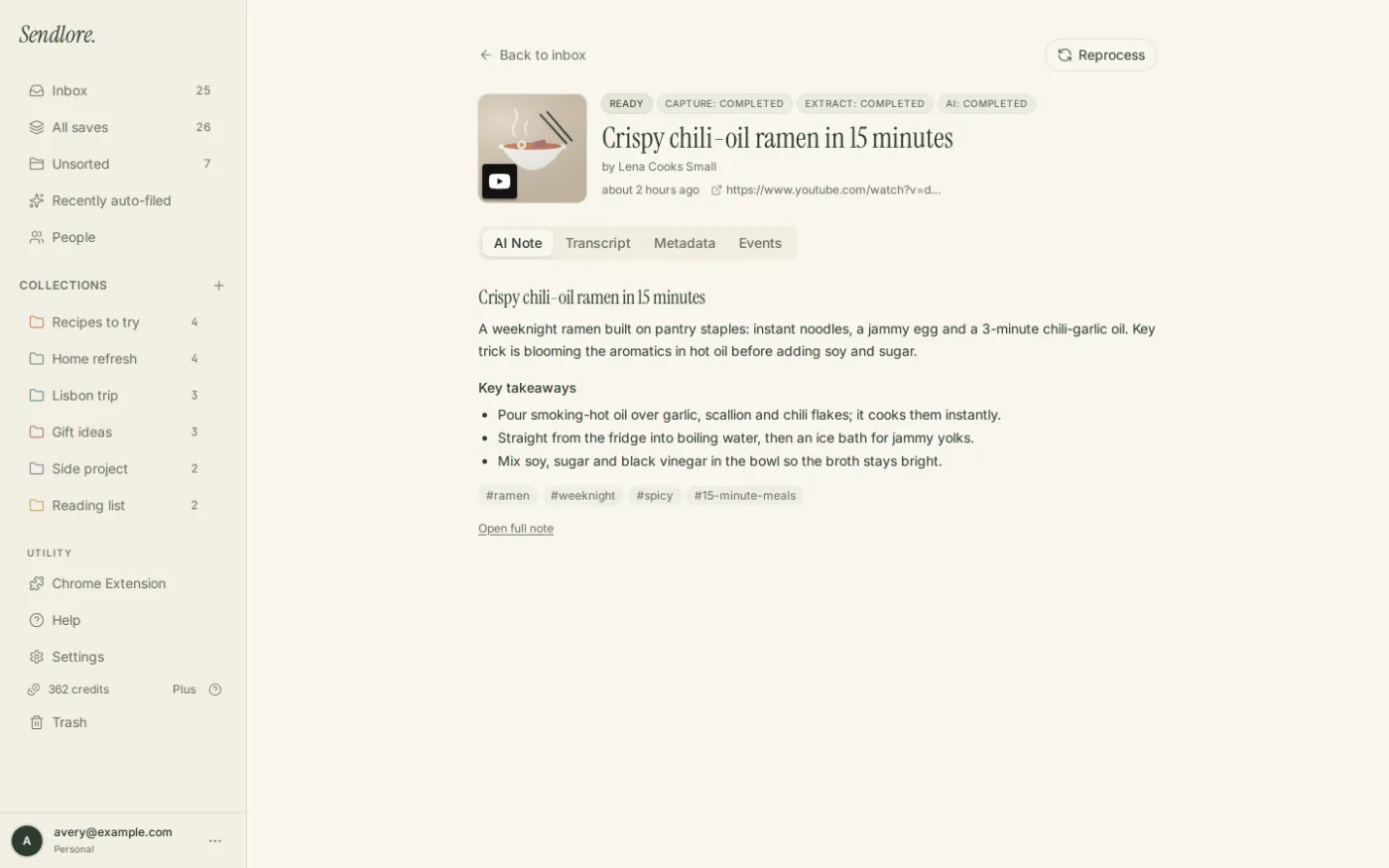
When available, a save can include source metadata, readable page text, transcript material, AI-generated notes, and your own explanation of why the item mattered. Those pieces give search and later recall more to work with than a bare URL.
Search and retrieval
Find a save by what you remember, not only by where you filed it.
Folders are useful, but memory is rarely that tidy. Sendlore’s retrieval tools work across the information that was successfully stored with each save.
Organization
Let Sendlore help with organization without surrendering control.
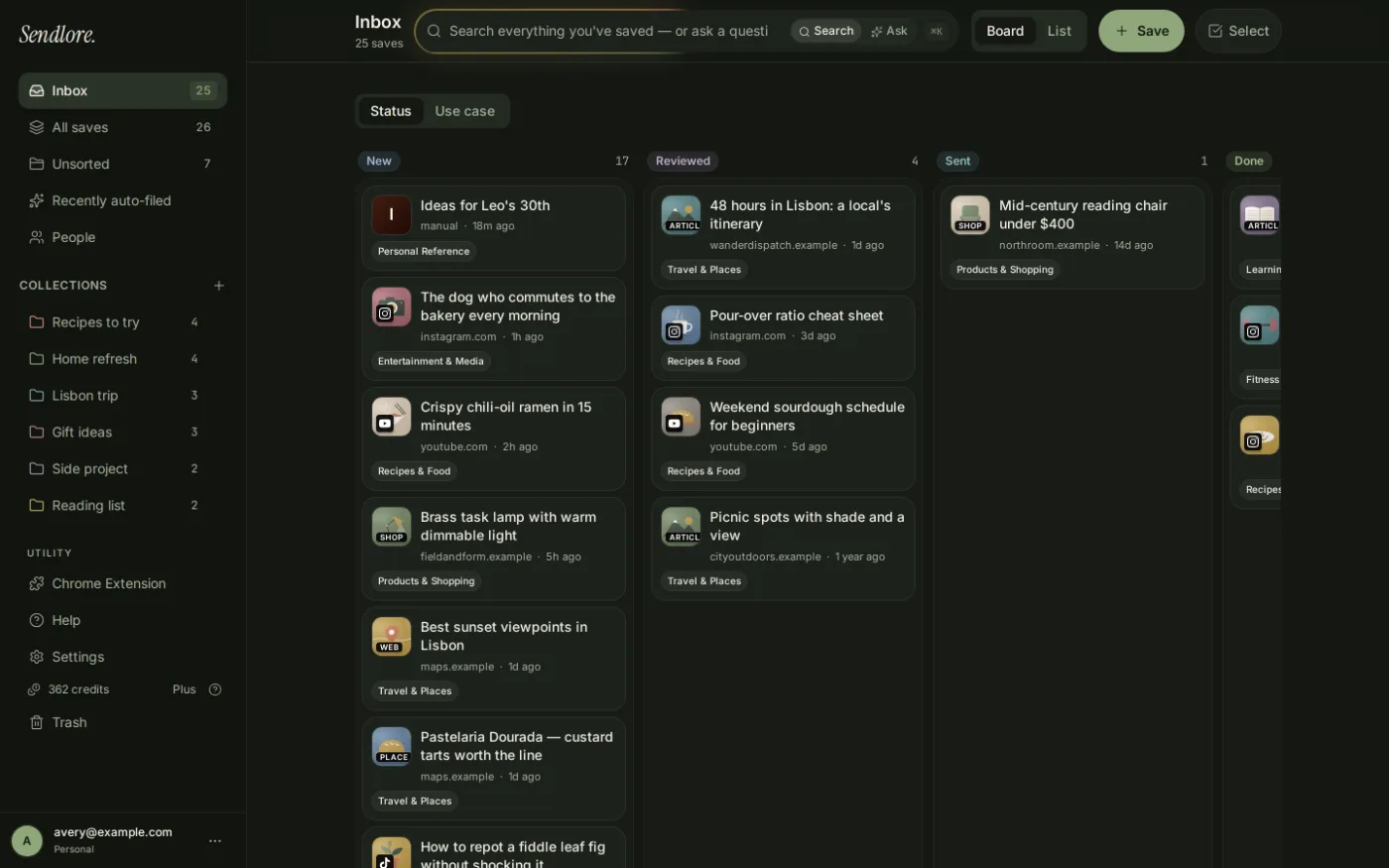
The app can classify and auto-file saves using content signals and patterns from your library. Those decisions are editable, and user choices remain the stronger signal for how the library should be organized.
What Sendlore can read
Different sources produce different levels of detail.
The product is deliberately designed around variable source quality. It preserves what it can verify instead of pretending every URL can be turned into the same perfect note.
Some saves may retain only the link and page details. That is different from a failed capture. For sources that do not expose enough content directly, the Chrome extension can sometimes provide a richer browser capture.
Import and migration
Start with the saves you already have.
An old bookmark library is useful raw material. Sendlore can bring supported exports or link lists into the library first, then let you process and organize the items that are still worth keeping.
Control and portability
Your library is personal, but it is not trapped.
Sendlore is currently designed for individual accounts, not shared team libraries. Within that scope, you can selectively share a note and export saved information when you need it elsewhere.
Single-user library
Sendlore accounts are built around one authenticated user. The product does not currently claim team or organization workspaces.
Individual note links
Share a specific saved note when appropriate instead of exposing the rest of your library.
JSON and Markdown
Export content in structured or readable formats so useful information can move into another workflow.
For current handling and privacy details, review Sendlore Security & Privacy.
Questions
What Sendlore does — and does not — promise
Does every save get a summary and transcript?
No. Extraction varies by source. Some saves can include rich text, summaries, or transcripts; others may retain only the link and page details.
Can Sendlore replace my bookmark manager?
It can replace a personal bookmark workflow if you want saved links plus context, organization, search, and AI-assisted recall. It is not currently a collaborative team bookmark workspace.
Can I import an existing bookmark library?
Yes. Sendlore supports browser bookmark imports, several saved-content export workflows, and pasted URL lists. Import fidelity depends on what the original export contains.
Can I correct Sendlore’s organization?
Yes. Automatic classification and filing are editable. You can change a save’s type, folder, and organization when the app’s suggestion does not match your intent.
Can I share or export my saves?
Yes. The current product supports individual note share links and export in JSON and Markdown.
Is there a native mobile app?
No native mobile app is claimed today. Sendlore is a web app, with richer desktop browser capture available through the Chrome extension.
Build the library once
Keep useful sources connected to the reason you saved them.
Start with one link, note, file, or import. Sendlore’s value compounds when the next search starts with what you already saved instead of from zero.