
Sendlore · AI bookmark manager & personal knowledge inbox
Save it with context. Find it when it matters.
Save links, videos, social posts, notes, and files with the reason they matter. Sendlore keeps the source and the useful content it can capture together, so you can search by what you remember, ask source-linked questions, share a note, or export it later.
Free plan. No card needed. Search does not spend reading credits.
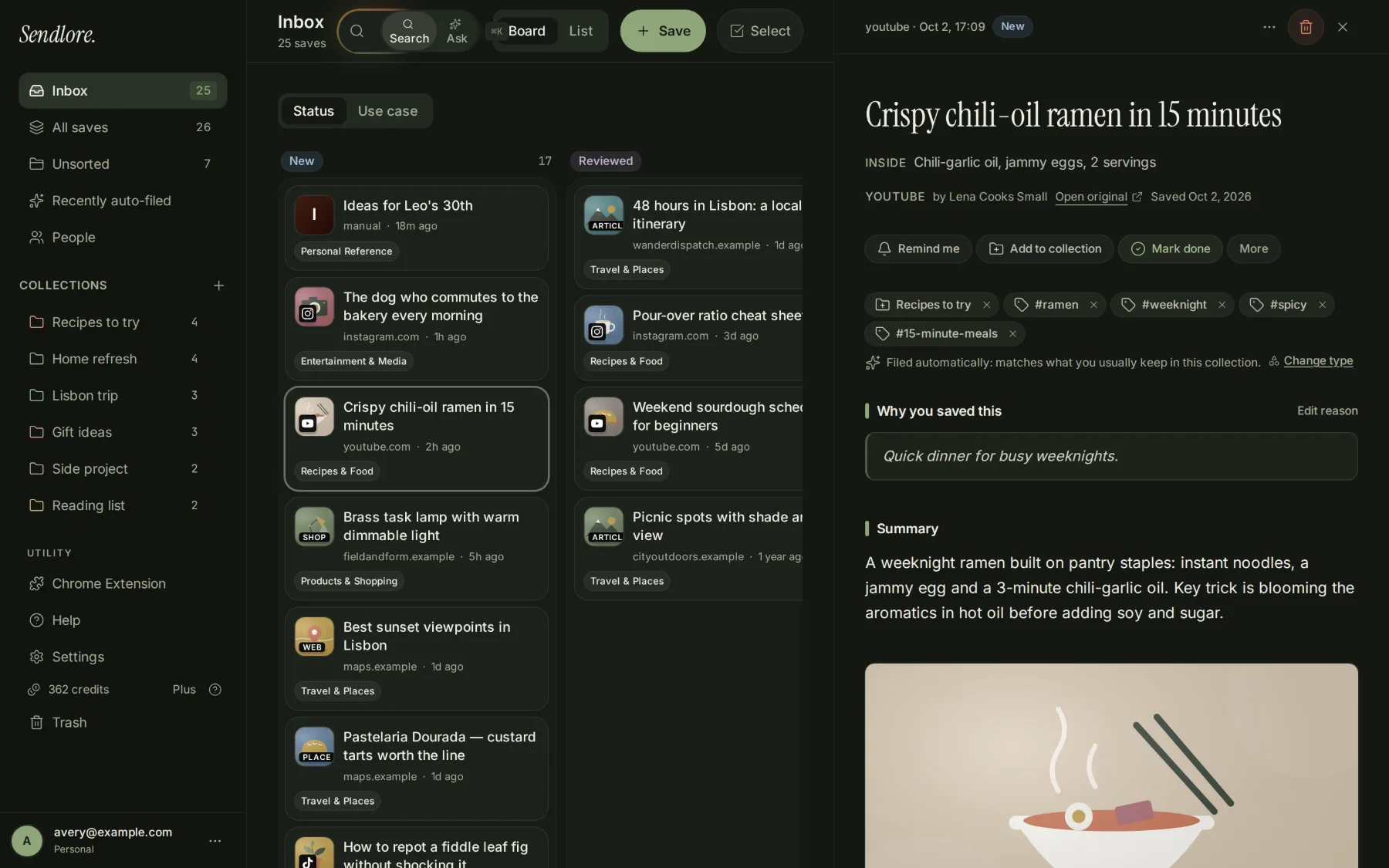
From capture to recall
What happens after you save
Sendlore saves the source first, then adds as much useful context as the source and your plan allow. These screens come from a demo library.
Save the source and your reason
Paste a URL or note in the web app, use the Chrome extension, share a link from iPhone, forward an email, or import an existing collection. Add a short “why I saved this” note while the context is still fresh.
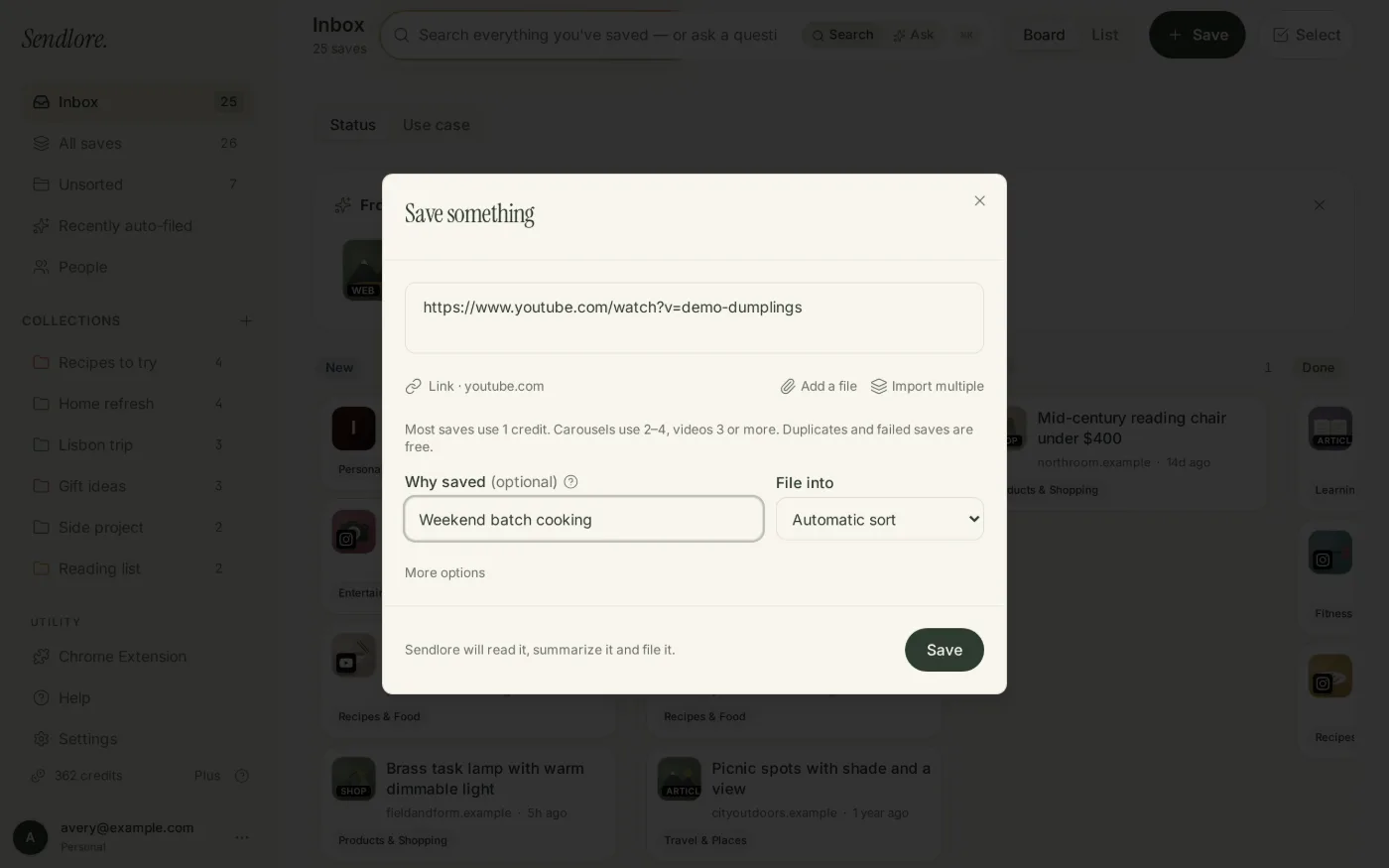

Keep what Sendlore can actually read
The source URL and page details remain attached. When available, Sendlore can also preserve extracted text, a transcript, creator information, a summary, takeaways, and suggested organization. If richer reading is unavailable, the save can remain as a lighter source record instead of pretending extraction succeeded.
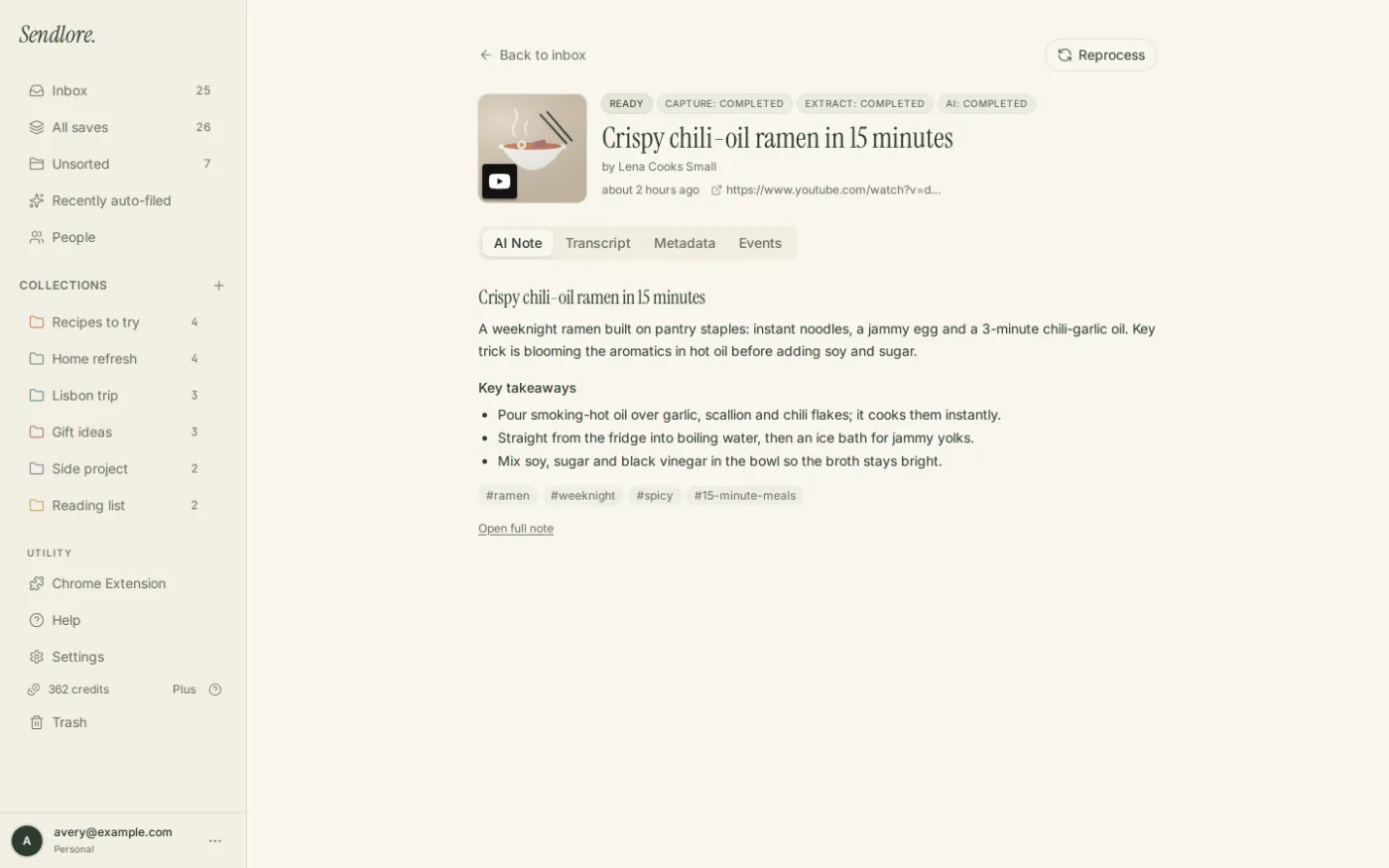
Search by words or meaning
Sendlore combines exact, keyword, and semantic retrieval across your own library. That means you can search with the phrase you remember instead of relying on the original title or a perfect folder name.
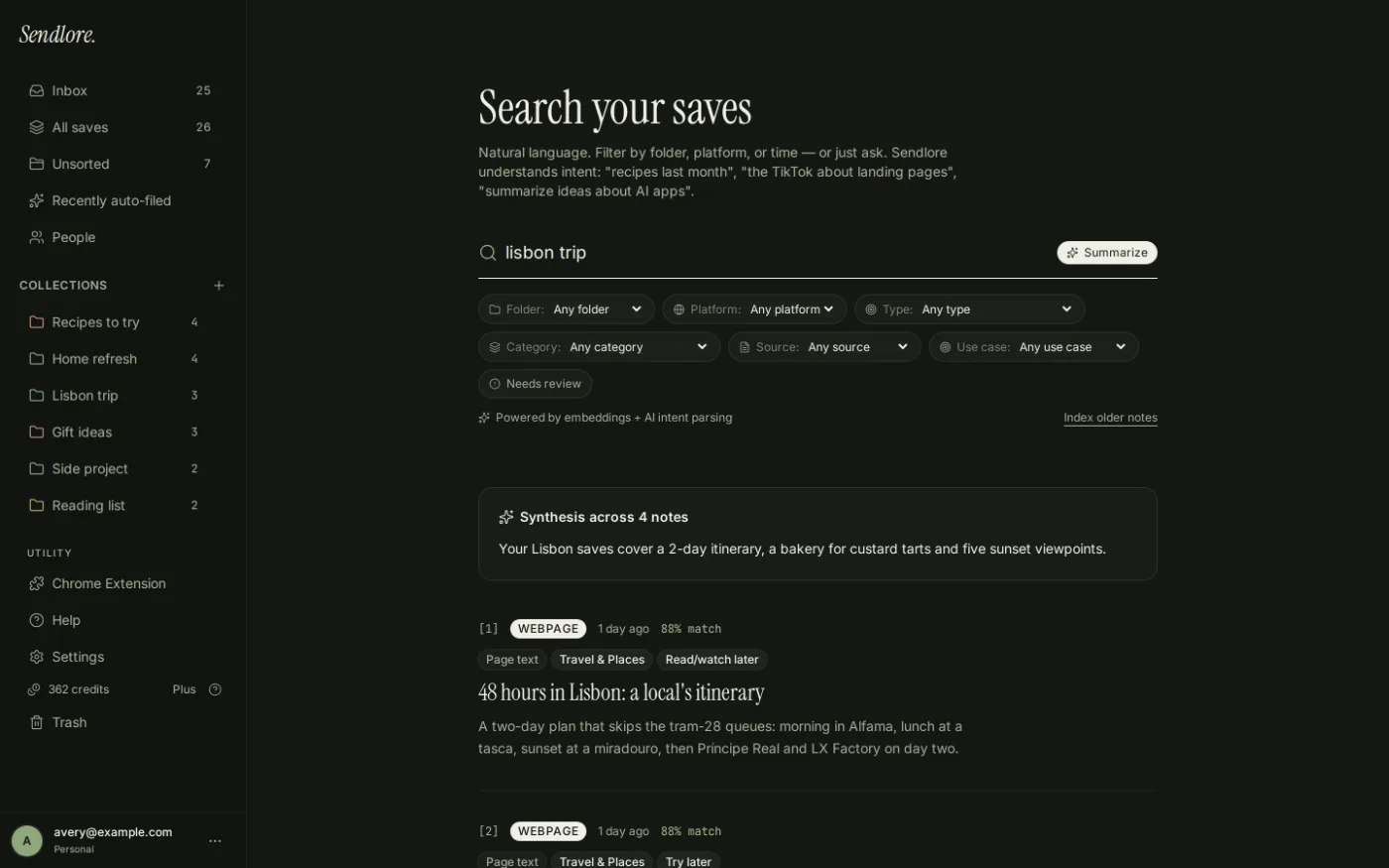
Ask across what you saved
Ask a question across captured content and get an answer grounded in your saved material, with links back to the notes used. If the underlying source was not captured, Sendlore cannot invent evidence that is not there.
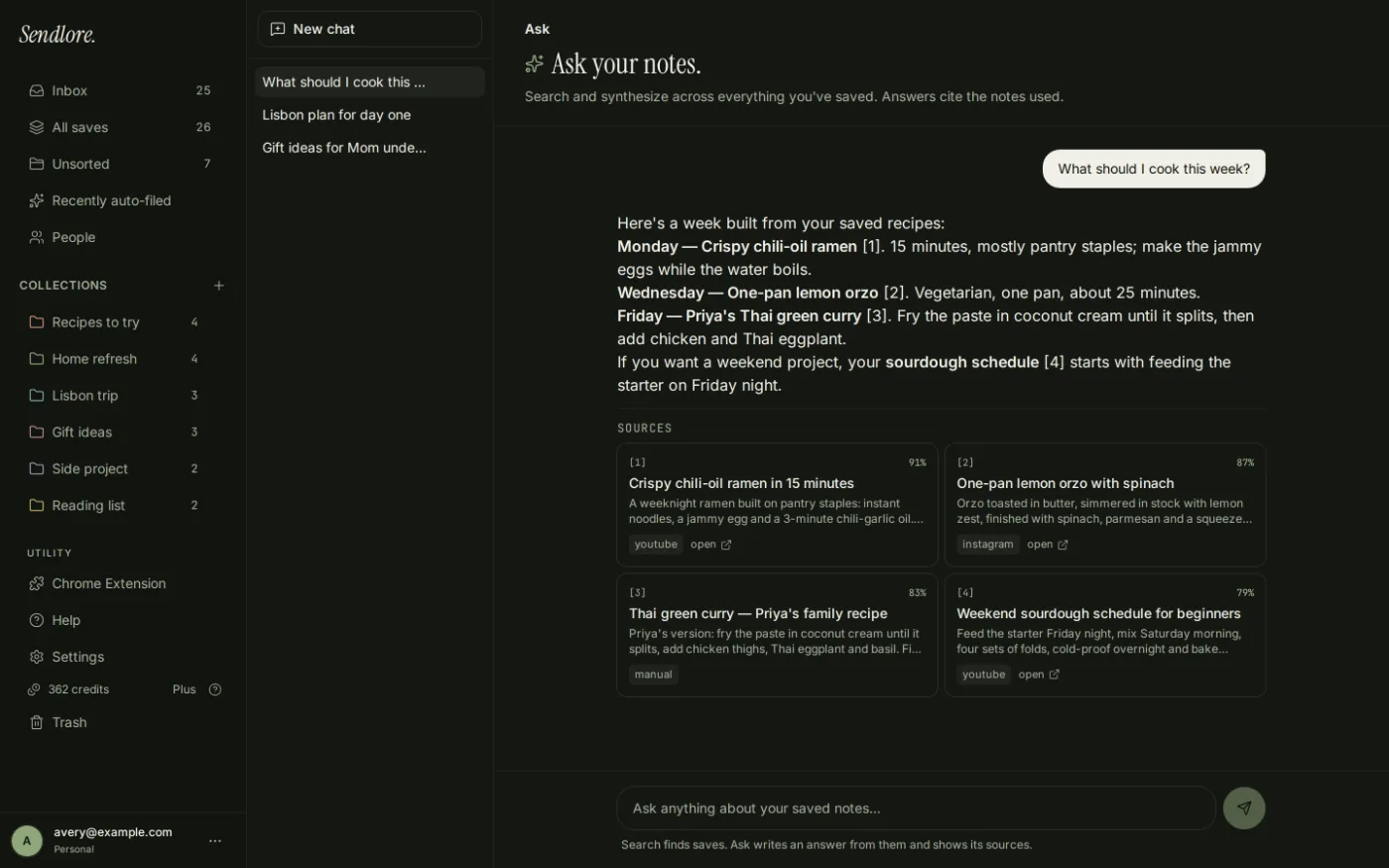
Full AI reading uses credits. Search does not use credits, and Ask has plan-based usage limits. Extraction depth varies by source and available services.
Product proof
See the workflow in 30 seconds
A short, silent tour of saving, the library, search, and Ask.
More than a bookmark
Keep the source and the reason you cared.
A URL alone rarely explains why something was worth saving. Sendlore keeps your own context beside the evidence it captured, and lets you correct the organization later.
- Source URL and detected platform
- Creator or author when available
- Your “why I saved this” note
- Captured text or transcript when available
- Summary and takeaways when AI reading runs successfully
- Folder, type, tags, and processing state editable in your library
Capture where you already work
Several ways in. One searchable library.
The capture path changes; the goal does not: preserve the source, your context, and an honest record of what Sendlore could read.
- Web app
- Paste a URL, write a note, or upload a supported image or document from desktop or mobile web.
- Chrome extension
- Save the current page, a link, or selected text. Browser-visible text can improve capture on some pages, but restricted or dynamic sites are not guaranteed. See the extension.
- iPhone Shortcut
- Send a usable URL from an iOS Share Sheet into your account using Apple Shortcuts and a personal token. This is a Shortcut workflow, not a native Sendlore iPhone app. How it works.
- Email-in
- Forward an email to your personal Sendlore capture address so it lands with the rest of your saved material.
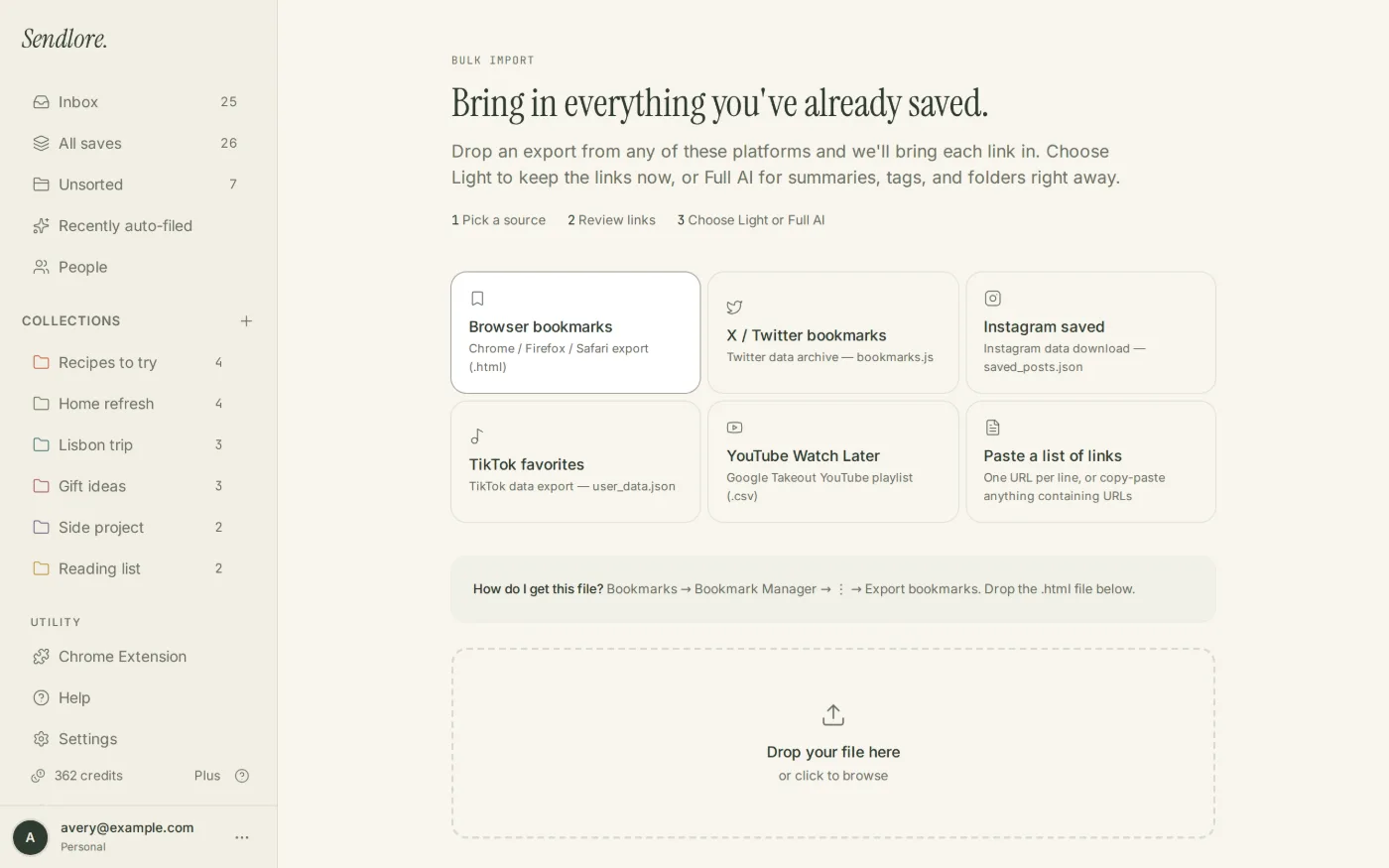
- Bulk import
- Import browser bookmarks, Instagram saved-post exports, TikTok favorites, X/Twitter exports, YouTube Watch Later or playlist CSVs, and URL lists. See import options.
- Apple Notes
- On Plus and up, use the Apple Notes sync workflow to pull Sendlore captures into Apple Notes through a personal token and Shortcut.
- Claude & ChatGPT
- A connected AI assistant can save URLs into Sendlore. Plus and up unlock read/search access to your library through Sendlore’s MCP connection.
Start with what you already saved
Bring old bookmarks and saved-post exports with you.
Free accounts can run a Light import of up to 1,000 links. Light import preserves URLs and available details without spending AI-reading credits; richer reading can happen later as plan access and credits allow.
Retrieval without losing provenance
Find the idea. Check the source. Reuse the result.
Sendlore is designed for the moment after saving—when you need to recover a detail, compare several sources, or move useful material into another workflow.
Search across your library
Use exact words, keywords, or a natural-language description. Search stays within the signed-in user’s saved notes.
Ask, then inspect the evidence
Ask can synthesize across captured material and link back to the notes it used. You can also share an individual note or export data as JSON and Markdown.
Clear limits
What Sendlore supports today
- Extraction depth depends on the source and available services. Some saves retain only the link and page details.
- Full AI reading uses credits. When richer processing is unavailable, Light saves can remain usable instead of being discarded.
- Paywalls, logins, bot protection, and dynamic pages can limit capture. The Chrome extension can send browser-visible text, but it does not guarantee every restricted page.
- Search and Ask can only use information that exists in your Sendlore library. Missing source text limits retrieval and answers.
- The published browser extension is an early release for Chrome on desktop.
- Sendlore is a web app, not a native mobile app. The iPhone Shortcut provides a Share Sheet capture path.
- Accounts are single-user. Individual notes can be shared, but Sendlore is not a team workspace.
Built for repeated research and recall
Useful when saving is only the first step.
Pricing
Free to start. Pay for deeper reading.
The Free plan has no time limit. Paid plans start at $9/month. Search, sharing, export, and Ask do not spend reading credits, although Ask has plan-based usage limits.
FAQ
Questions about Sendlore
What is Sendlore?
Sendlore is a single-user personal knowledge inbox and AI bookmark manager. It keeps saved sources, your own context, and captured content together so you can retrieve useful information later through search, Ask, sharing, or export.
What can I save?
You can save URLs, notes, supported images and documents, browser-extension captures, forwarded email, and supported imports. Rich extraction varies by source, and some saves may remain link-and-metadata records.
How is Sendlore different from ordinary bookmarks?
A normal bookmark mainly preserves a URL and title. Sendlore is built around later recall: keep why you saved something, capture readable content when available, organize it, search by words or meaning, and ask questions across your saved evidence.
Can I import existing bookmarks and saved posts?
Yes. Supported importers include browser bookmarks, Instagram saved-post exports, TikTok favorites, X/Twitter exports, YouTube Watch Later or playlist CSVs, and pasted URL lists. The Free plan supports a Light import of up to 1,000 links.
Can ChatGPT or Claude use my Sendlore library?
Sendlore includes an MCP connection. Saving a URL through the connector is available separately from library reading; Plus and higher plans unlock reading and searching your Sendlore library from a connected AI assistant.
Is my Sendlore library public?
No. Your authenticated library is private by default. You can intentionally create a public share link for an individual note without turning the rest of your library into a public workspace.
Does Sendlore have a mobile app?
There is no native mobile app. The web app works in phone browsers, and the Sendlore iPhone Shortcut can send usable URLs from the iOS Share Sheet into your account.
Is Sendlore free?
Yes. The Free plan has no time limit, includes 30 monthly reading credits plus 100 welcome credits during the first 30 days, unlimited library and search, a Light import of up to 1,000 links, and 20 Ask questions per month. Current paid plans begin at $9/month.
See the full Sendlore FAQ or Help Center.
Start with one useful source
Save something future you will need.
Keep the source, add why it mattered, and make it easier to recover when the exact title is long forgotten.