
Sendlore use cases
Save less blindly. Reuse more of what you find.
Sendlore turns scattered links, videos, posts, files and notes into a personal knowledge inbox. Keep the source and why it mattered, then find it again by what you remember.
Free plan. No card needed.
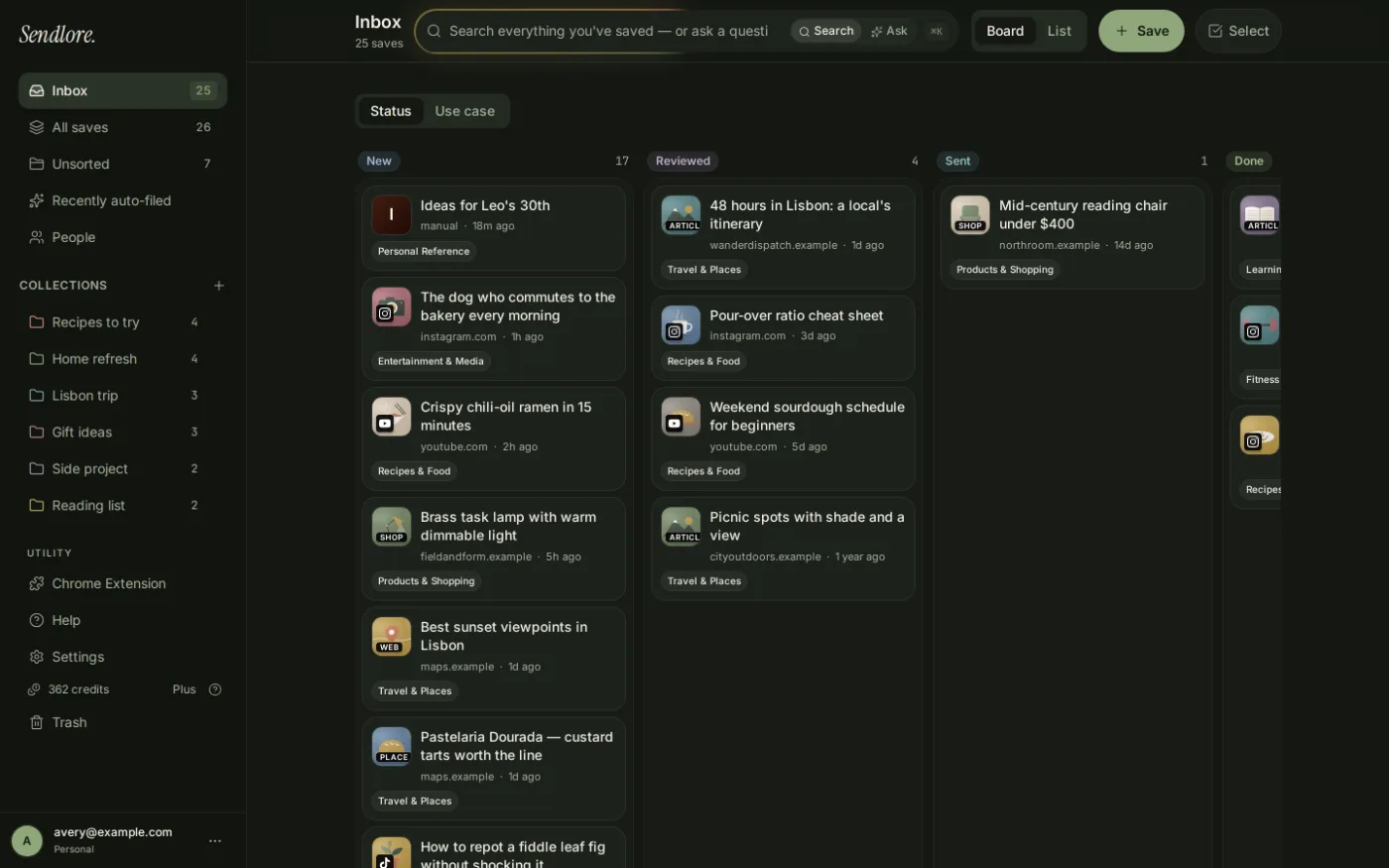
A demo library with work and everyday saves kept in the same searchable inbox.
Choose the workflow closest to yours
The underlying problem is the same: you found something useful, saved it quickly, and need enough context to make it useful again later.
Sendlore for content writers
Keep research, supporting sources and your reason for saving them together so past research can be reused across drafts and revisions.
See the writing workflow →
Sendlore for creators and marketers
Build a swipe file of posts, campaigns, examples and ideas without losing the source or the detail that made each example worth keeping.
See the creator workflow →
Sendlore for students and researchers
Collect research materials and personal notes in one place, then search across the information Sendlore successfully captures from each source.
See the research workflow →
Sendlore for founders and builders
Keep competitor examples, product research, customer evidence and working references searchable after the current sprint or project ends.
See the founder workflow →
Useful for more than work
A personal knowledge inbox is most valuable when it can hold the small things you know you will want again, not just formal research.
Trips and places
Save hotel options, restaurants, guides, maps and recommendations with a note about why each one made the shortlist. Later, search by the trip or detail you remember.
Recipes and how-tos
Keep recipes, repair guides, tutorials and videos together instead of trying to remember which site, app or tab originally had the answer.
Gift and purchase ideas
Save products, reviews and comparisons with who they were for or what problem they solved, then come back when you are actually ready to decide.
Things worth learning
Keep articles, videos, notes and references around a topic without forcing yourself to create the perfect folder system before you know how the information will matter.
One workflow, many use cases
Sendlore is designed around retrieval: capture the context now, keep what the source allows, and get back to it without reconstructing your memory later.
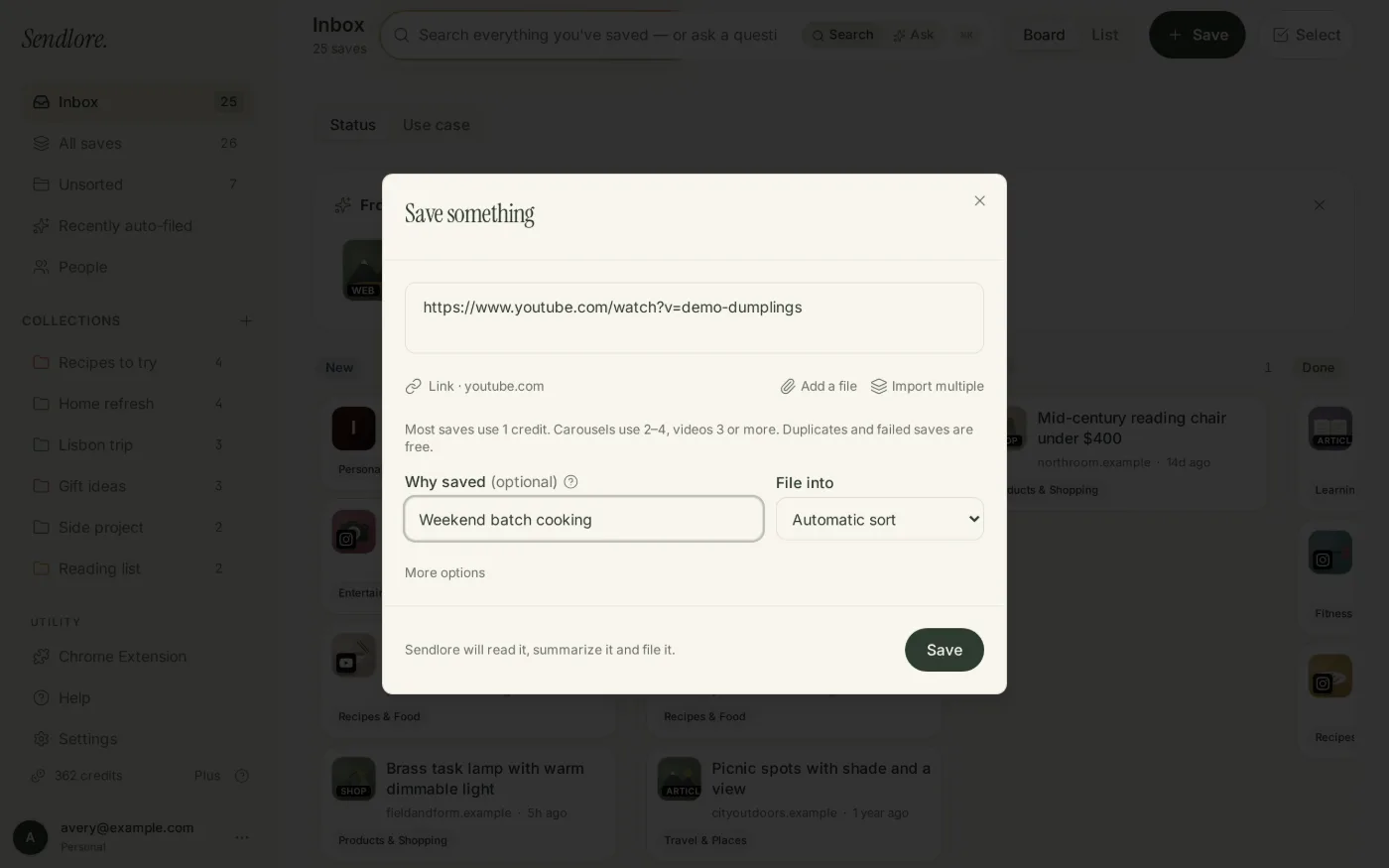
Save it with your reason
Paste a link, use the Chrome extension, upload a file or write a note. Add one line about why it matters while the context is still fresh.
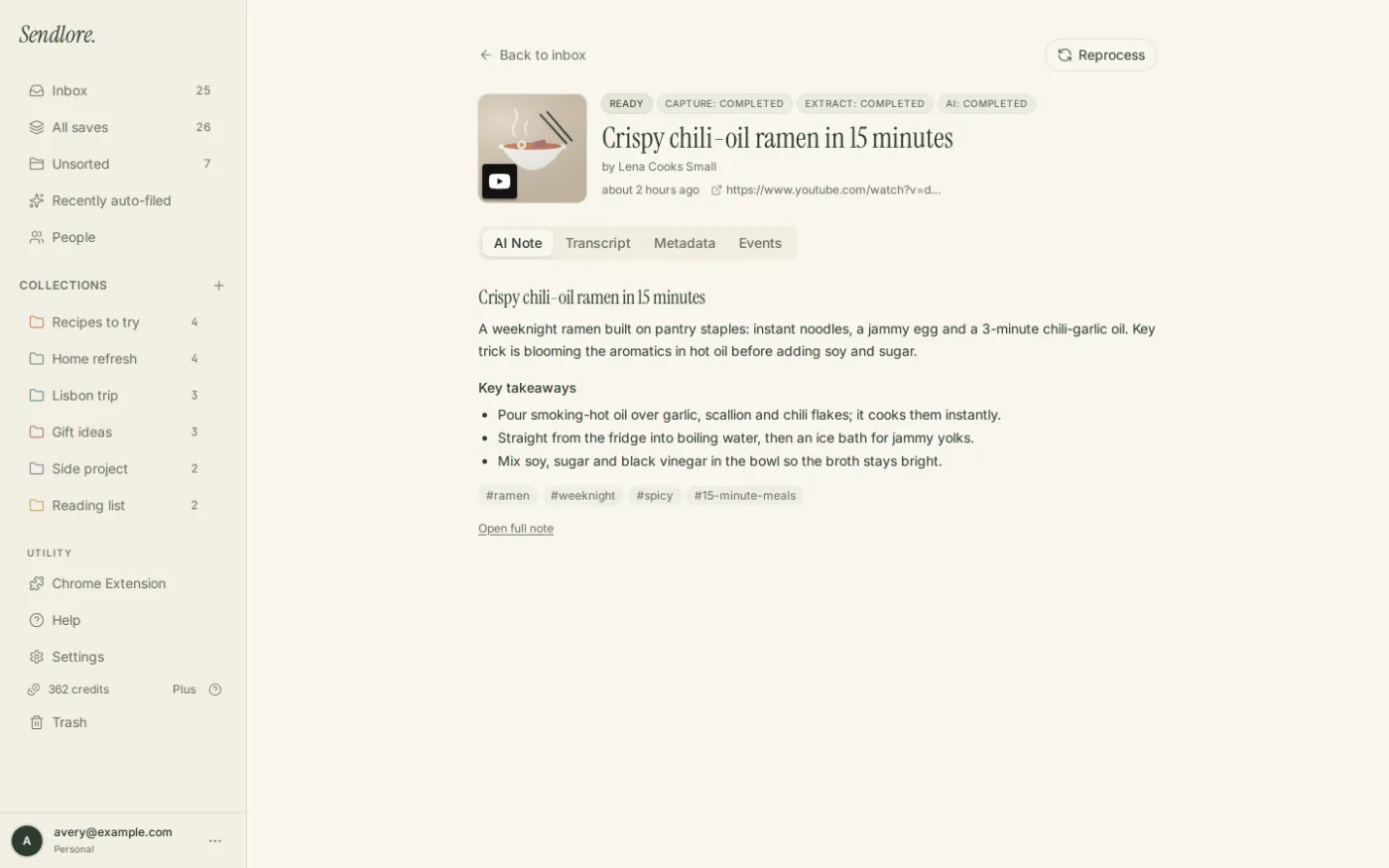
Keep the useful parts together
When a source can be read, Sendlore can keep extracted content such as summaries, takeaways or transcripts alongside the original source and your note.
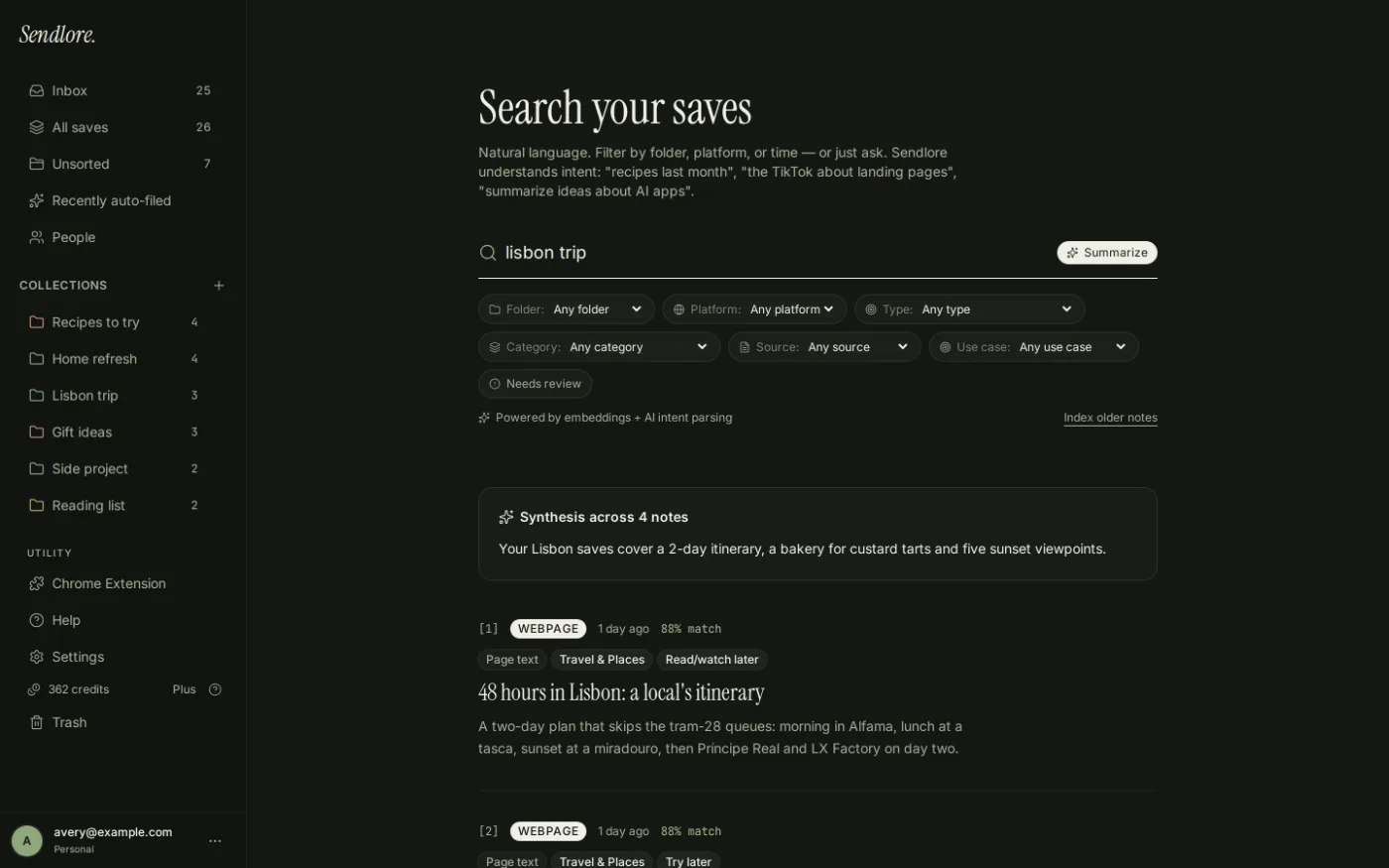
Find it by what you remember
Search by meaning or ask a question across your saved library. Results stay tied back to the sources you collected.
What belongs in a Sendlore library
Use one inbox for the material you currently scatter across bookmarks, tabs, notes and messages to yourself.
- Web pages and linksKeep the source plus the context you add.
- Videos and supported transcriptsUseful when you remember an idea, not the exact title.
- Social posts and examplesCapture the reference while it is still relevant.
- Files and PDFsKeep reference material near the rest of your saved research.
- NotesSave your own context even when there is no external source.
- Forwarded emailSend useful messages into the same searchable library.
Extraction depth varies by source. Some pages or posts may only preserve the link, title and available page details; pages behind a login or paywall may require the Chrome extension or may not be fully readable.
Capture from the browser before the context disappears
The Sendlore Chrome extension can save the page, a link or selected text without breaking your current workflow.
Questions about Sendlore use cases
What is Sendlore used for?
Sendlore is used to save links, videos, posts, files, notes and forwarded email with enough context to find and reuse them later. Common workflows include writing research, competitor research, study material, creator swipe files, trip planning, recipes and personal reference.
Who is Sendlore for?
It is designed for people who repeatedly save useful material and later struggle to remember where it was or why it mattered. That includes writers, creators, students, researchers, founders and people building a personal reference library.
Can Sendlore replace browser bookmarks?
It can replace many bookmark workflows when the goal is finding and using something again. Unlike a basic bookmark, a Sendlore save can keep your reason for saving it and, when the source allows, additional extracted information that makes later retrieval easier.
Do all sources get the same level of extraction?
No. Extraction depth depends on the source and what can be accessed. Some items may include rich captured content; others may retain only the link, title and available page details.
Is my Sendlore library public?
No. Your library is private by default. Individual notes can be shared when you explicitly create a share link.
Save one thing you know you will need later.
Keep the source, the reason and the useful parts together so future you does not have to reconstruct the trail.