A swipe file that remembers why you saved it

Save supported links, videos, posts, files, and notes in one searchable library. Organize saves with folders, tags, and your own context. Sendlore can summarize content when extraction succeeds, and help you rediscover useful ideas later.
A sleek dark-themed dashboard interface showing a user saving a variety of content types—links, images, and videos—into a digital library, with emerald green highlights and clean card layouts.
Save Creative References From Supported Sources
Save supported pages, posts, and links using Sendlore or its Chrome extension. Add a note about why an example matters. Extraction and processing results depend on the source.
A modern UI view of a tagging and folder system, with content cards being organized into labeled folders and tags, all styled in a premium dark mode with green accent highlights.
Organize Inspiration with Tags and Custom Folders
Group your saved examples by project, campaign, or theme using flexible tags and folders. Quickly filter and browse your swipe file, so you can always find the right idea at the right time.

A digital workspace showing an AI-generated summary panel beside a saved marketing example, with a search bar and recent results, all in a clean, dark software interface.
Summarize and Search Your Library with AI
When Sendlore can read a saved source, it can provide a summary and help you search the captured information. Return to the original source when verifying details.
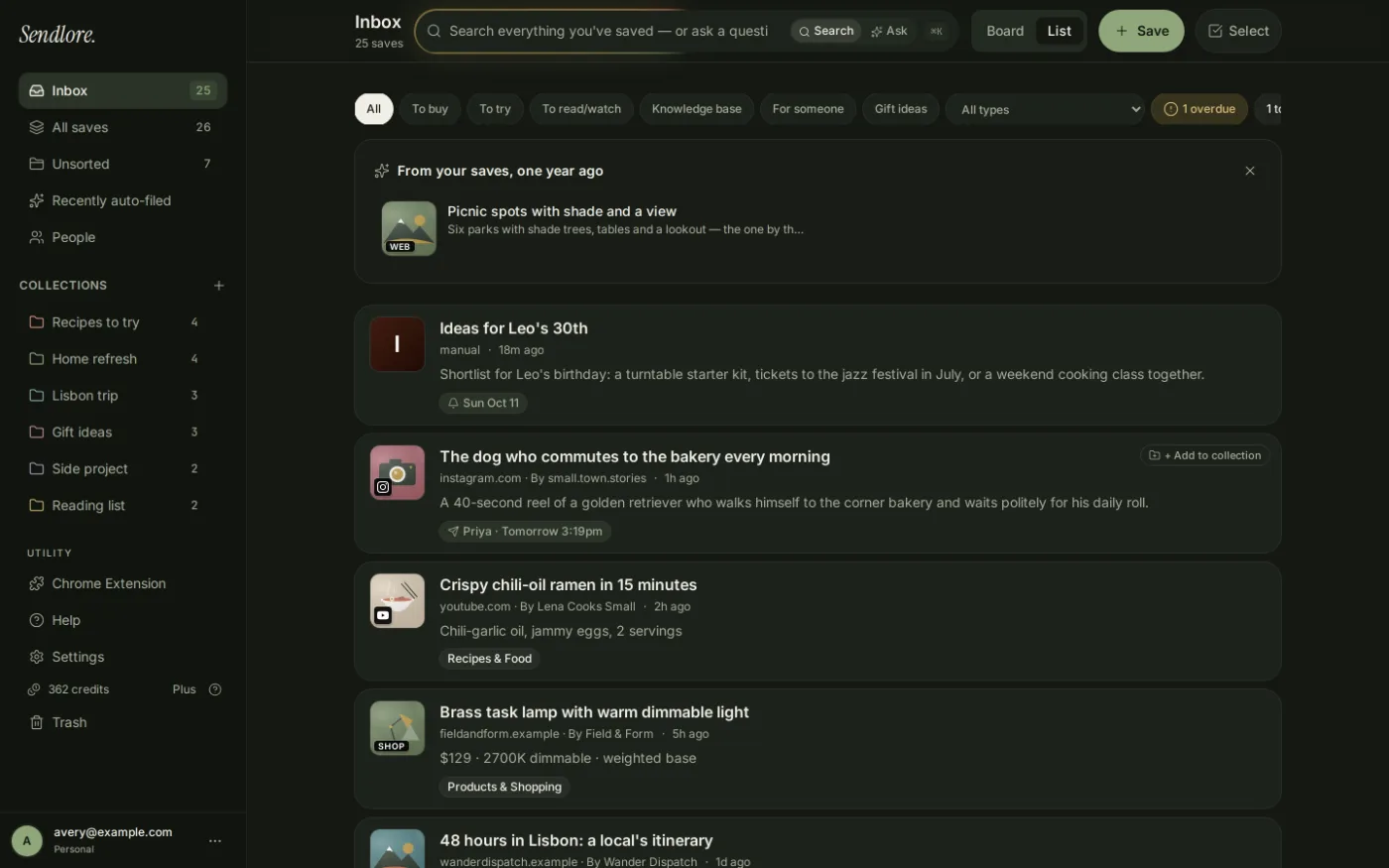
Sendlore inbox list with saved Instagram, YouTube and shopping links and their summaries
Saved posts, reels and videos with a one-line summary each, so you can scan your swipe file instead of rewatching it. Shown with a demo library.

Kickstart Your AI Workflow Today

Start with Sendlore's Free plan to save and organize real campaign references. Compare paid plans if you need more processing credits.