
Sendlore second brain
A second brain for the useful things you find online.
Save links, videos, posts, notes, files, and research with the reason they mattered. Sendlore organizes what it can, preserves the source, and helps you find the material later by what you remember — without requiring you to build a complicated personal wiki first.
Free plan available. Single-user library. The depth Sendlore can capture varies by source.
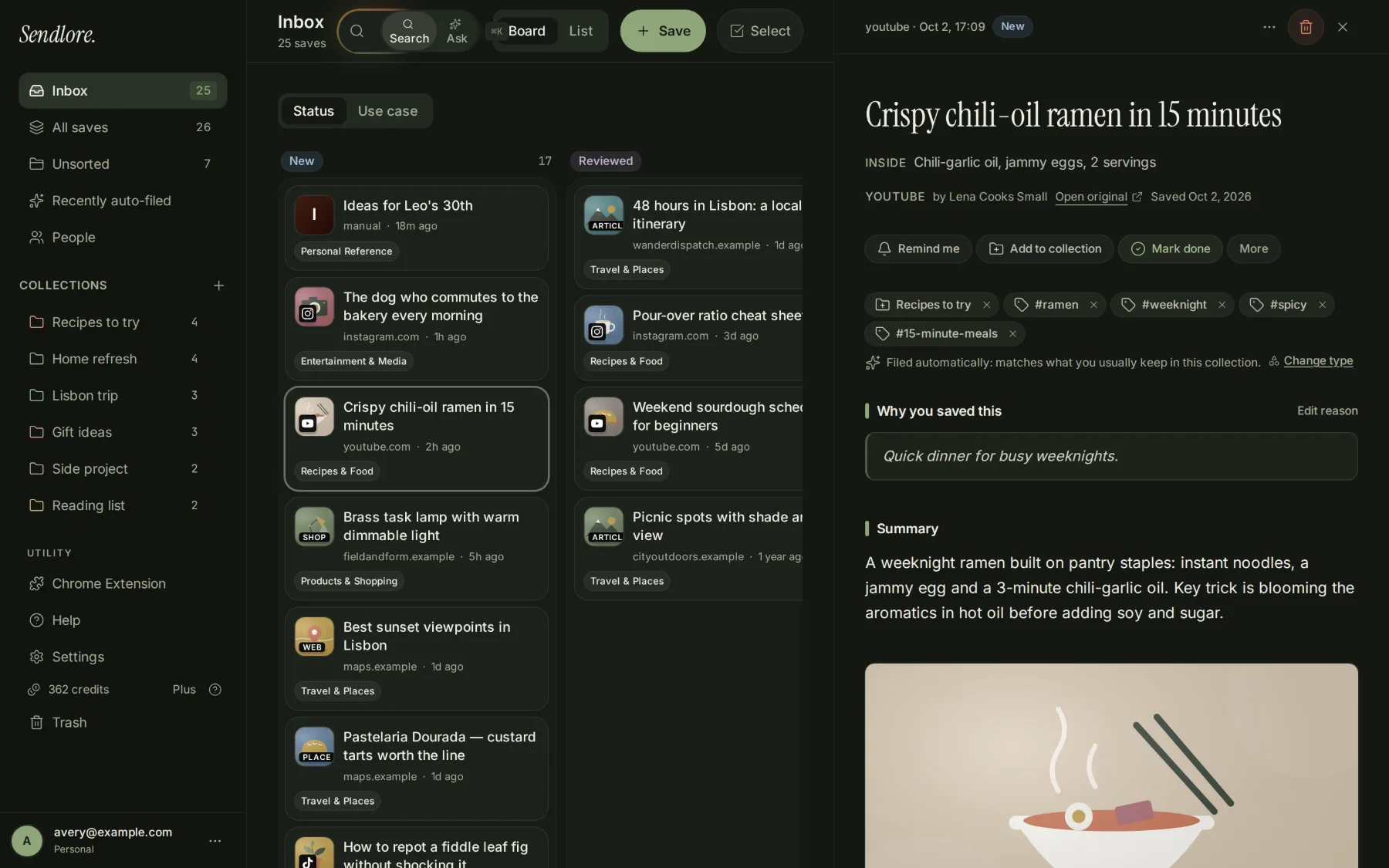
What a second brain should do
Capture less deliberately. Retrieve more reliably.
Many personal knowledge systems work best when you maintain folders, links, tags, templates, and notes with discipline. Sendlore is designed for a lighter loop: save useful material in the moment, add a little context, let the app help with organization, and rely on retrieval when you need it again.
Save
Capture the link, video, post, note, file, or forwarded email before it disappears into open tabs or another app.
Add context
Write one line about why it matters: the project, idea, person, decision, or question that made it worth keeping.
Let Sendlore process it
When the source allows, Sendlore can preserve readable text, transcripts, summaries, takeaways, source metadata, and useful classification.
Find or ask later
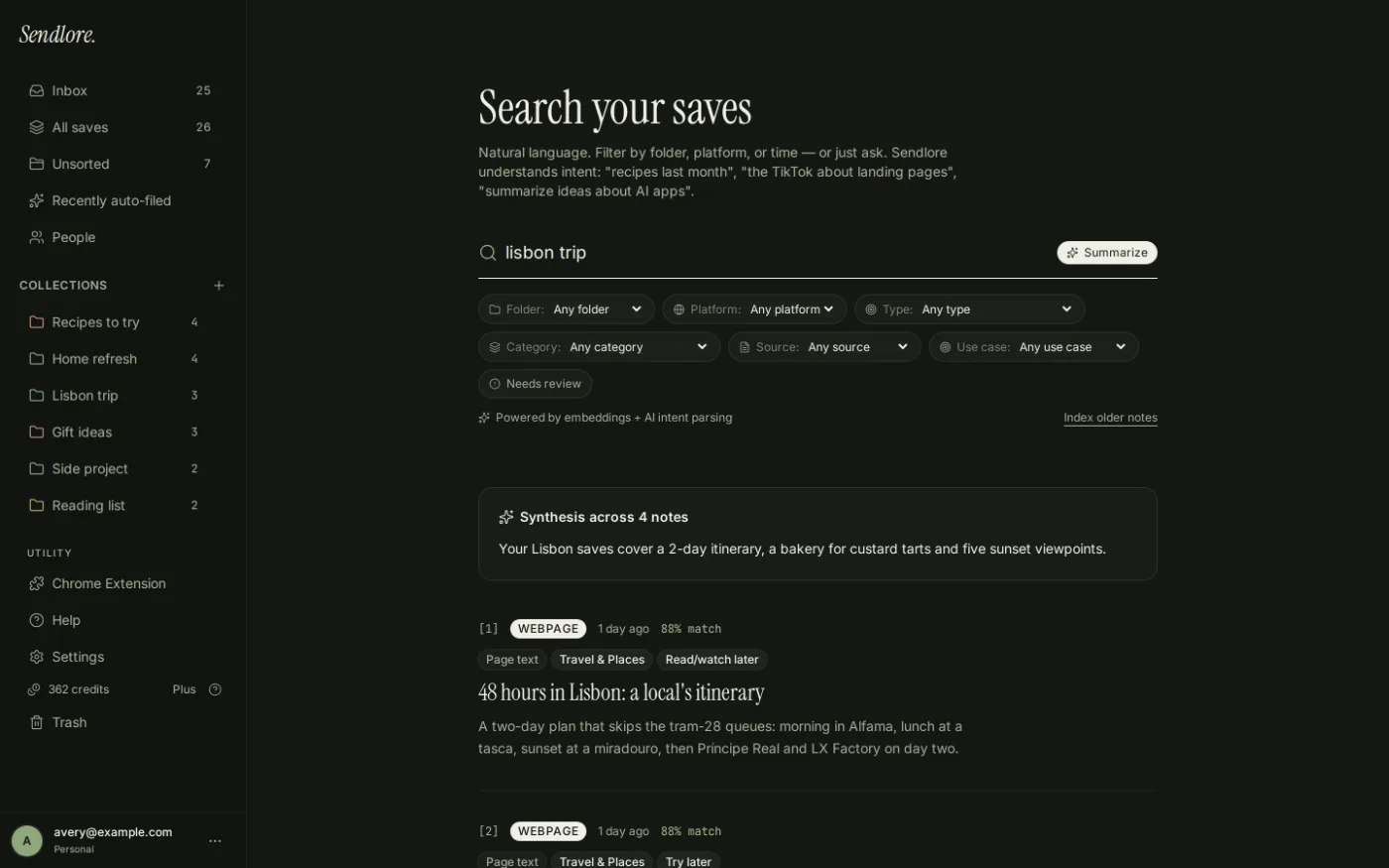
Search by words or meaning, or ask a question across relevant saves and follow the answer back to the supporting sources.
Low-maintenance by design
You should not need to remember the filing system before you can remember the idea.
Folders and tags are available, but they are not the only path back. Sendlore is built so retrieval can work across the information attached to a save instead of forcing every useful source into a perfect hierarchy.
A second brain you can question
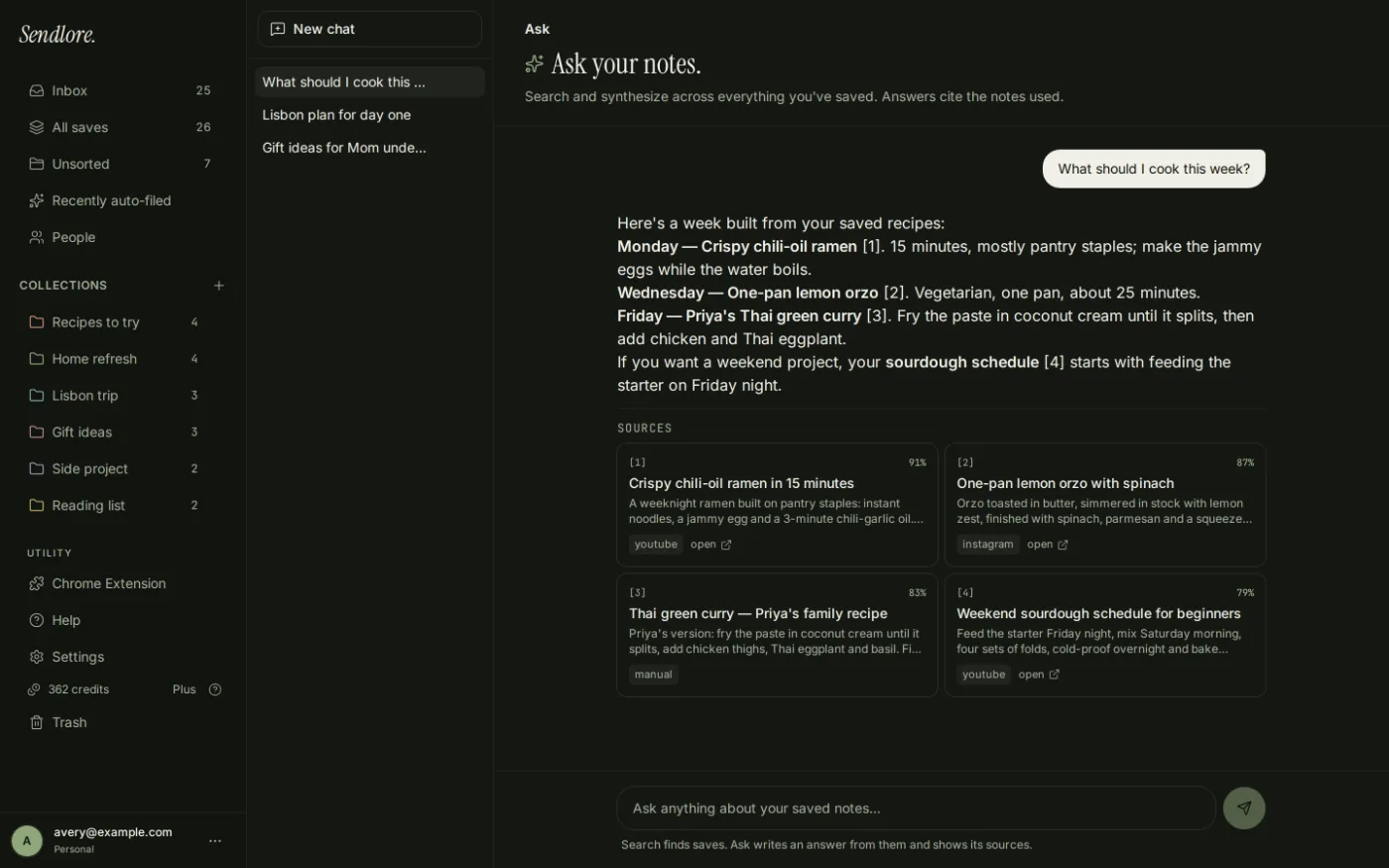
Do more than reopen the note. Ask what your saved research says.
Sometimes the useful answer is spread across five saves. Ask retrieves relevant material from your Sendlore library, writes from that evidence, and shows the sources behind the response.
What belongs in it
One library for the material that usually gets scattered across apps.
Sendlore is not limited to text notes. It is designed around the external sources people save throughout the day, while preserving the differences between those source types.
Articles and webpages
Keep the original URL and, when the site allows it, readable text and generated notes that make the source easier to retrieve later.
YouTube and supported video
Store source details and searchable transcript material when a usable transcript is actually available.
Saved posts
Keep social links alongside the rest of your research. Capture depth varies by platform and may remain metadata-only when deeper content is unavailable.
Your own thoughts
Create a note directly when the knowledge comes from you rather than an external source.
Documents and media
Upload supported files and let Sendlore extract or transcribe searchable information when processing succeeds.
Forwarded information
Send useful email content to your personal Sendlore address instead of leaving it buried in an inbox.
Start with what you already saved
A second brain is more useful when it does not begin empty.
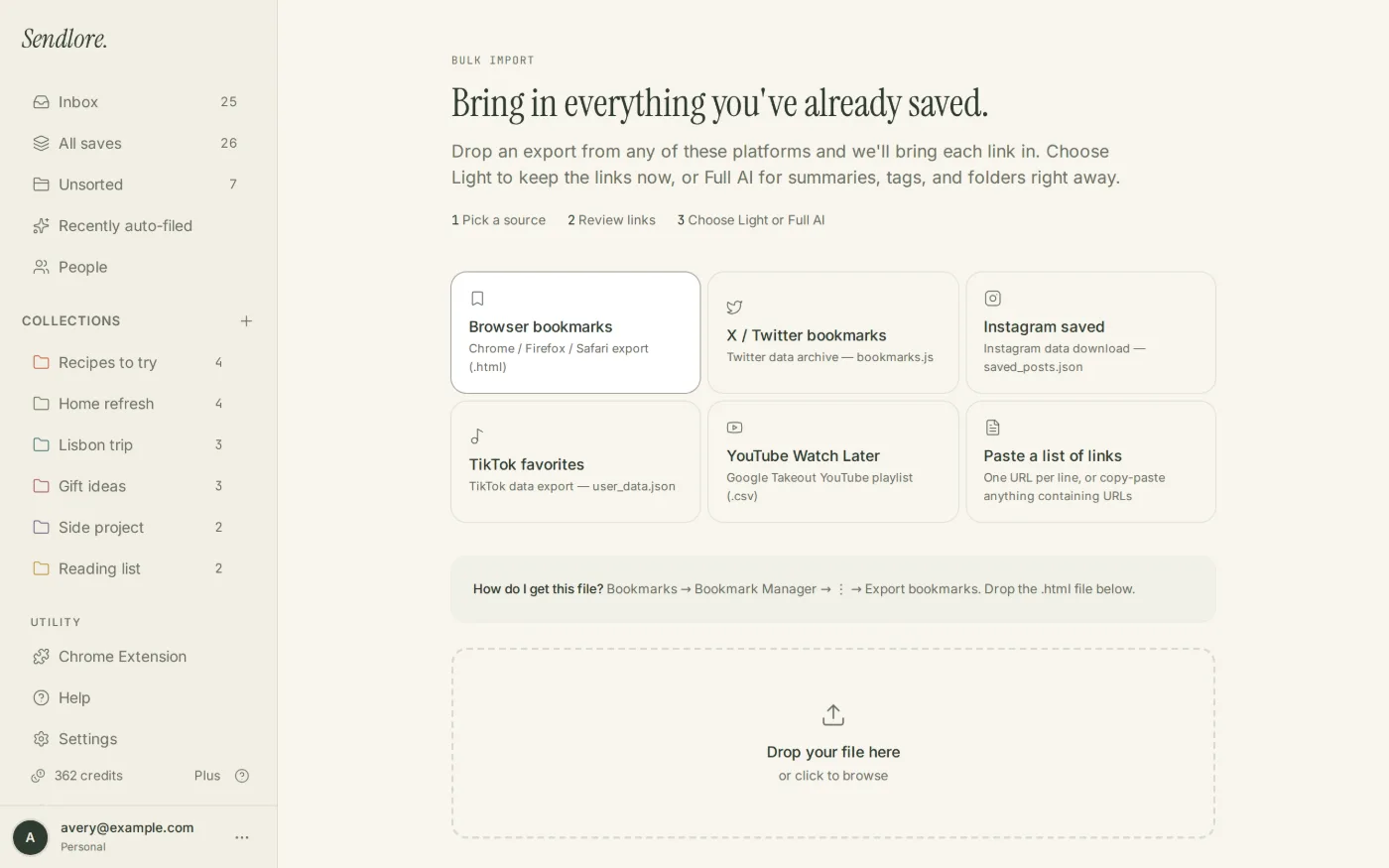
Bring an existing backlog into Sendlore rather than rebuilding your memory system from scratch. Imports can enter the library lightly first, then richer processing can be applied to the sources still worth keeping.
A different kind of second brain
Sendlore is not trying to be your everything app.
That boundary is intentional. Sendlore is strongest as a personal source library and retrieval layer. If your main goal is building elaborate linked notes, project databases, team documentation, or a visual knowledge graph, another category of tool may fit better.
Your knowledge starts as things you find.
- You save more links, videos, posts, references, and files than long-form notes.
- You want the original source and your reason for saving it kept together.
- You want less pressure to maintain a perfect taxonomy.
- You care about finding the material again by meaning.
- You want AI synthesis to lead back to the supporting sources.
- You want to connect a personal library to supported AI assistants on eligible plans.
Your knowledge starts as notes you actively build.
- You want backlinks, graph views, canvases, or deeply linked atomic notes.
- You enjoy designing your own information architecture.
- You need databases, team workspaces, project management, or collaborative documents.
- You want local-first plain-text files as the primary storage model.
- You spend more time authoring inside the system than collecting external sources.
Keep the evidence honest
Your second brain should know what it actually knows.
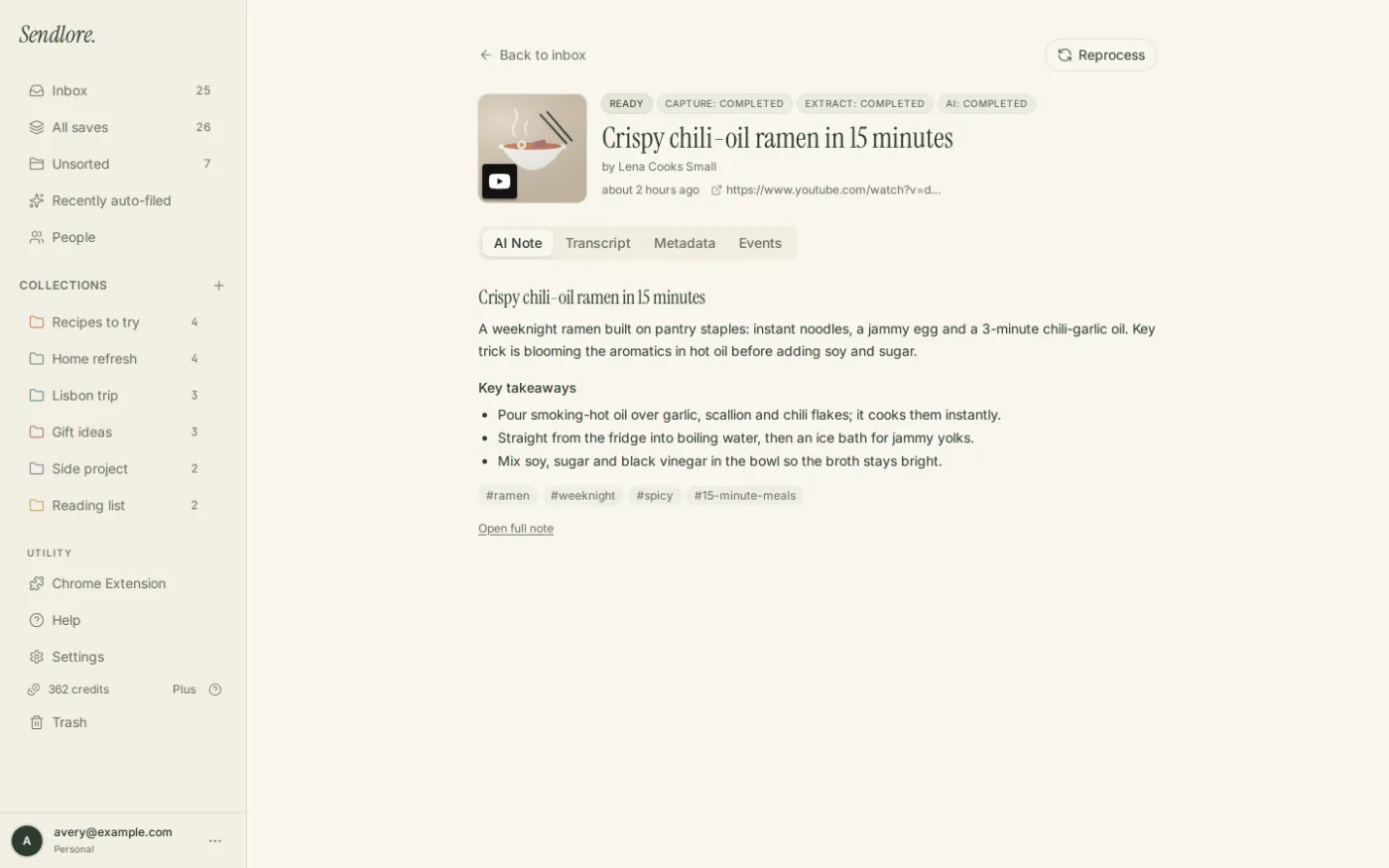
A saved URL is not the same thing as a fully captured source. Sendlore keeps that distinction visible because Search and Ask are only as reliable as the evidence stored with each item.
Use it where you already work
Your saved knowledge does not have to stay isolated inside Sendlore.
Sendlore is designed as a personal library, but useful knowledge should remain portable and accessible from other workflows.
No native mobile app. No shared team workspace. No universal full-text capture from every social platform or paywalled page. No promise that every save gets a transcript or summary. The web app works on phones, the Chrome extension handles richer desktop capture, and the product preserves lighter or metadata-only saves when deeper extraction is not available.
Questions
Sendlore second brain FAQ
What is a second brain app?
A second brain app is an external system for capturing information you want to remember and retrieving it later. Different tools emphasize different workflows: some focus on note writing and linking, while Sendlore focuses on saved sources, personal context, search, and retrieval.
How is Sendlore different from a notes app?
A notes app usually begins with something you write. Sendlore often begins with something you found: a webpage, video, social post, file, email, or bookmark. It keeps that source connected to your own reason for saving it and to whatever evidence Sendlore could successfully capture.
Do I have to organize everything manually?
No. You can use folders, types, and tags, but Sendlore also classifies and can help file saves automatically. Those decisions remain editable. Search and Ask also reduce how much the system depends on remembering the exact folder later.
Can Sendlore search by meaning?
Yes. Sendlore combines semantic retrieval with exact and full-text signals across the information stored in your library, so you can search by an idea or remembered detail without knowing the exact title.
Can I ask questions across my second brain?
Yes. Ask retrieves relevant saves, writes an answer from that evidence, and shows numbered references and source cards. The current answer policy is designed to avoid filling missing evidence with outside knowledge.
Can I import my current bookmarks?
Yes. Sendlore supports browser bookmark imports, pasted URL lists, and current import workflows for X bookmarks, Instagram saved posts, TikTok favorites, and YouTube exports. Import fidelity depends on the data available in each source export.
Can I use my Sendlore knowledge in ChatGPT or Claude?
On eligible paid plans, Sendlore can connect to supported AI assistants so they can search your library and save links for you. This extends the library into another workflow instead of making Sendlore the only interface you can use.
Is Sendlore private?
Your personal library is private by default. Individual saved notes can be shared deliberately. For current details about data handling and account security, review the Sendlore Security & Privacy page.
Is there a native Sendlore mobile app?
No. Sendlore currently uses a responsive web app on phones and desktops plus a Chrome extension on desktop.
Is Sendlore free?
Yes. Sendlore has an ongoing Free plan with no card required. Paid plans begin when you want higher processing allowances and additional capabilities. See the current pricing page for plan details.
For current privacy details, see Sendlore Security & Privacy.
Build a second brain you will actually search
Save the source. Save the reason. Let retrieval do more of the work.
Start with one useful link or bring in the backlog you already have. Sendlore is designed so the value appears later, when you can recover the source and context without rebuilding the research trail from zero.