
Sendlore for AI assistants
Bring your saved Sendlore knowledge into supported AI assistants.
Connect Sendlore as an authenticated knowledge source so a supported assistant can search your library, inspect saved notes, see recent saves, and add a URL back to your Sendlore inbox. Current Sendlore plan copy names Claude and ChatGPT, with library read access available on Plus and above.
Assistant compatibility and connection UI can vary by client. Sendlore exposes an authenticated MCP endpoint; it does not give an assistant unrestricted access to your account.
https://sendlore.neroniche.com/mcp
The endpoint uses authenticated access and exposes a small, explicit tool set for the signed-in user’s Sendlore library.
What the connection can do
Four focused tools, not blanket access to your account.
The current Sendlore MCP server exposes four capabilities. Three read from the signed-in user’s library; one adds a URL to the inbox for normal Sendlore processing.
Search saved knowledge
Run hybrid exact, keyword, and semantic search across the signed-in user’s notes. Results include the best matching titles, summaries, source URLs, platforms, and match information.
Library reading is gated to Sendlore Plus and above.
See what you saved recently
Return the most recently created Sendlore notes so an assistant can orient itself around current research without requiring you to remember each title.
Returns up to 50 notes; the current default is 20.
Inspect one saved item
Fetch a specific note by ID with fields including title, summary, tags, key takeaways, source URL, platform, author, creation date, and your saved context when present.
The underlying source remains available for verification when a source URL exists.
Save a new source from the conversation
Add a URL to the signed-in user’s Sendlore inbox and optionally include a short “why saved” note. Extraction and AI processing continue through the normal Sendlore capture pipeline.
Saving through this tool is not charged as an AI-assistant library-read action.
Use your own research while you work
Ask the assistant to look in Sendlore before starting from zero.
The value is not another chatbot. It is giving the assistant a controlled path into information you previously decided was worth saving.
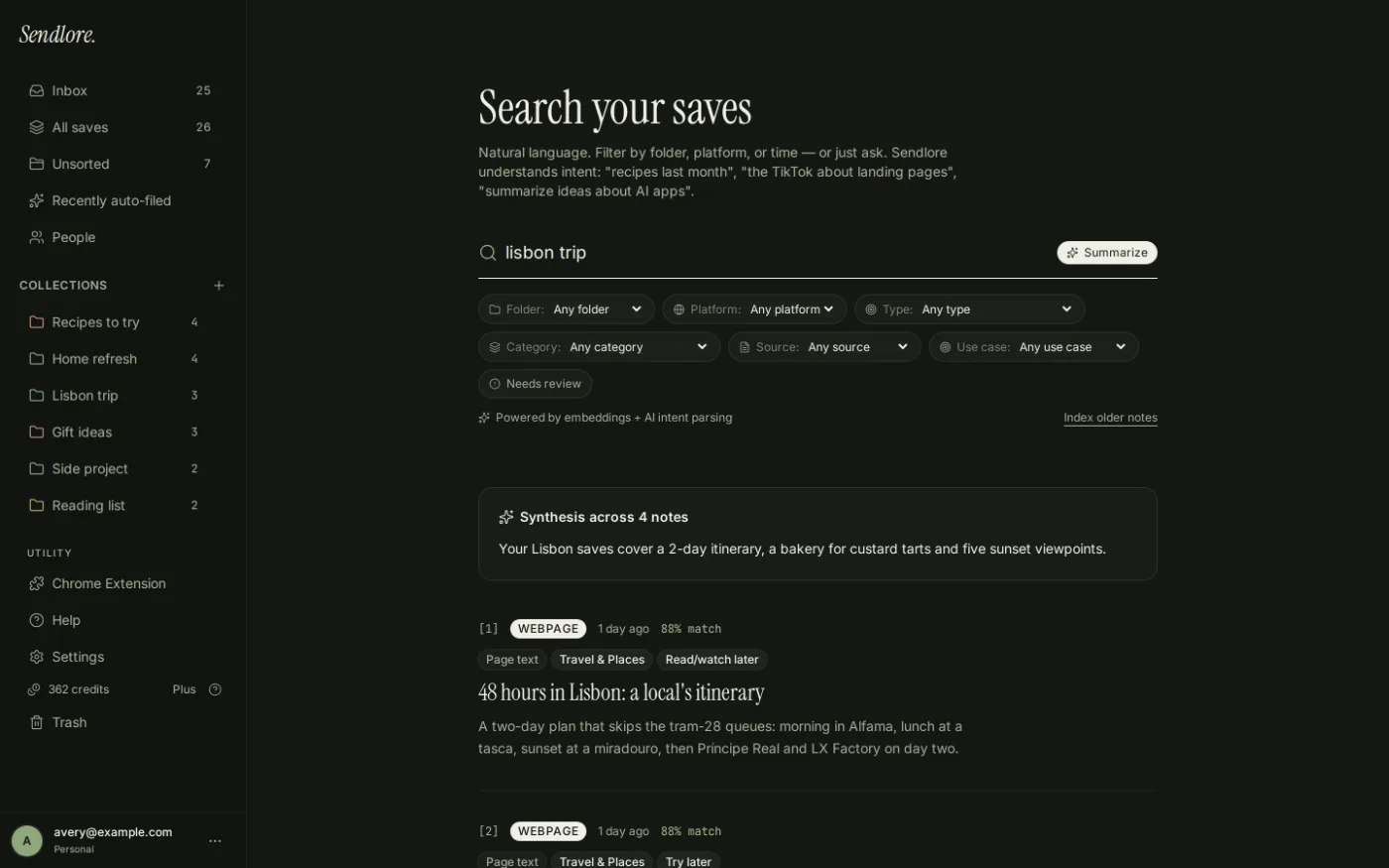
Example requests
Use the library as evidence and memory inside the assistant.
Exact wording depends on the assistant and how it exposes connected tools, but these are the kinds of jobs the current Sendlore tool set supports.
The assistant can call Sendlore search and work from matching saved notes instead of relying only on the current chat.
Recent-note access can surface current research, then individual notes can be opened for more detail.
The assistant can fetch a specific saved note and return its stored source information.
The URL can be added to Sendlore with a short reason so the context survives after the conversation ends.
Sendlore Ask vs. assistant access
Two ways to question your library, for different moments.
You do not need to connect another assistant just to ask Sendlore questions. The in-app Ask feature remains the direct way to synthesize across your saved research. Assistant access is useful when you want that library available inside another working environment.
Find the saved items
Use Sendlore Search when you want ranked results, filters, and direct retrieval inside the Sendlore app.
Answer from your library
Use Sendlore Ask when you want a source-grounded synthesis with numbered references and source cards inside Sendlore.
Bring the library into another workflow
Use the MCP connection when you are already working in a supported assistant and want it to search, inspect, or add to Sendlore without switching contexts.
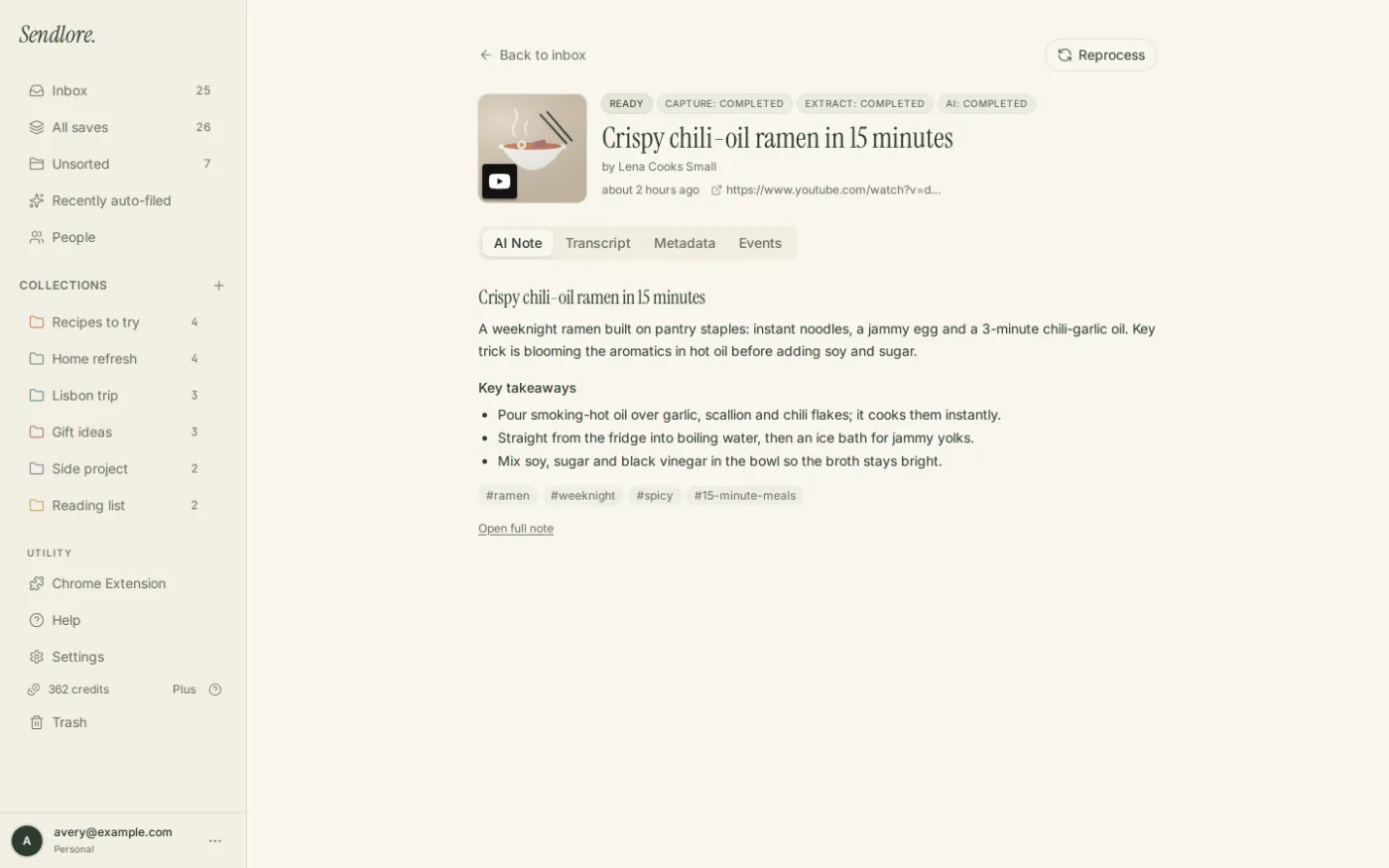
What the assistant actually sees
Connected does not mean “everything in the account.”
The MCP server exposes bounded tool responses. A search result is not the same as dumping your entire database into the conversation.
Authentication and access
The connection is tied to the signed-in Sendlore user.
Sendlore’s MCP endpoint uses OAuth-based authentication. Read tools construct requests using the authenticated user token, so the tool queries the connected user’s library rather than a shared public index.
For Sendlore-specific data handling, see Sendlore Security & Privacy.
The current Sendlore MCP surface can search Sendlore notes, list recent notes, retrieve a note, and save a URL. It does not expose billing controls, account deletion, arbitrary database access, browser history, email accounts, team workspaces, or unrelated external services through this connection.
How to think about setup
Connect the endpoint in an assistant that supports the required MCP flow.
The exact screens differ by assistant and can change independently of Sendlore, so this page avoids hard-coding UI steps that may go stale. The Sendlore side of the connection is stable: authenticated endpoint, defined tools, signed-in user scope.
Use an eligible Sendlore plan
Current Sendlore product configuration includes Claude/ChatGPT connection beginning with Plus.
Add the Sendlore MCP endpoint
Use https://sendlore.neroniche.com/mcp in a supported client’s MCP or connector setup flow.
Authenticate your Sendlore account
Complete the OAuth flow when the client requests authorization, then use Sendlore tools from that assistant as its interface allows.
Questions
Sendlore AI assistant access FAQ
Can ChatGPT search my Sendlore library?
Sendlore exposes an authenticated MCP endpoint intended for supported AI-assistant clients, and the current Sendlore plan configuration explicitly lists “Connect Claude or ChatGPT” on Plus. Actual connection availability and setup UI can depend on the assistant client and plan you use.
Can Claude access Sendlore?
The current Sendlore product configuration explicitly names Claude as a supported assistant connection on Plus and above. The Sendlore side uses its authenticated MCP endpoint and the four defined tools described on this page.
What can a connected assistant do in Sendlore?
The current MCP tool set can search notes, list recent notes, fetch one note by ID, and save a URL with an optional “why saved” note. It does not expose general account administration or arbitrary database access.
Does the assistant get my entire Sendlore library at once?
No. The current tools return scoped results for the operation requested: matching notes, recent notes, or one identified note. Search has a defined result limit rather than returning the full database.
What information is returned for a saved note?
Depending on the tool, Sendlore can return fields such as title, summary, source URL, source platform, tags, key takeaways, author, creation time, and the saved context associated with that note.
Can the assistant save links into Sendlore?
Yes. The current save_url tool saves a URL to the authenticated user’s Sendlore inbox and accepts an optional short note explaining why the link is being saved.
Does connecting an AI assistant use Sendlore reading credits?
Reading your library through the assistant is a Plus-and-above feature, but it is not charged as a Sendlore content-processing credit. A newly saved URL can still use normal credits later if Sendlore processes that source more deeply.
Is this the same as Sendlore Ask?
No. Sendlore Ask is the built-in source-grounded Q&A experience inside Sendlore. MCP access gives another supported assistant a way to call specific Sendlore library tools while you work in that assistant.
Can the assistant see content Sendlore never captured?
No. Connecting an assistant does not bypass source restrictions. If the underlying save only contains metadata or a partial capture, the assistant cannot retrieve evidence that does not exist in the Sendlore record.
Use your saved knowledge where you are already thinking
Stop rebuilding the research context every time you open a new AI conversation.
Keep useful sources in Sendlore, then give a supported assistant a controlled way to search the library, inspect the saved record, and send new links back into the same system.