
Sendlore vs. mymind
A mymind alternative built around finding the source again.
mymind is excellent at visual memory: beautiful cards, automatic organization, OCR, object and color search, Smart Spaces, and distraction-free reading. Sendlore takes a different approach. It is built for people who want the original source, their reason for saving it, imported archives, and retrieval across saved research to stay connected.
Independent comparison. mymind is not affiliated with Nero Niche or Sendlore. Competitor details checked against mymind’s public pages on October 7, 2026.
Choose mymind if visual browsing, image recognition, native mobile apps, Reader Mode, and an intentionally low-structure experience are the priority. Choose Sendlore if you care more about importing an existing backlog, preserving why a source mattered, searching the text and context Sendlore captured, and asking questions across your own saved material with references back to the saves.
Side-by-side
Sendlore and mymind solve the same problem differently.
Both products are private places to save things for later. The difference is what they optimize after capture: mymind emphasizes effortless visual memory; Sendlore emphasizes source-aware retrieval and reuse.
| Capability | Sendlore | mymind |
|---|---|---|
| Best fit | Research, writing, product work, reference libraries, and mixed online sources where provenance matters. | Visual inspiration, bookmarks, images, articles, products, and people who want automatic organization with minimal maintenance. |
| Search | Hybrid retrieval combines exact/lexical matching with semantic similarity, with optional reranking and filters across your library.Research retrieval edge | Strong search by keyword, brand, type, date, color, recognized objects, and text inside images/screenshots. mymind also exposes semantic search through its API.Visual recall edge |
| Ask across saves | Ask can synthesize across your own saved notes and cite the matching saves used for the answer. | mymind publicly emphasizes search, Smart Spaces, AI summaries, and resurfacing rather than a source-cited cross-library Q&A workflow. |
| Source context | Keeps the original URL, source/platform, your “why I saved this” note, and richer captured evidence when available. | Keeps saved cards and can add contextual notes, AI summaries, tags, and recognized visual information. |
| Bulk import | Current import paths include browser bookmarks, X/Twitter bookmarks, Instagram saved posts, TikTok favorites, YouTube playlist exports, and pasted URL lists. Light import is available for large link backlogs.Clear Sendlore edge | mymind’s current FAQ says it does not support mass import. |
| Images & screenshots | Can capture images and extracted text, with search depending on what was successfully processed. | OCR, automatic image tagging, object/color recognition, and Same Vibe are core strengths.Clear mymind edge |
| Reading | Preserves captured source content and summaries for later retrieval; the original source remains attached. | Reader Mode is a first-class feature for reading saved articles without clutter.mymind edge |
| Mobile | Responsive web app; Chrome extension on desktop. No native mobile app currently. | Native iOS and Android apps plus cross-device sync.mymind edge |
| Privacy | Personal library is private by default; individual notes can be explicitly shared. | Privacy is a core product position: no ads, no selling user data, and a private personal mind. |
mymind capabilities above are based on its public product site, FAQ, and current pricing/features page. Sendlore capabilities are checked against the current Sendlore codebase and live Nero Niche product pages.
Why Sendlore can fit better
Retrieval starts with what you meant when you saved it.
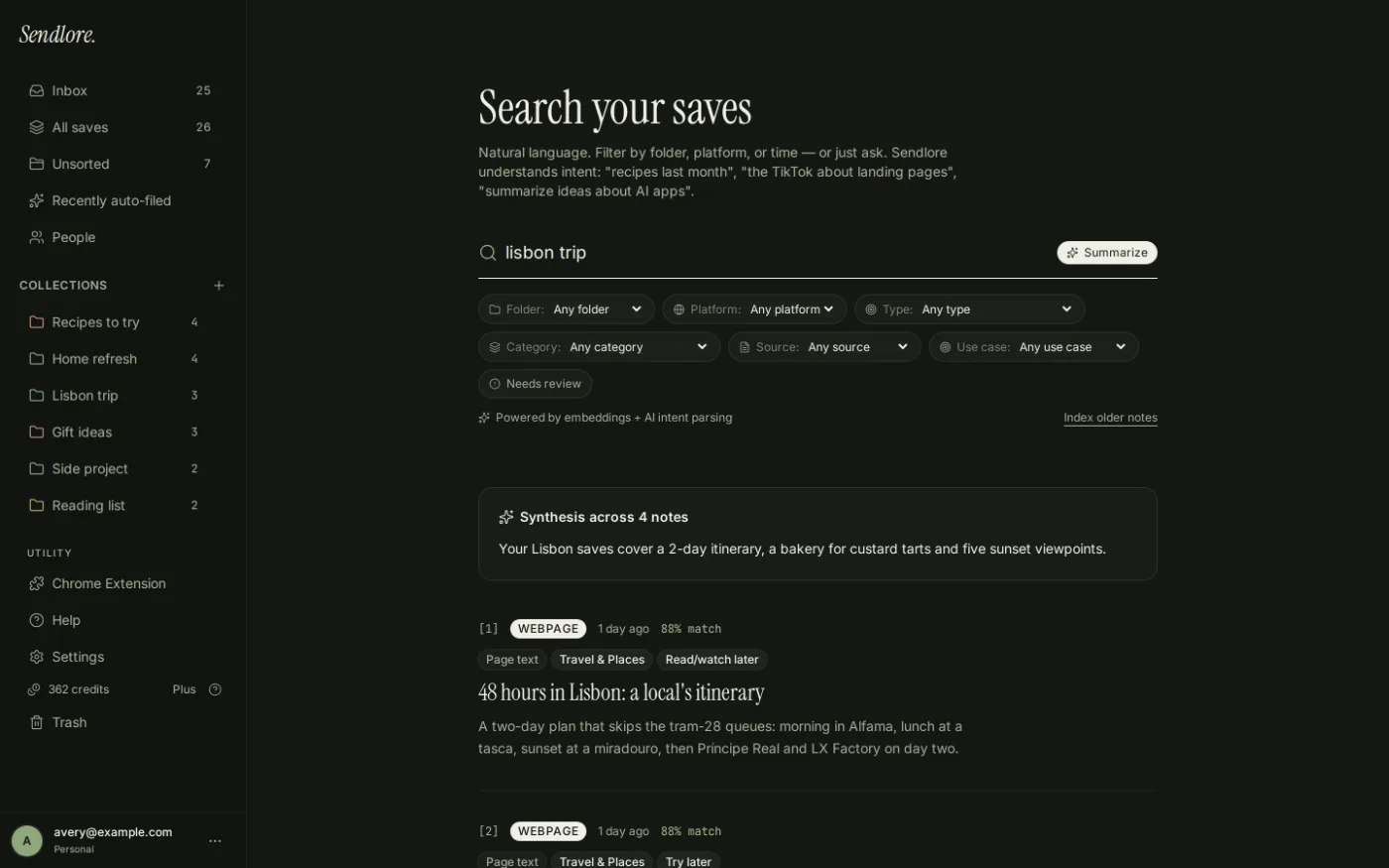
Search gets much easier when the library keeps more than a title and a visual card. Sendlore treats your reason for saving something and the source evidence it can capture as part of the retrieval layer.
The biggest migration difference
Sendlore lets you bring the backlog.
This is the clearest practical difference for someone switching tools. Sendlore is designed to ingest existing saved-link libraries. mymind’s current FAQ explicitly says mass import is not supported.
Import browser bookmarks and supported social/video exports, or paste a list of URLs. A light import gets the links into your library first; richer processing can happen as credits allow.
mymind intentionally favors starting with a clean mind rather than pulling an old archive in wholesale. That can be a benefit if you want a fresh start, but it is a constraint if years of existing bookmarks still matter.
Where mymind is better
Do not switch if these are the features you value most.
A useful alternative page should make the trade-offs explicit. Sendlore is not a replacement for every part of mymind.
You think visually first.
- You want image OCR, object recognition, color search, and Same Vibe.
- You want an exceptionally visual card-based library.
- You regularly read saved articles inside a dedicated Reader Mode.
- You want native iOS and Android apps today.
- You prefer automatic organization and minimal explicit structure.
You retrieve sources to use them again.
- You need to migrate an existing bookmark or saved-content backlog.
- You want your own reason for saving something preserved with the item.
- You search across articles, videos, social posts, notes, files, and imported links as one research library.
- You want Ask answers grounded in the material you saved.
- You care about returning from an AI summary to the original source.
Source-aware by design
Saving the link is only the first layer.
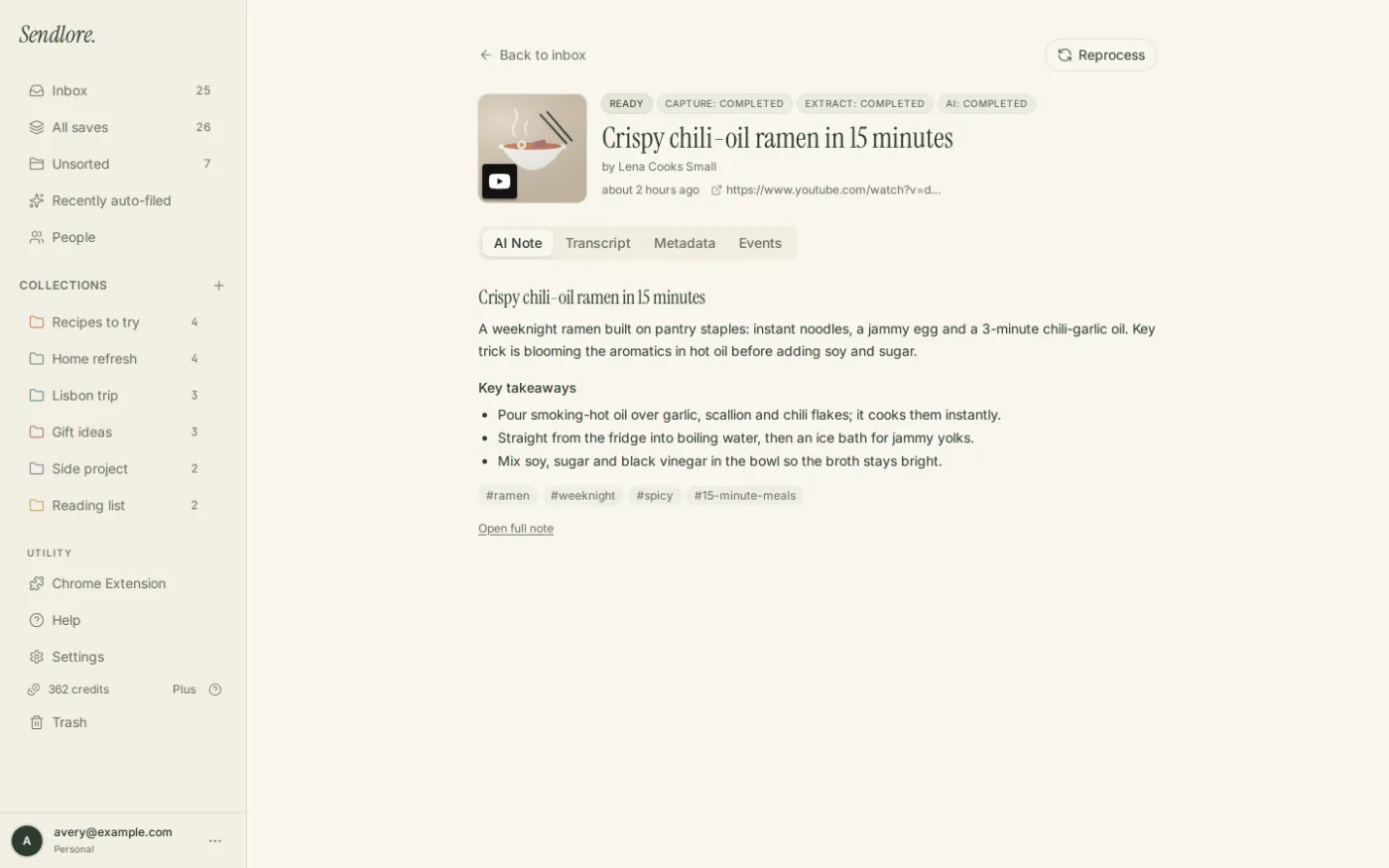
When a source allows deeper reading, Sendlore can preserve richer material such as summaries, takeaways, page text, or transcripts. When it cannot, the product is designed to communicate that reduced fidelity rather than pretend every save was fully read.
Questions
Sendlore vs. mymind FAQ
Is Sendlore really an alternative to mymind?
Yes, if the job is saving online material and finding it again later. The products diverge after that: mymind is more visual and automation-first, while Sendlore puts more emphasis on source context, imported libraries, semantic/lexical retrieval, and asking questions across what you saved.
Which has better search?
It depends on what you search for. mymind is especially strong for visual recall: colors, objects, brands, OCR text, types, dates, and image similarity. Sendlore is better aligned with research-style retrieval where you want exact terms, semantic matches, saved context, transcripts or extracted text, and source-grounded Ask answers.
Can I import my existing library into Sendlore?
Sendlore currently supports browser bookmark exports, X/Twitter bookmark exports, Instagram saved-post exports, TikTok favorites, YouTube playlist exports, and pasted URL lists. The exact information retained depends on what the export contains and what Sendlore can read from each source.
Can I bulk import into mymind?
As of October 7, 2026, mymind’s public FAQ says it does not support mass import. Check mymind’s current documentation before making a migration decision because competitor features can change.
Does Sendlore have native iPhone or Android apps?
No. Sendlore currently uses a responsive web app on phones and desktops plus a Chrome extension on desktop. mymind currently offers native iOS and Android apps.
Which is better for designers and visual inspiration?
mymind is the stronger fit today if image recognition, color/object search, Same Vibe, and visual browsing are central to your workflow. Sendlore is stronger when the saved item is primarily evidence or a source you expect to search, cite, compare, or reuse later.
Different priority, different tool
Choose Sendlore when finding the source matters more than browsing the board.
Start with your existing saves, preserve why they mattered, and build a library designed for retrieval instead of relying on memory to reconstruct the trail.