
Sendlore vs. Instapaper
An Instapaper alternative for research you need to retrieve — not only read later.
Instapaper is excellent at turning articles, PDFs, videos, and long emails into a clean reading queue you can use across devices. Sendlore starts from a different job: save mixed research with the reason it mattered, preserve the source and whatever evidence can be captured, then find or ask across that material when a future project needs it.
Independent comparison. Instapaper is not affiliated with Nero Niche or Sendlore. Instapaper details were checked against its official product, documentation, blog, and pricing pages on October 8, 2026.
Choose Instapaper if your core workflow is saving articles to read, highlight, annotate, listen to, archive permanently, and access offline across phones, tablets, e-readers, and the web. Choose Sendlore if the harder problem is preserving the context around mixed research and recovering it later through semantic search or source-grounded questions.
Side-by-side
Instapaper optimizes the reading queue. Sendlore optimizes the research trail.
There is real overlap: both save web content, organize it, and make old material searchable. The meaningful difference is what the system expects you to do with a save later.
| Capability | Sendlore | Instapaper |
|---|---|---|
| Best fit | Research libraries containing links, articles, videos, social posts, notes, files, and imported saves that need to be found and reused later. | Read-later workflows centered on articles, PDFs, videos, long emails, highlights, notes, listening, and offline reading. |
| Primary workflow | Capture source + your reason + available evidence, then retrieve by words, meaning, filters, or Ask.Research-reuse focus | Save content, declutter it into a reading view, read/listen, highlight, annotate, archive, and sync progress across devices.Reading focus |
| Personal save context | A dedicated “why I saved this” field records the project, question, decision, idea, or person that made the source useful.Sendlore emphasis | Highlights, article notes, descriptions, folders, and tags can preserve context, but the workflow is not centered on a dedicated capture-time reason field. |
| Search | Hybrid retrieval combines lexical/full-text signals and semantic similarity across the data Sendlore successfully captured, with filters and source context. | Premium includes full-text search across saved articles, including archived items. Instapaper also supports advanced search and note search. |
| Ask across saves | Ask retrieves relevant saved material, generates from that evidence, and returns numbered references and source cards. | Instapaper offers article summaries and powerful search, but its current public product documentation does not describe a library-wide, source-cited conversational Q&A workflow. |
| Article summaries | Processed saves can include summaries and key takeaways when enough source content is available. | Instapaper Summaries provide an article overview and important sentences. Free users currently receive a limited number; Premium includes unlimited summaries. |
| Reading experience | Captured content is available for reference and retrieval, but Sendlore is not a dedicated long-form reading environment. | Distraction-free reader, configurable typography, progress sync, speed reading, text-to-speech, playlists, and offline reading are core strengths.Clear Instapaper edge |
| Highlights & notes | Notes and source context exist, but in-article highlighting is not the center of the product. | Built-in highlights, comments/notes, note search, and browser-extension highlighting make annotation a mature part of the workflow.Clear Instapaper edge |
| PDFs | Supported documents can be uploaded and converted into searchable text when processing succeeds. | Premium includes a dedicated PDF reader with highlighting, notes, and text-to-speech.Instapaper edge |
| Permanent archive | Keeps the original source URL and captured evidence, but does not promise a permanent visual copy of every webpage. | Premium stores a permanent copy of saved articles so they remain available if the source disappears.Clear Instapaper edge |
| Mixed social/video research | Platform-aware handling exists for YouTube and major social platforms, with explicit reduced-fidelity states when deeper extraction is unavailable. | Can save videos, X posts on Premium, and general web pages, but the product is organized primarily around readable content and the reading queue. |
| Imports | Browser bookmarks, pasted URL lists, plus dedicated current workflows for X bookmarks, Instagram saved posts, TikTok favorites, and YouTube exports. | Supports migration into the reading library, including a dedicated Pocket import flow, account import tools, and connected services. |
| Organization | Folders, types, tags, useful views, editable classification, and optional smart filing. | Folders, tags, Likes, Archive, multiselect actions, sorting, and a mature queue-management system. |
| Mobile & offline | Responsive web app plus Chrome extension. No native mobile app currently. | Native iOS and Android apps with offline reading, plus Kindle, Kobo, and Boox workflows.Clear Instapaper edge |
| Integrations & API | Focused capture/export integrations, Apple Notes sync, and supported AI-assistant access on eligible plans. | Connected accounts include Obsidian, Notion, Evernote, Pinboard, and X; API v2 launched in September 2026 with OAuth 2, REST, tags, highlights, and official SDKs.Instapaper ecosystem edge |
| Pricing | Ongoing Free plan. Current paid tiers start at $9/month; reading credits are used for new-source processing, while Search, Ask, and export do not spend reading credits. | Free includes unlimited saves, folders, cross-device sync, and API integration. Premium is currently $5.99/month or $59.99/year.Instapaper price edge |
Instapaper capabilities above are based on its official getting-started documentation, Premium documentation, pricing page, and its 2026 API v2 and Instapaper 10 announcements. Sendlore claims are checked against the current product implementation and Nero Niche product pages.
Why Sendlore can fit better
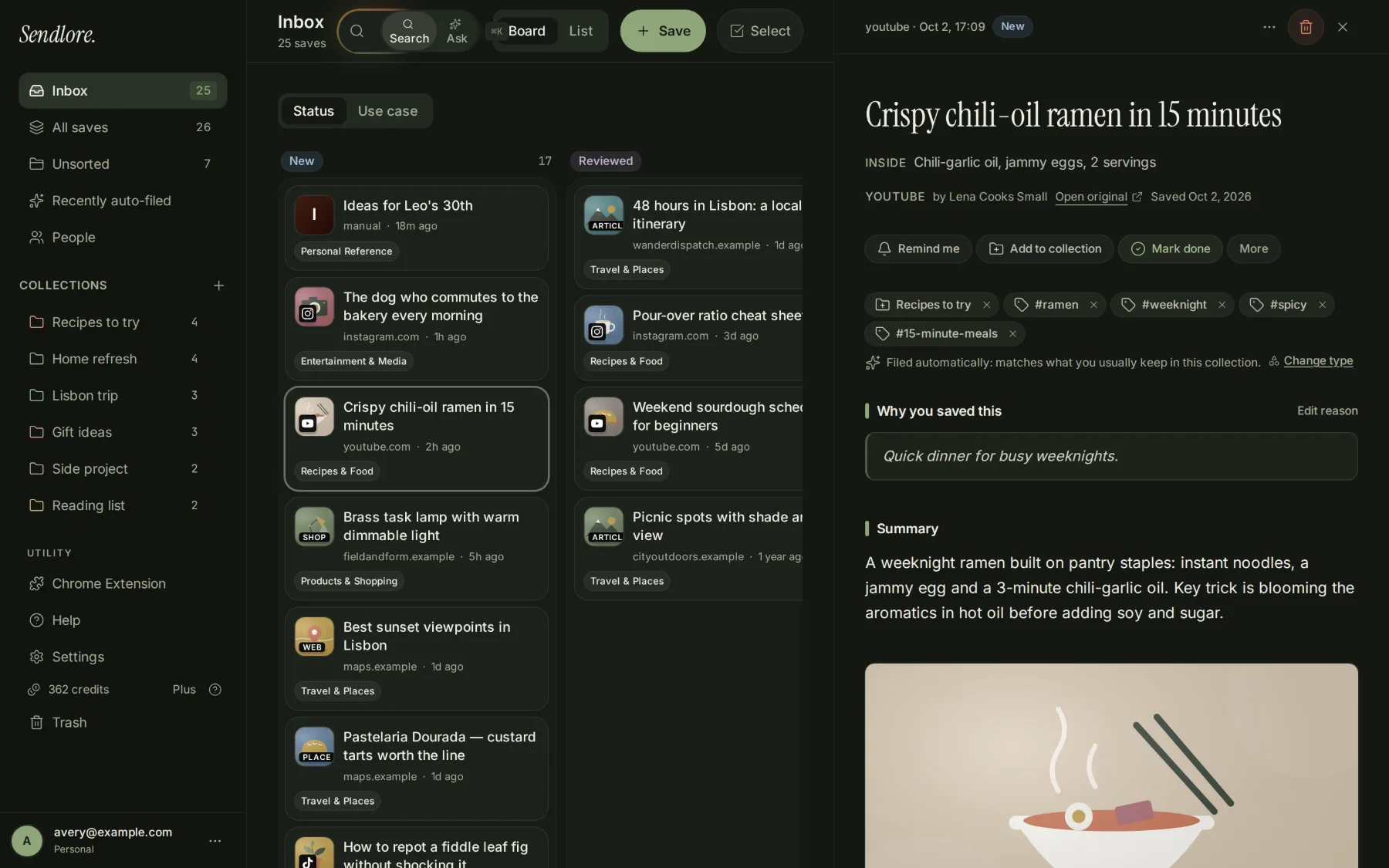
The thing you forget is often not the article. It is why you saved it.
A research library has a different failure mode from a reading queue. Months later, you may still have the link but no memory of which project, claim, decision, or idea made it important.
Research retrieval
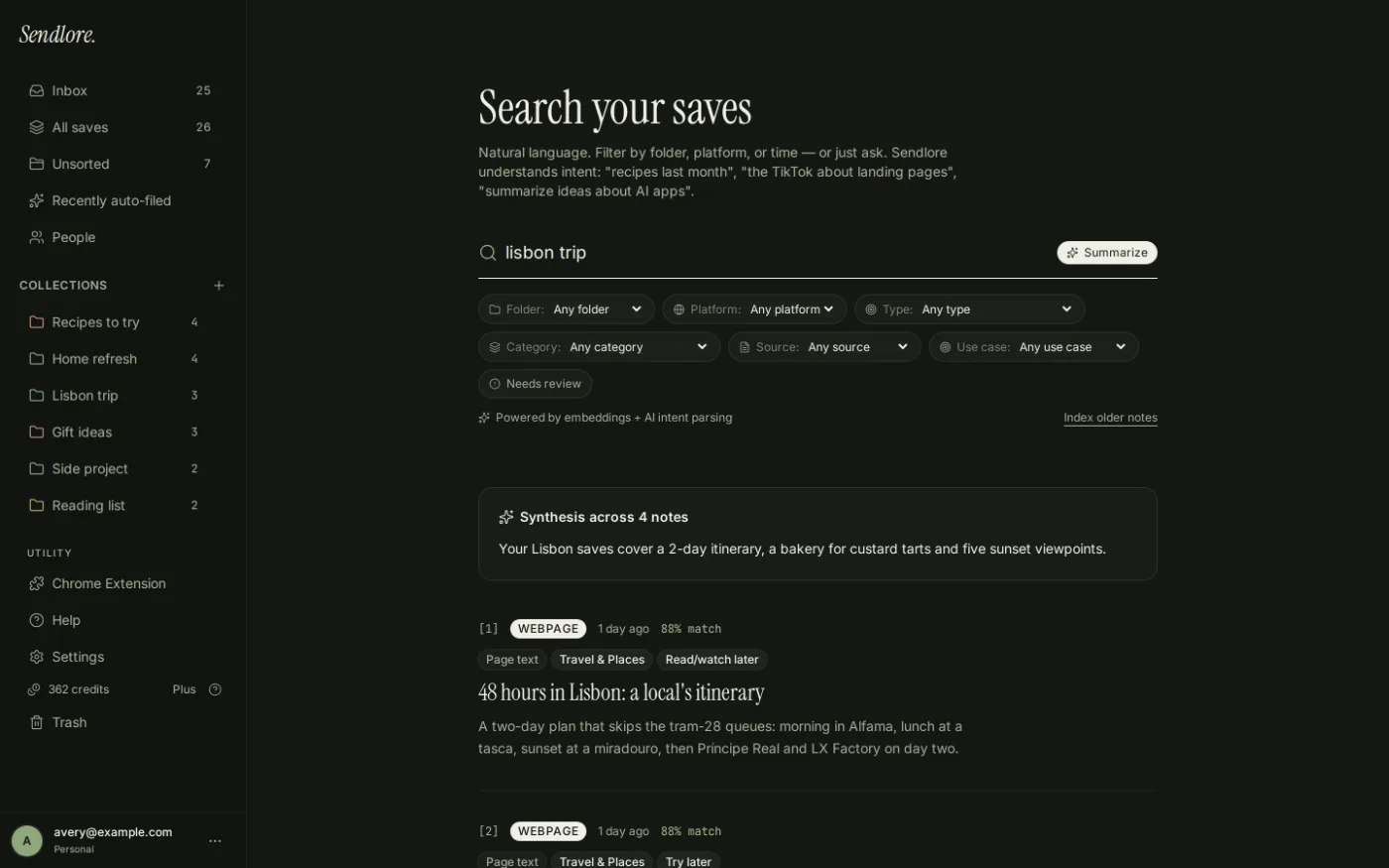
Full-text search is useful. Meaning-based retrieval changes the query you can ask.
Instapaper Premium is strong when you remember words from an article or note. Sendlore adds semantic retrieval across the evidence stored with your saves, so the query can look more like the memory you actually have.
Ask your saved research
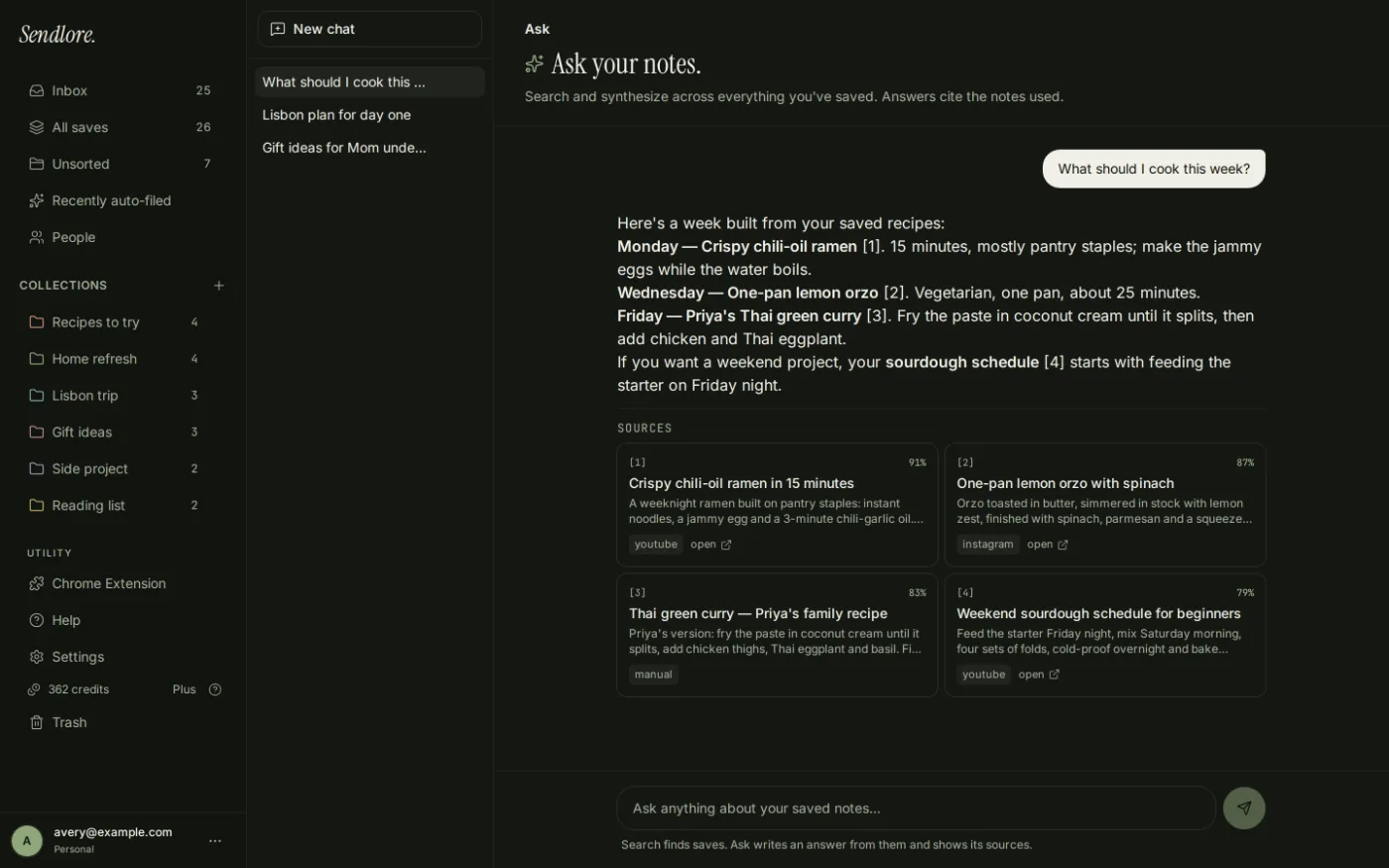
When the answer lives across several saves, ask the library instead of opening each one.
Instapaper has article summaries and excellent full-text retrieval. Sendlore goes further in a different direction: Ask retrieves a set of relevant saves and produces a source-grounded answer across them.
Where Instapaper is better
For actually reading what you save, Instapaper is the stronger product.
That is the center of Instapaper’s design, and Sendlore should not pretend otherwise.
Instapaper reformats articles for distraction-free reading, syncs reading position, supports custom text settings, works offline, and now has a redesigned three-column web reader and refreshed iOS experience.
Highlights, note search, article notes, AI Voices, text-to-speech playlists, speed reading, and open-web highlighting make it substantially stronger for active reading and annotation.
Native iOS and Android apps, Kindle/Kobo/Boox integrations, Premium permanent archive, and dedicated PDF reading make Instapaper a better fit when access and consumption matter as much as retrieval.
Choose by workflow
The question is not which app is “better.” It is what happens after Save.
Your backlog is a reading queue.
- You regularly read long-form articles inside the app.
- You highlight, annotate, and search notes as part of your learning process.
- You want offline reading and native mobile apps.
- You use Kindle, Kobo, or Boox.
- You want text-to-speech, playlists, speed reading, or a dedicated PDF reader.
- You want Premium permanent archives of articles.
- You want a mature reading product at a lower paid price.
Your backlog is research to reuse.
- You save sources because they may support a future article, decision, comparison, project, or conversation.
- You want the reason for saving a source captured explicitly at the beginning.
- You work across normal webpages, videos, social posts, notes, files, and imported saved-content archives.
- You want meaning-based retrieval in addition to exact/full-text matching.
- You want to ask questions across retrieved saves and follow citations back to them.
- You care about seeing when a source was only partially captured rather than treating every save as equally complete.
Mixed-source capture
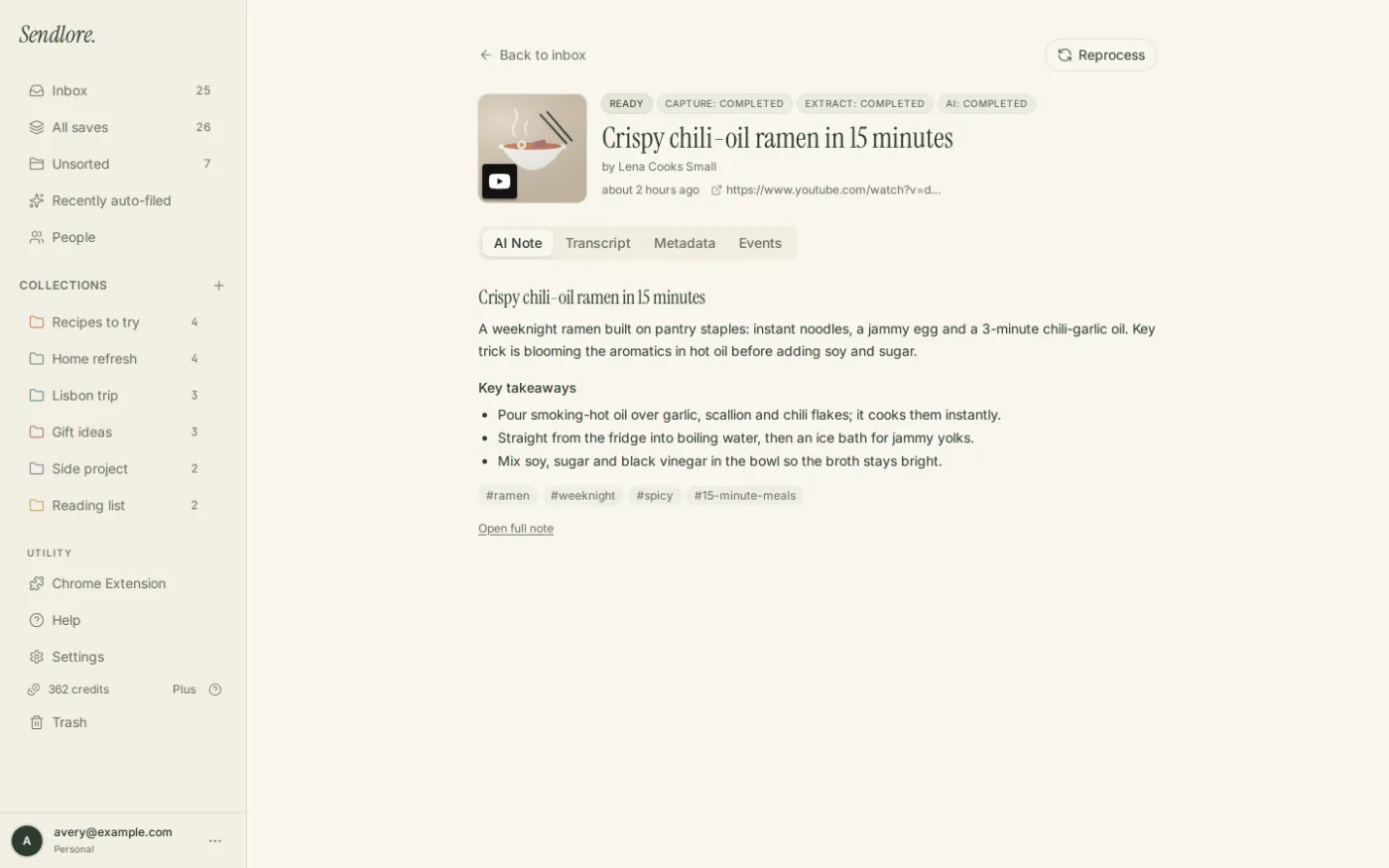
Research does not always arrive as a clean article.
Instapaper can save articles, videos, PDFs, long emails, and X posts, and its parser is extremely mature. Sendlore is more explicitly designed around a mixed-source library where capture depth differs by platform.
Migration
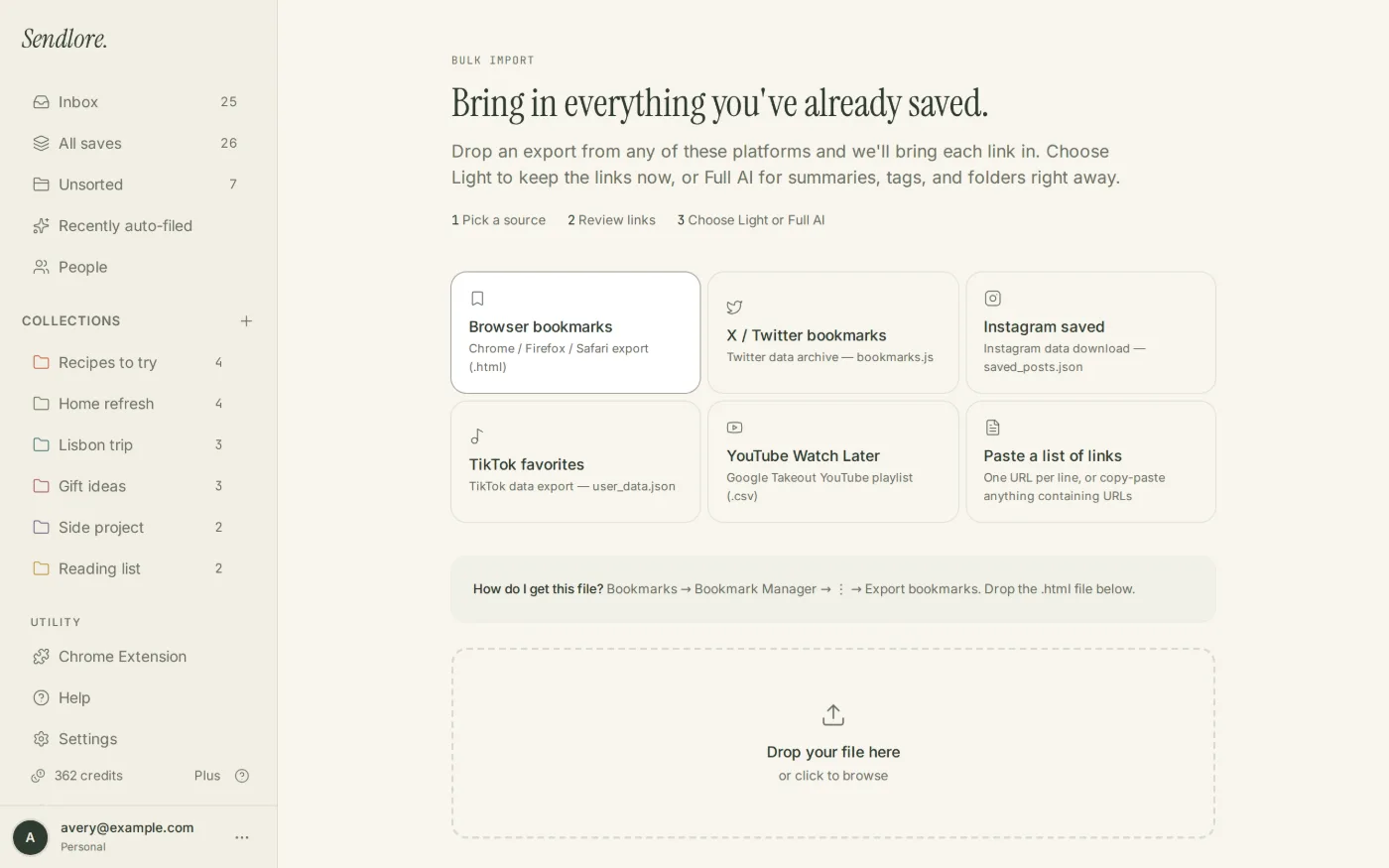
Both can take old saves. Sendlore is broader across several social/video export workflows.
Instapaper has strong migration paths, including a dedicated Pocket importer. Sendlore focuses on bringing together bookmark files and supported saved-content exports from several platforms.
Price and scope
Instapaper costs less. Sendlore is solving a broader retrieval problem.
Price is a legitimate Instapaper advantage. The Sendlore decision only makes sense if the context, mixed-source capture, semantic retrieval, and cross-save Ask workflow are useful enough to justify the different product scope.
Ongoing Free plan; paid tiers start at $9/month.
- Reading credits apply when Sendlore processes new source material.
- Search, Ask, and export do not spend reading credits.
- The free plan can be used without a time-limited trial.
- Paid tiers increase processing and other plan allowances.
Strong Free plan; Premium is $5.99/month or $59.99/year.
- Free includes unlimited article/video/page saves, folders, cross-device sync, and API integration.
- Premium adds full-text search, PDF Reader, permanent archive, unlimited notes, X saves, Kindle digests, AI Voices/playlists, speed reading, and an ad-free web experience.
- Instapaper is the lower-cost paid option for users whose main job is reading and managing a queue.
Questions
Sendlore vs. Instapaper FAQ
Is Sendlore really an Instapaper alternative?
Yes if the job is saving useful online material and finding it again later. It is not a full replacement for Instapaper’s reading experience. Instapaper is substantially stronger for offline reading, typography, highlights, notes, text-to-speech, e-readers, PDFs, and permanent article archives.
Which is better for research?
It depends on how you research. Instapaper is strong when research means reading, highlighting, annotating, and searching articles. Sendlore is better aligned with mixed-source research where capture context, semantic retrieval, source fidelity, and asking across several saves matter more.
Does Instapaper have full-text search?
Yes. Full-text search across saved articles is an Instapaper Premium feature, including archived articles. Instapaper also supports note search and advanced search.
Does Instapaper have AI features?
Yes. Instapaper offers article Summaries and Premium AI Voices for text-to-speech. Its current public documentation does not describe a Sendlore-style library-wide conversational Q&A feature that answers across retrieved saves with source cards.
Which is better for reading articles later?
Instapaper. Its core product is a distraction-free reading experience with native apps, offline access, reading-position sync, text settings, listening, highlights, notes, speed reading, and e-reader integrations.
Which is better for social posts and mixed web research?
Sendlore is more directly built around this use case. It handles multiple web, video, social, note, and file sources within one retrieval-oriented library and makes reduced-fidelity capture states explicit when a platform limits extraction.
Can I import existing saves?
Both products support migration. Instapaper has dedicated import tools including Pocket migration. Sendlore supports browser bookmark files, pasted URL lists, and current import workflows for X bookmarks, Instagram saved posts, TikTok favorites, and YouTube exports.
Which is cheaper?
Instapaper. Its Premium plan is currently $5.99 per month or $59.99 per year, while Sendlore’s current paid tiers start at $9 per month. Both offer ongoing free access.
Which is better on mobile?
Instapaper currently has the clear advantage. It offers native iOS and Android apps with offline reading. Sendlore currently uses a responsive web app plus a Chrome extension on desktop.
Reading queue or reusable research?
Choose Sendlore when the value of a save begins after you close the article.
Keep the source, preserve the reason it mattered, search by what you remember, and ask across prior research when the next decision, draft, comparison, or project needs the evidence again.