Sendlore vs. Raindrop.io

Raindrop.io is one of the strongest traditional bookmark managers: polished collections and tags, highlights, full-text search, web archives, native apps, collaboration, integrations, and now Stella AI. Sendlore takes a narrower research-reuse approach: keep the original source, preserve why you saved it, capture as much evidence as the source exposes, then retrieve that material when a future project needs it.
Independent comparison. Raindrop.io is not affiliated with Nero Niche or Sendlore. Raindrop details were checked against its public product, pricing, help, and official blog pages on October 7, 2026.
Choose Raindrop.io if you want a mature, inexpensive bookmark manager with excellent collections, tags, highlights, web archiving, collaboration, broad integrations, native apps, and AI built into that organizational system. Choose Sendlore if the more important problem is remembering why a source mattered, keeping mixed research tied to its provenance, distinguishing complete from partial captures, and retrieving prior research for a new decision, article, product, or project.
Side-by-side
Raindrop is fundamentally an excellent bookmark system. Sendlore treats a save more like a research record: source + your intent + captured evidence + retrieval context.
| Capability | Sendlore | Raindrop.io |
|---|---|---|
| Best fit | Founders, writers, researchers, marketers, and knowledge workers collecting mixed sources that need to become useful evidence again later. | People who want a mature cross-platform bookmark manager with strong visual organization, tags, highlights, collaboration, archives, and integrations. |
| Organization | Folders, item types, tags, useful library views, AI classification, optional auto-filing, user corrections, and filing rules learned from explicit user choices. | Nested collections, tags, filters, manual sorting, multiple visual views, batch processing, duplicate cleanup, broken-link cleanup, and AI Suggestions.Raindrop organization edge |
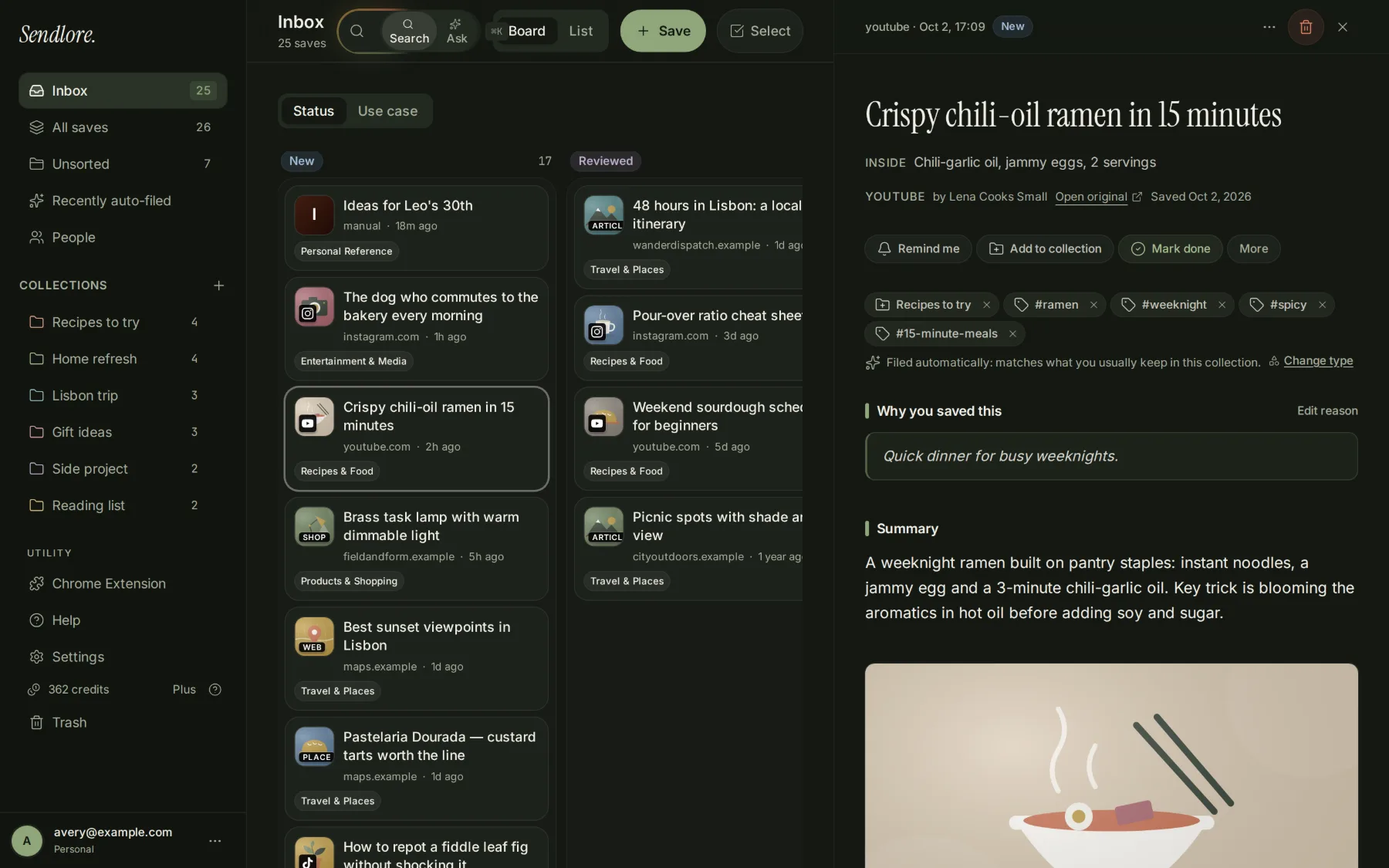
| Capture-time context | A dedicated “why I saved this” field stores the project, decision, question, person, or reason that made a source worth keeping.Sendlore emphasis | Every bookmark can have free-form Markdown notes, and highlights can carry annotations on Pro. The workflow is flexible rather than centered on a dedicated reason-for-saving field. |
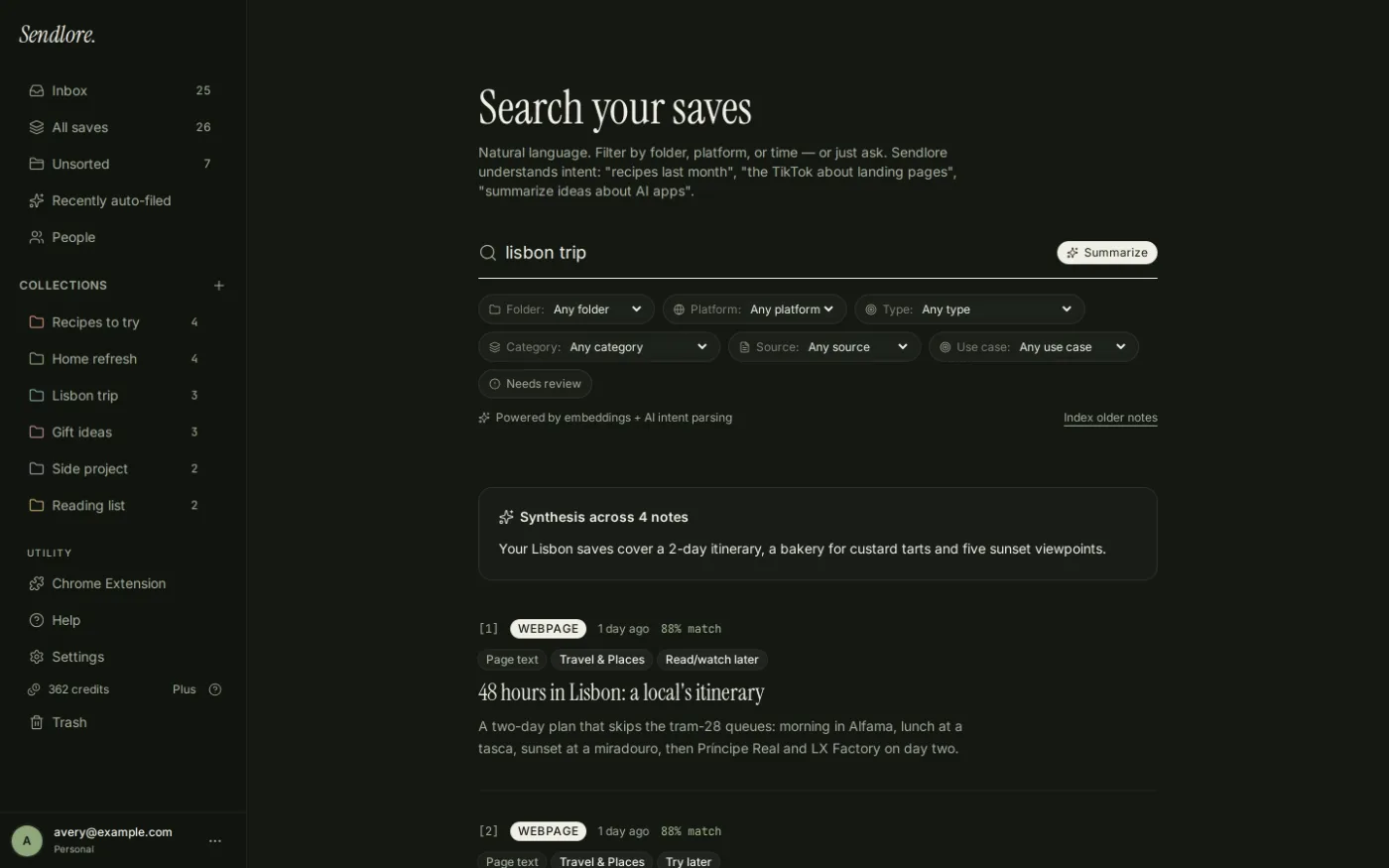
| Keyword & full-text search | Hybrid retrieval uses exact/full-text signals plus semantic similarity across stored titles, summaries, notes, transcripts, OCR, and other captured fields where available. | Pro includes full-text search through saved web pages, PDFs, highlights, and YouTube transcripts. Free search covers bookmark metadata and organization.Mature search edge |
| AI retrieval | Ask retrieves relevant saved material, answers from that evidence, and shows numbered references plus source cards back to Sendlore saves. | Stella AI can search by meaning, answer questions grounded in saved content, summarize, compare sources, rediscover forgotten material, and propose organization changes. Stella is currently Pro and beta. |
| AI-assisted organization | Classification determines item type and can suggest or apply folder decisions using content signals plus where the user has explicitly filed similar saves. Corrections remain the stronger signal. | AI Suggestions recommends existing collections and tags based on the user’s own library; Stella can also propose broader organizational changes for review.Raindrop maturity edge |
| Source fidelity | The product distinguishes richer captures, metadata-only saves, failed extraction, transcript availability, and other evidence limits instead of presenting every save as equally complete.Sendlore emphasis | Raindrop indexes supported saved content and Pro can preserve permanent web copies. Its product model emphasizes the bookmark and archive rather than exposing Sendlore-style extraction-status states. |
| Web archive | Preserves extracted evidence and the original source link, but does not currently promise a permanent visual copy of every saved webpage. | Pro automatically creates permanent copies of saved webpages and files so content can remain available after the original changes or disappears.Clear Raindrop edge |
| Highlights & annotations | Not a primary workflow today. | Unlimited highlights are included on Free; Pro adds annotations attached to highlights. Bookmark-level Markdown notes are also free.Clear Raindrop edge |
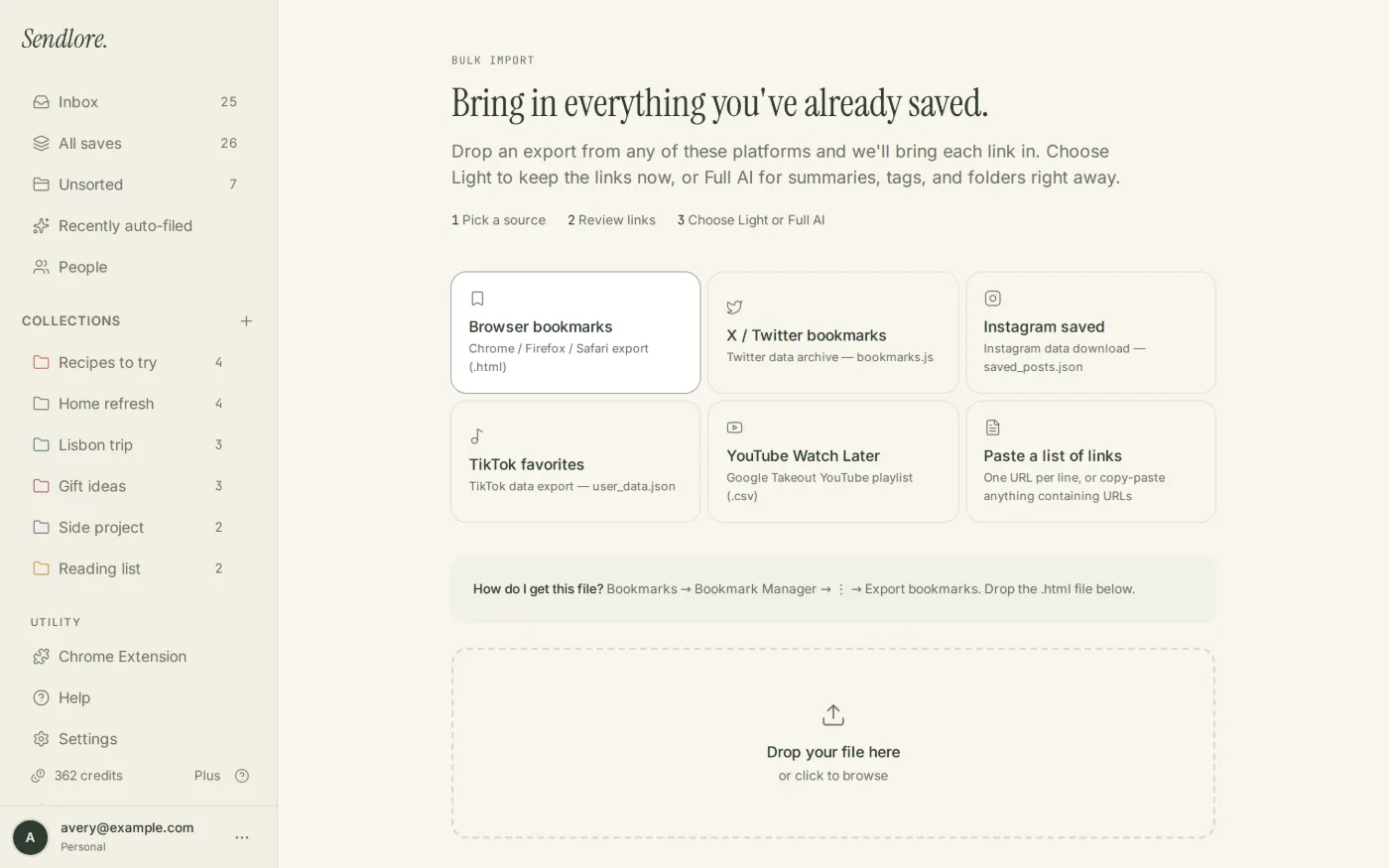
| Imports | Browser bookmarks, pasted URL lists, and current dedicated paths for X bookmarks, Instagram saved posts, TikTok favorites, and YouTube exports. Light import can bring in a backlog before deeper processing. | Strong general migration support, including browser bookmarks and imports from other bookmark/read-later services; standard exports are also available. Raindrop’s ecosystem includes thousands of integrations. |
| Mixed social/video research | Platform-aware handling exists for YouTube, Instagram, TikTok, X, Reddit, Facebook, LinkedIn, Threads, Pinterest, Bluesky, Vimeo, and normal webpages, with honest fallbacks when deeper capture is unavailable. | Can save general web/social URLs and integrates with services including X and YouTube. Stella can now read saved YouTube transcripts, but Raindrop is less explicitly organized around platform-specific capture fidelity states. |
| Files | Supports notes and files through the web app; documents and supported media can be processed into searchable text when processing succeeds. | Uploads common files including PDFs, images, video, and Office files. Free allows 100 MB/month; Pro allows 10 GB/month. |
| Collaboration | Single-user accounts today. Individual saved notes can be shared. | Shared collections and collaboration are available even on the Free plan.Clear Raindrop edge |
| Apps & extensions | Responsive web app and Chrome extension. No native mobile app currently. | Native Windows, macOS, iOS/iPadOS, and Android apps plus Chrome, Safari, Firefox, and Edge extensions.Clear Raindrop edge |
| Integrations | Focused product integrations around capture, import, sharing, export, and the Sendlore Chrome workflow. | More than 2,600 integrations plus API, MCP support, IFTTT-style workflows, and integrations with many productivity tools.Clear Raindrop edge |
| Pricing | Free plan available. Current paid tiers start at $9/month. Reading credits are spent when Sendlore processes new source content; ordinary Search, Ask, and export do not spend reading credits. | Free indefinitely with unlimited bookmarks, collections, highlights, and devices. Official 2026 materials list Pro at $3/month or about $2.30/month on annual billing plus VAT.Clear Raindrop price edge |
Raindrop capabilities above are based on its official product site, Pro features, pricing page, official Stella announcement, and current help documentation. Sendlore claims are checked against the current Sendlore product requirements, implementation documentation, and live Nero Niche product pages.
The Sendlore difference
Raindrop lets you attach notes to bookmarks, so this is not a claim that it cannot preserve personal context. The distinction is structural: Sendlore makes the reason for saving something a first-class part of the capture and retrieval workflow.
Search and AI retrieval
Raindrop now has serious AI-assisted retrieval. Stella searches by meaning and answers from saved content; Pro also indexes full page text, PDFs, and YouTube transcripts. Sendlore’s value is not that Raindrop cannot understand a library — it is the way Sendlore combines retrieval with capture intent and explicit evidence states.
Where Raindrop.io is better
The comparison should be explicit about this. Raindrop has been built around bookmark management for years and has capabilities Sendlore does not currently match.
Nested collections, tags, filters, multiple visual views, batch processing, duplicate cleanup, broken-link detection, and AI organization make Raindrop a substantially more mature bookmark-management system.
Permanent web archives, free unlimited highlights, Pro annotations, bookmark notes, and backups are strong tools for people who need durable collections rather than only source-aware retrieval.
Native desktop/mobile apps, broad browser support, shared collections, public pages, API/MCP access, and thousands of integrations give Raindrop a much larger ecosystem.
Choose by workflow
Imports and old libraries
Neither product requires starting from zero. The difference is the migration shape: Raindrop is broadly compatible with bookmark/read-later exports, while Sendlore includes dedicated workflows for several social and video libraries.
Research reuse
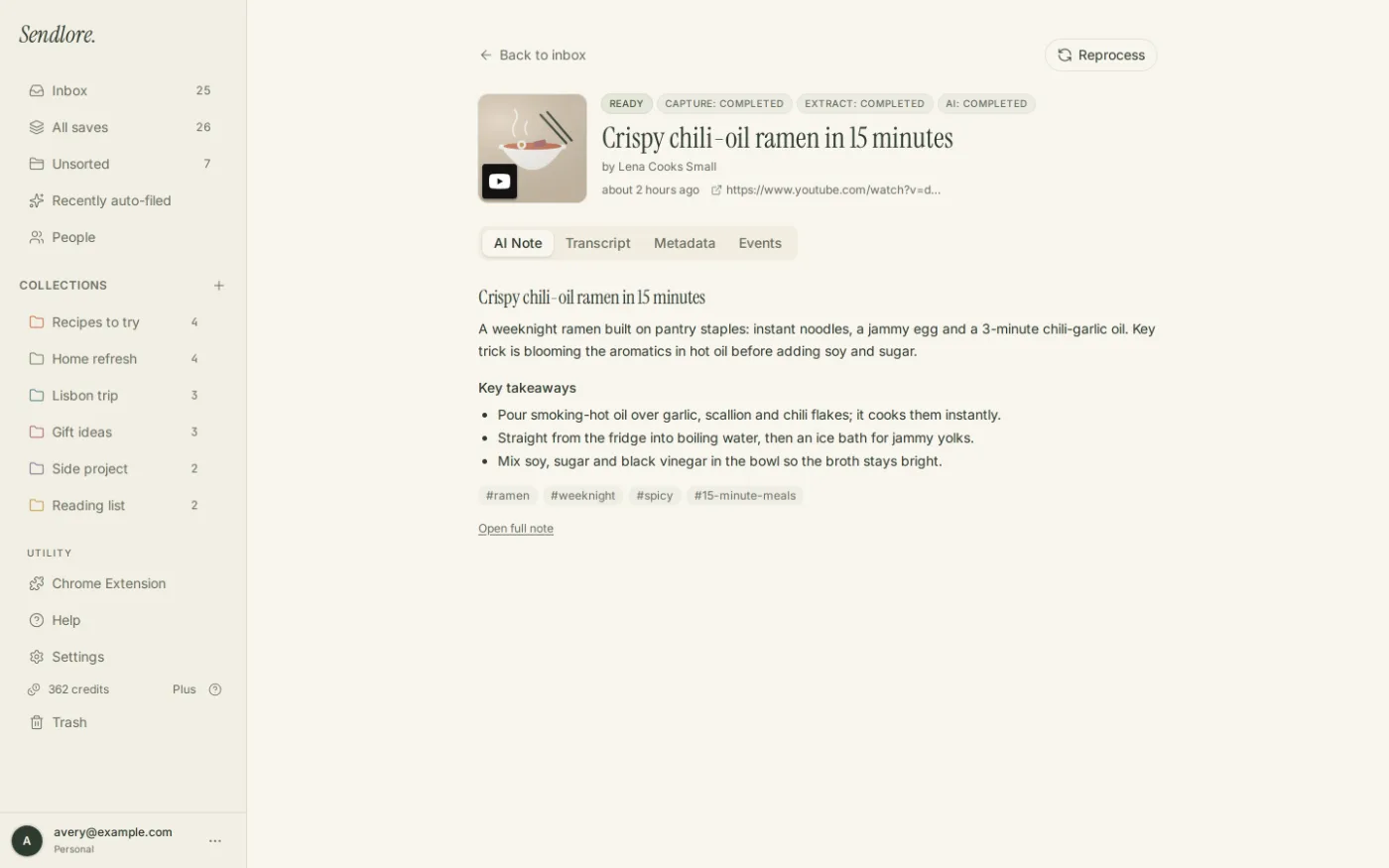
A URL being present in a library does not mean its content was successfully captured. Sendlore exposes that distinction because downstream search and Ask quality depend on it.
Pricing
There is no useful way to spin the basic price comparison: Raindrop is the lower-cost product. The decision should be based on whether Sendlore’s research-context and processing model solves a different problem for you.
Questions
Yes for people whose core job is saving online material and finding it again. But they are not interchangeable. Raindrop is a broader and more mature bookmark manager with stronger collaboration, highlighting, archiving, apps, organization, and integrations. Sendlore is more narrowly centered on capture intent, source evidence, mixed-source research, and later retrieval.
Yes. Stella AI, introduced in 2026 and currently available to Pro users in beta, can search by meaning, answer questions grounded in saved content, summarize, compare sources, rediscover old bookmarks, and propose organization changes. Raindrop also offers AI Suggestions for collections and tags.
Raindrop.io today. Nested collections, tags, filters, visual views, batch operations, highlights, duplicates, broken-link cleanup, collaboration, and AI Suggestions make it a deeper bookmark-management system. Sendlore’s organization is more opinionated around item type, auto-filing, useful personal views, and research retrieval.
Both can be strong. Raindrop Pro combines full-text search with Stella’s meaning-based retrieval. Sendlore combines hybrid search, a dedicated “why I saved this” field, explicit source-capture evidence, and Ask answers tied back to saved references. The better fit depends on what context you expect to remember later.
Yes. Raindrop Pro includes a web archive that automatically preserves copies of saved webpages and files. Sendlore currently keeps the source URL and captured evidence but does not promise a permanent visual archive of every webpage.
Yes. Raindrop supports broad bookmark/read-later migration and standard import formats. Sendlore supports browser bookmark files and pasted URLs plus dedicated current workflows for X bookmarks, Instagram saved posts, TikTok favorites, and YouTube exports.
Raindrop.io. Both have ongoing free plans, but Raindrop’s Pro plan is currently much less expensive than Sendlore’s paid tiers. Sendlore’s paid model is tied to deeper processing of new source material rather than charging retrieval actions such as Search or Ask.
Raindrop.io. It supports shared collections and collaboration on the Free plan. Sendlore is currently designed around single-user accounts and only supports sharing individual saved notes rather than team workspaces.
Sendlore is more explicitly designed around platform-aware capture and import workflows for social/video sources, including reduced-fidelity states when those platforms restrict extraction. Raindrop can save social links and offers integrations, but its core model remains a general bookmark system.
Choose the problem you actually have
If the missing piece in your current library is not another folder or tag but the reason the source mattered, the evidence it contained, and a reliable path back to it when work resumes months later, Sendlore is built around that problem.