
Sendlore for content writers
Keep your research attached to the source — and useful after the draft.
Save the articles, videos, notes, and references behind your work in one searchable library. Sendlore keeps the original source and your own context together so you can find past research, verify where an idea came from, and reuse useful material across articles and revisions.
Free plan available. No credit card required.
The research problem
Your research usually outlives the article. Your tabs do not.
Content research tends to scatter across browser tabs, bookmark folders, working docs, Slack messages, and half-remembered searches. That is manageable for one draft. It becomes expensive when an editor asks for the source behind a claim, a page needs a six-month refresh, or the same subject returns in a new assignment.
Save the source while the context is fresh
Capture the page or supported source when you find it, then add a short note about why it matters to the piece you are working on.
Keep source and takeaway together
Sendlore keeps the original source alongside the information it successfully captures, reducing the gap between “useful idea” and “where did this come from?”
Search by what you remember
You do not need to remember the exact headline. Search the captured content and your own notes using the idea, topic, phrase, or context you still remember.
Carry research into the next revision
When a page needs an update or a related article starts, your prior research is already there instead of buried in an old document or bookmark folder.
From source to draft
Build a research library while you write.
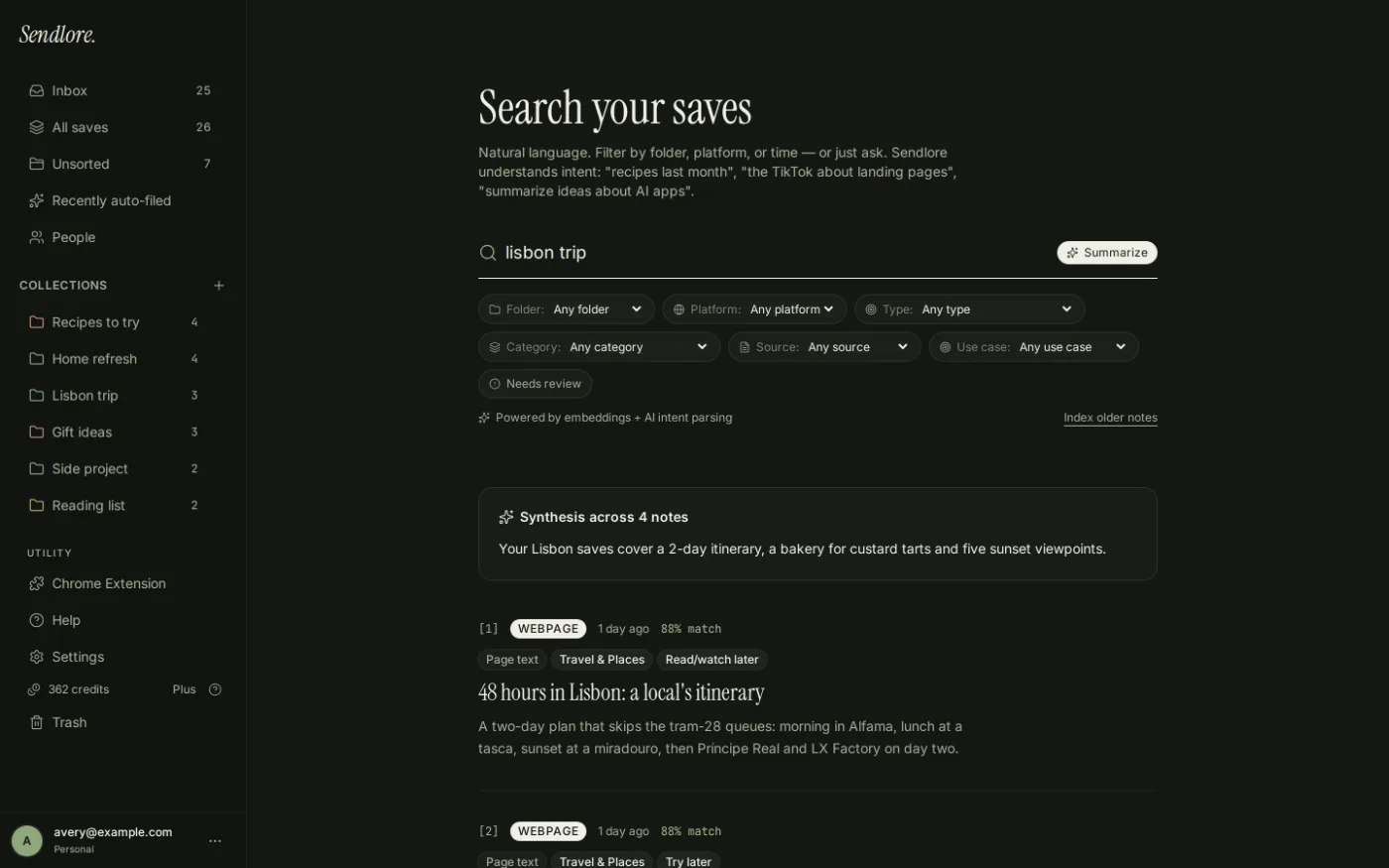
Sendlore is designed for the stage before and around the draft: collecting evidence, examples, references, and useful context so the material is still findable when you need to write, fact-check, revise, or update.
Where it pays off
Make the same research work more than once.
The value is not only faster retrieval. A persistent research library makes work compound: the source you saved for one article can become evidence for a refresh, background for a related brief, or a starting point for a new angle months later.
Find before you research again
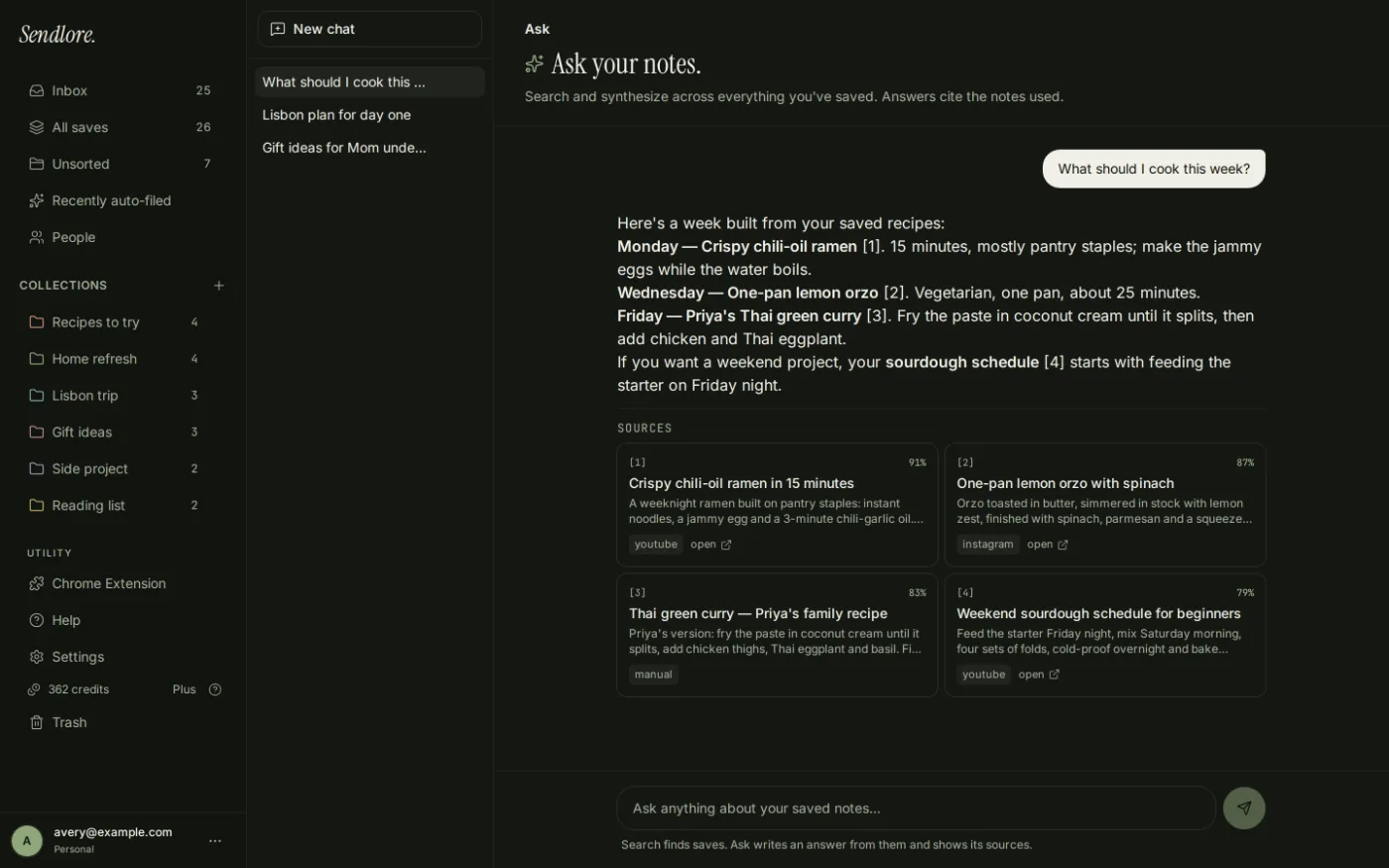
Ask your existing library before reopening the web.
When Sendlore has successfully captured useful information from your saves, you can search or ask questions across that material and follow the result back to the original item. This is useful for resurfacing prior research; it is not a substitute for checking the source before publishing a factual claim.
Where Sendlore fits
A research memory layer, not another writing editor.
Keep your existing writing stack.
Sendlore is not trying to replace Google Docs, Word, Notion, your CMS, or a dedicated citation manager. Its job is narrower: help you save useful material with source context, retrieve it later, and reuse the research behind your work. Extraction depth varies by source, so the original URL remains important.
Questions
Using Sendlore for content research
What can content writers save in Sendlore?
Sendlore supports URLs and richer Chrome browser captures, along with notes, files, videos, screenshots, and other supported source types. The amount of text or metadata captured varies by source.
Does Sendlore keep the original source?
Yes. Sendlore is built around preserving the source URL and available context with each save so you can return to the original when you need to verify or cite something.
Can I search old research without remembering the exact title?
Yes, when the relevant information was successfully captured. You can search your library using keywords or plain-English phrasing based on what you remember about the source.
Can Sendlore replace a citation manager?
No. If you need formal citation styles, bibliographies, or academic reference management, use a dedicated citation tool. Sendlore is better suited to collecting, finding, and revisiting source material.
Is my research public?
Sendlore libraries are private by default. Review Sendlore Security & Privacy for current details on data handling and sharing.
Start with one source
Save research now so you can find it when the next draft needs it.
Build a searchable library behind your writing instead of rebuilding the same research trail every time a topic comes back.