
Ask your saved research
Ask a question. Get an answer grounded in what you saved.
Sendlore’s Ask feature retrieves relevant material from your personal library, writes an answer from that evidence, and shows the saved sources behind it. Use it to synthesize research without losing the path back to the original material.
Ask uses your saved Sendlore material as its evidence and does not spend reading credits. Current allowance: 20 questions/month on Free; 15/day on Plus; 40/day on Pro; 100/day on Max.
How it works
Retrieval first. Answer second. Sources stay attached.
Ask is not a generic chatbot pointed at the internet. For each question, Sendlore looks for relevant saves in your library, loads evidence from the strongest matches, and gives the answer model a bounded set of saved material to work from.
Ask in normal language
Ask about a topic, comparison, remembered fact, saved recommendation, or recurring idea. You do not need special query syntax.
Sendlore retrieves relevant saves
The system searches your owned library, applies an evidence floor, removes duplicate source URLs, and can rerank the strongest candidates before answering.
Read the answer, then inspect the evidence
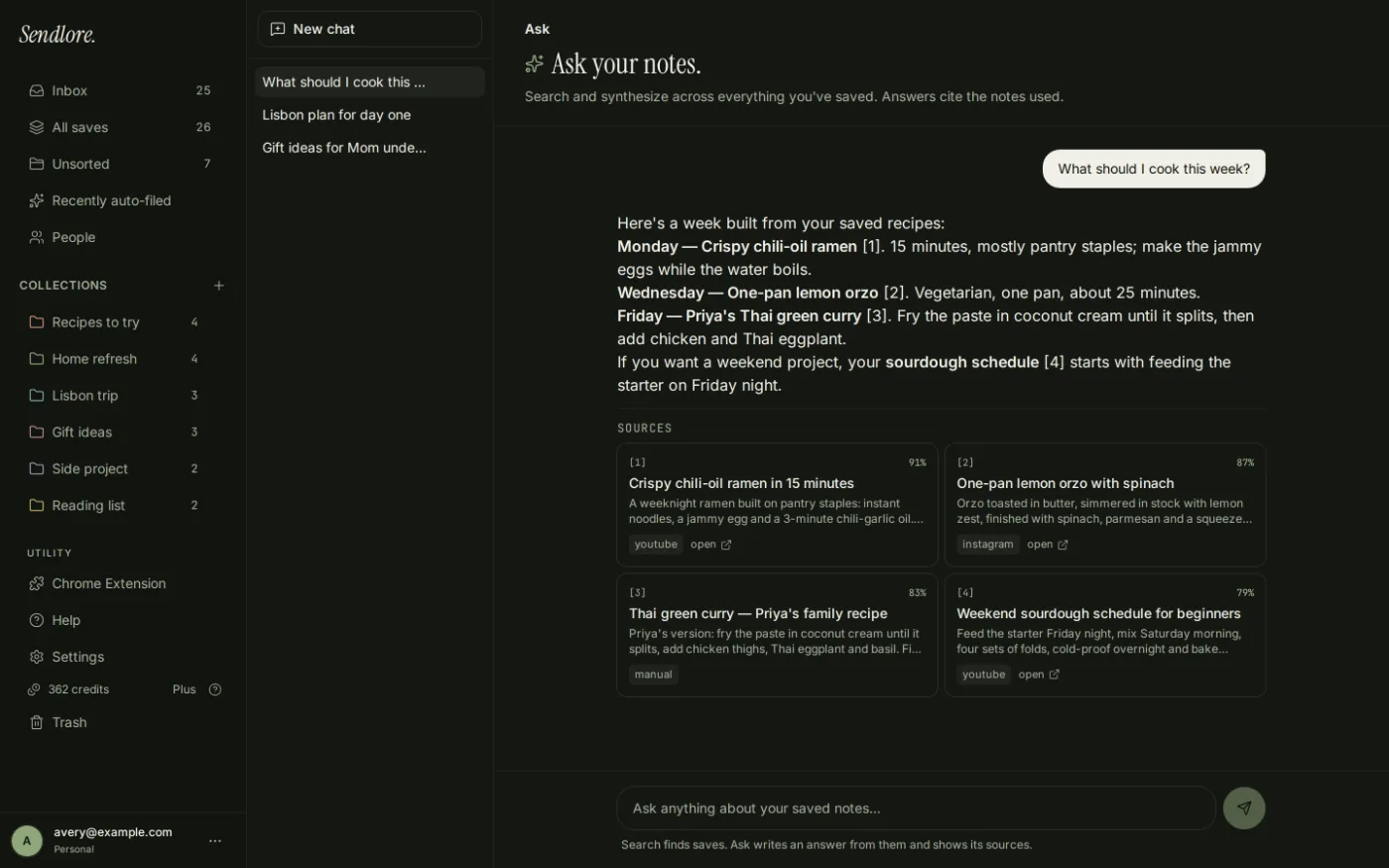
The response includes numbered references and source cards that connect back to saved notes and, when available, the original source URL.
Useful questions
Turn a pile of saved material into a working research surface.
Ask is most useful when the answer is spread across several saves or when you remember the subject but not which item contained the detail.
Pull together recurring objections from relevant saved sources instead of reopening each item manually.
Synthesize similarities and differences across retrieved saves, with links back to the evidence used.
Recover a conclusion from prior research without remembering the article title, folder, or exact wording.
Use Ask to consolidate relevant recommendations, then inspect the cited saves before acting on the answer.
Evidence, not a dead-end answer
Every useful answer should make it easy to go back to the source.
Sendlore is designed around provenance. An answer is only the retrieval layer; the saved item remains the durable record.
Ask vs. Search
Use Search to find the item. Use Ask to answer the question.
Both start with retrieval, but they are built for different jobs. Keeping that distinction clear makes the library faster to use.
What Ask can use
The answer is limited by the evidence Sendlore actually captured.
Ask can work with summaries and bounded excerpts from saved material, but not every source provides the same depth. A complete capture gives retrieval more evidence than a light or metadata-only save.
The current answer policy tells the model not to substitute outside knowledge or assumptions when the retrieved context is insufficient. That is a feature, not a failure: it keeps the distinction between your saved evidence and generated guesswork visible.
- Saved titles and summariesUseful for identifying the main subject and relevance of a note.
- Captured excerptsAsk can load bounded body, transcript, or OCR evidence for the strongest matching saves.
- Key takeawaysStructured takeaways can add evidence when the source was successfully processed.
- Source metadataPlatform and original URLs remain attached to returned sources.
- Your saved library onlyThe answer path is scoped to the signed-in user’s owned content.
See it in context
Ask your saves, then follow the answer back.
The current Ask interface supports new conversations, saved thread history, suggested starting questions, streaming answers, and source cards beneath the response.
Important limits
Grounded answers still depend on retrieval quality.
Ask reduces one common AI failure mode by restricting answers to retrieved saved material, but it cannot make incomplete captures complete or guarantee that the best source is always retrieved.
Thin saves give thin evidence
Metadata-only, light, failed, or otherwise limited captures may not contain enough information to support a detailed answer.
Retrieved evidence can still be incomplete
For consequential claims, open the cited save and inspect the underlying source rather than treating the generated synthesis as the final authority.
Ask has separate question limits
Ask does not spend reading credits. Current caps are 20 questions per month on Free and 15, 40, or 100 per day on Plus, Pro, and Max. Search remains the better choice when you only need to retrieve saves.
Questions
Ask your library FAQ
What does Sendlore Ask actually do?
Ask retrieves relevant saves from your Sendlore library, loads evidence from the strongest matches, and generates a concise answer from that material. The response can include numbered citations and source cards so you can inspect the saves behind it.
Does Ask use the open web to answer my question?
The current answer policy is designed to answer from the retrieved saved-note context, not from outside knowledge. If the retrieved context does not contain the answer, the model is instructed to say so rather than fill the gap.
Can Ask cite my sources?
Yes. The current Ask flow passes numbered saved notes to the answer model, requires factual claims to reference those numbers, and renders source cards below the answer.
Can I open the original source from an Ask answer?
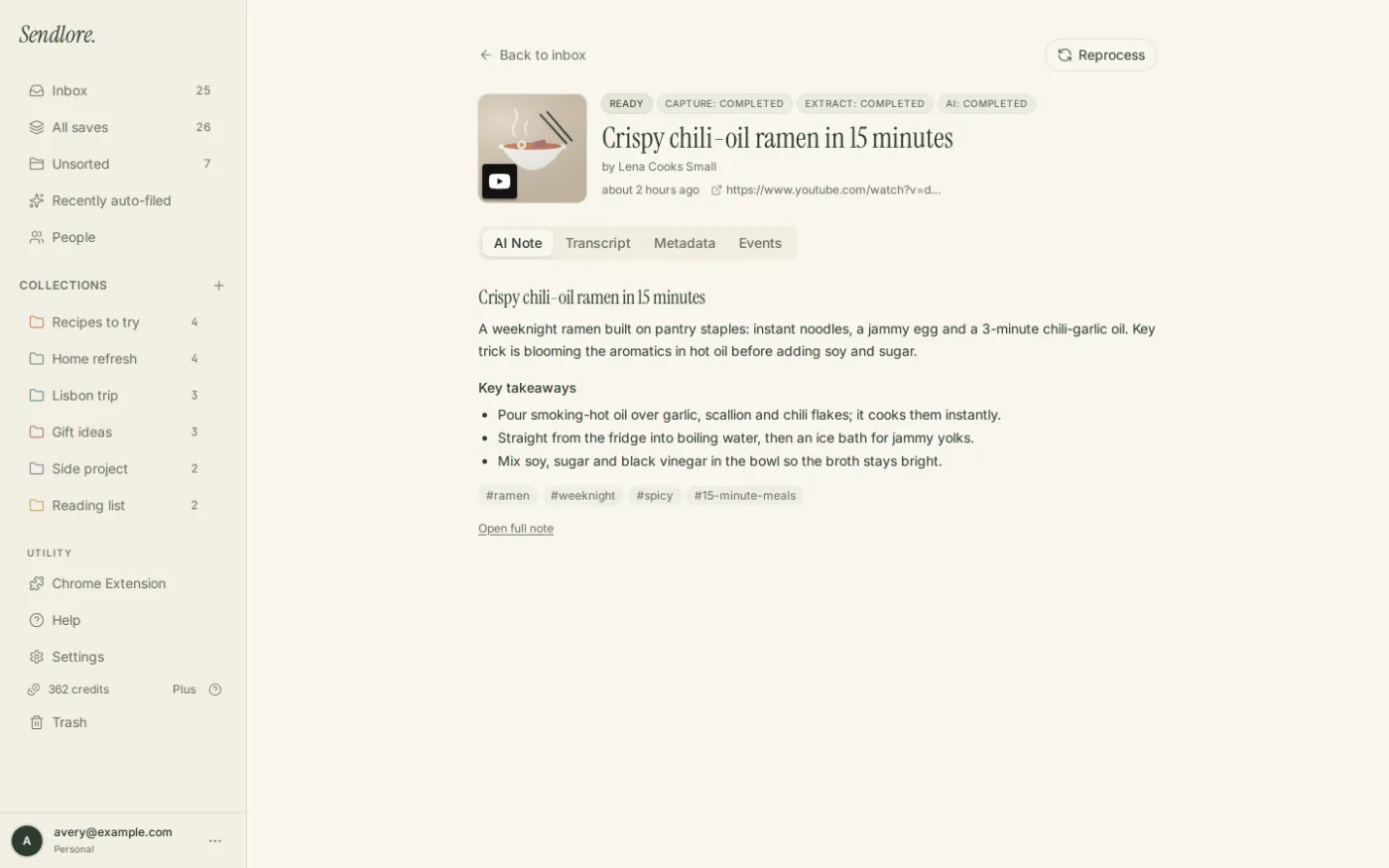
Yes when the saved item has a source URL. Source cards link to the Sendlore capture and expose the original URL as a separate open-source action.
What kinds of questions work well?
Ask works well for summarizing a topic across saves, comparing saved sources, finding a remembered fact, extracting recommendations, or planning from research you already collected.
How is Ask different from Search?
Search is for retrieving the saves themselves. Ask is for synthesizing a written answer from retrieved saves. If you already know you want to reopen a specific item, Search is usually the more direct tool.
Does Ask use reading credits?
No. Ask does not spend reading credits. Ask has a separate question allowance: currently 20 questions per month on Free, 15 per day on Plus, 40 per day on Pro, and 100 per day on Max.
Can I ask follow-up questions in the same conversation?
Yes. Ask keeps conversation threads and uses a short recent-history window to resolve follow-ups. The evidence for each answer is still retrieved again for that turn, so prior chat text is not treated as a substitute for saved-source evidence.
How many saved items do I need before Ask is useful?
Ask becomes more useful once your library contains several relevant saves. The current interface prompts new users with fewer than three saves to add a few items first, because a larger evidence set gives retrieval more to work with.
Why might Ask say it cannot answer?
The relevant save may not exist, retrieval may not surface it, or the captured evidence may be too limited. Check the underlying save, its processing state, and whether the source was captured completely enough to support the question.
Make saved research answerable
Stop reopening ten tabs to reconstruct one conclusion.
Save useful research with its source and context, then ask across the library when the next article, decision, comparison, or project needs it.