By Nero Niche · Last updated July 6, 2026 Built Sendlore after losing track of 400+ saved links.
Saved links disappear into a black hole because saving takes about two seconds, but retrieving one requires remembering a title, a folder, and why you cared – three things your brain doesn't reliably hold onto. The link is still there. What's gone is your ability to find it again.
This piece is from the team at Sendlore, an AI-powered swipe file for saved links, videos, and social posts.
Background: the two-second habit
Saving something is a reflex, not a decision. You see a link, a video, or a post mid-scroll, and some part of your brain says "I'll want this later" – so you tap save, and immediately feel like you've handled it. That feeling is real, but it's incomplete: saving only solves the capture half of the problem, and it does that in about two seconds, without asking anything hard of you.
Finding it again is a completely different task, on a completely different timeline – days, weeks, sometimes months later, when the context that made you save it has already faded. That gap between the two-second save and the much harder retrieval later is where things start to go wrong.
The three ways a saved link disappears
A saved link disappears in one of three specific ways, not one vague "bookmarks are messy" problem – and naming which one is happening to you is the first step to actually fixing it.
You lose the context (why you saved it)
The reason you saved something is almost never written down anywhere, which means it's the first thing to go. You saved that article because of one specific line that changed how you thought about something, or that video because of a comment that stuck with you – but a bare link carries none of that. A day or two later, the reason has usually faded even in your own memory; a month later, you're looking at a title with no idea why it mattered enough to save. This is the most common and least discussed failure mode, because the tool did its job perfectly – it saved the link – while the actual information that made the link worth saving evaporated somewhere you never wrote it down.
You lose the substance (what it actually said)
A title and a URL tell you almost nothing about what's actually inside – especially for anything that isn't a plain article. A saved TikTok gives you a thumbnail and a username. A saved Reddit thread gives you a subject line that made sense in the moment and nothing else six weeks later. Even a saved article's title is often written to get a click, not to describe the content accurately enough to recognize later. Without some record of the substance – a summary, a transcript, a real description – you're left trying to reconstruct what something was about from the thinnest possible clue, a much harder task than it should be for something you already went to the trouble of saving.
You lose the retrieval path (you can't remember to look)
Finding something you saved requires recall – remembering a specific detail, like a title, a folder, or roughly when you saved it. But what you actually have later is recognition: a rough sense of what something was about, or why you cared, without the specific detail recall requires. That mismatch is the real mechanism behind "I know I saved this somewhere."
This isn't just a feeling – it's been measured directly. A 2021 study in the Journal of Librarianship and Information Science gave 50 participants a mix of pages to re-find, some of which they'd bookmarked themselves. Even when a bookmark for the exact page existed, participants used it to get back there only 16% of the time – the rest of the time, they searched or retyped the URL instead, as if the bookmark wasn't there. Saving something doesn't reliably translate into using it to find that thing again later.
Keyword search and folder browsing both demand recall, and neither works with what you actually have in your head weeks later – which is why scrolling and hoping you recognize something often works better than searching, for a lot of people.
Put together, these three losses are what turn a saved-links list into a bookmark graveyard – not because you were careless, but because nothing captured the parts that actually mattered.
If this is landing because you're specifically drowning in saved TikToks, threads, and half-read articles, that's exactly what the rest of this piece – and Sendlore itself – is built around. More on both below.
Why "just use better folders" doesn't fix it
Better folders don't fix this because the problem isn't organization – it's that organization itself decays faster than most people expect, and stops scaling long before your saved-links pile does.
Tagging and foldering require ongoing discipline: you have to categorize consistently, remember your own categories, and keep doing it every single time you save something, indefinitely. That discipline decays. The first twenty saves get filed thoughtfully. By save two hundred, most people are either dumping everything into one giant "read later" folder or have stopped organizing altogether – not from laziness, but because manual systems don't scale past a certain volume without becoming a second job. This especially adds up for founders, builders, and researchers who save more material in a given week than they could ever manually file – volume itself is what makes a manual system break down first, regardless of how disciplined you are.
And even a perfectly maintained folder structure only solves part of the problem described above. It might fix the retrieval-path issue – you know where to look – but it does nothing for context loss or substance loss. A well-organized folder full of bare titles is still full of bare titles. A tidy graveyard is still a graveyard.
This is also exactly the trap a lot of people fell into after Pocket shut down in 2025 – moving to a new tool doesn't fix any of this if the new tool just recreates the same folder-and-title system Pocket had. If that's the specific situation you're in, best Pocket alternatives covers the options in more depth.
What content type you saved changes how fast it rots
Not all saved content rots at the same speed – what you saved changes which of the three losses above hits first and hardest.
| Content type | What's lost first |
|---|---|
| Article | The specific point that made it worth saving – the headline survives, the reason doesn't |
| Video (TikTok, YouTube) | Everything – a thumbnail and a username tell you nothing about what was actually said |
| Social post / thread | Context fastest – a subject line that made sense mid-scroll means nothing a month later |
| Screenshot / image | Searchability – no title, no URL, no text to search by at all, just a file |
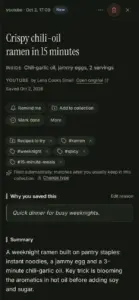
Video and social saves rot faster than articles specifically because there's less to hold onto in the first place – a thumbnail and a username is a much thinner clue than even a bad headline. This is where content-type-aware tools differ meaningfully from generic ones: capturing a transcript or caption for a saved video gives you something to search by that a title and thumbnail never could. That's reliable for something like YouTube specifically, and best-effort – with an honest fallback to metadata when a real transcript isn't available – for platforms like TikTok, Instagram, and X, rather than pretending it always works perfectly.
What actually breaks the cycle
Three things actually break this cycle, and none of them are "organize better" – they target the three losses directly, at the moment of saving rather than after the fact.
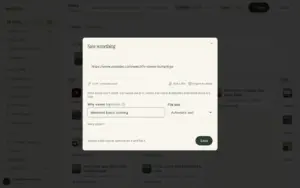
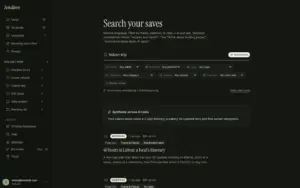
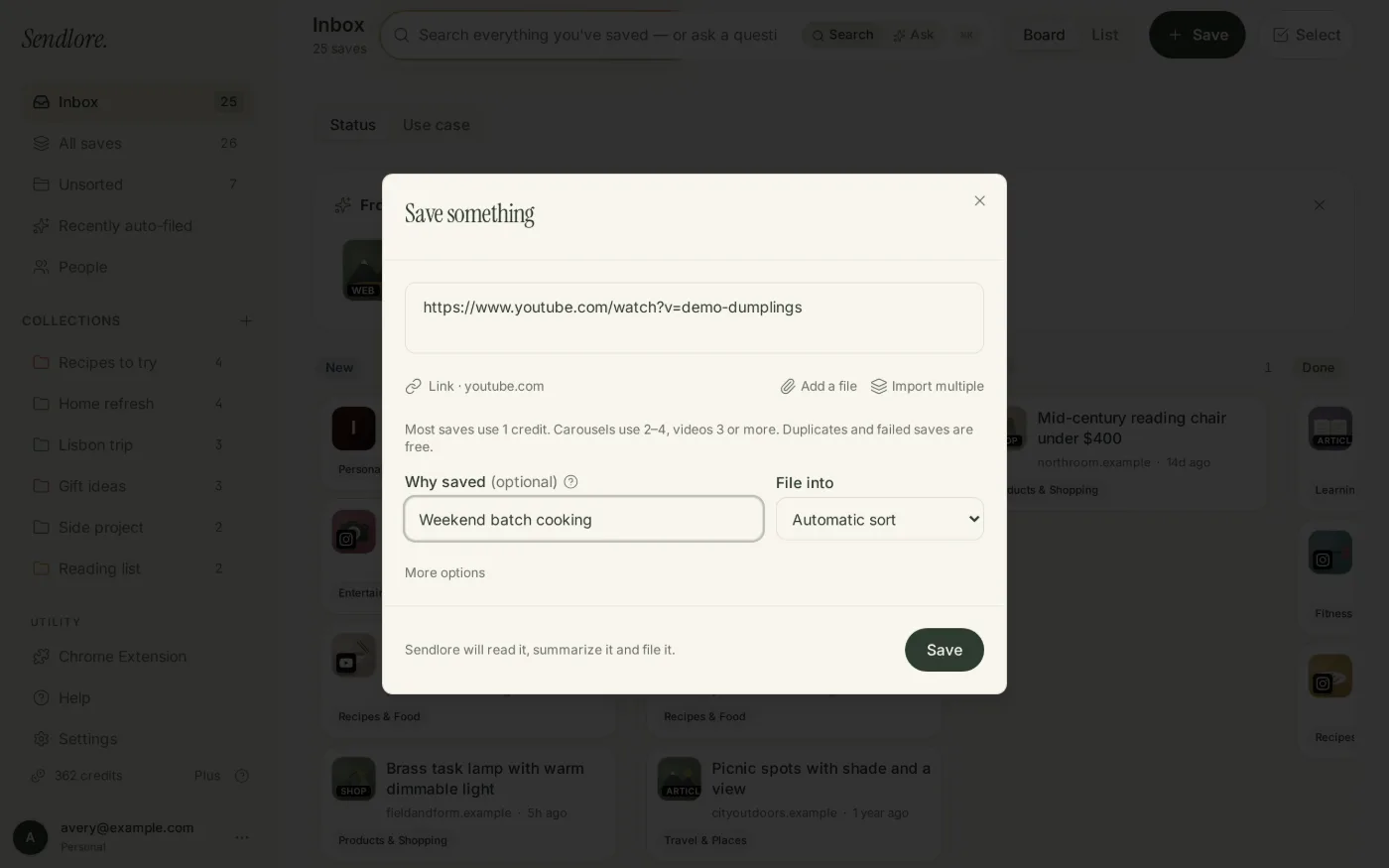
1. Add your own why-I-saved-this note at the moment you save it, not later. A one-line note – why this, why now – written in the two seconds you're already spending, whether you save from the Chrome extension, paste a link directly, or forward an email, is worth more than any folder structure applied after the fact. It's the only thing that reliably survives the context loss described above, because it's written down while the reason is still fresh, not reconstructed from memory weeks later. 2. Keep enough of the substance that a title isn't the only clue. A summary, a transcript, a real description – anything beyond a title and a URL – gives you more than one way to recognize something later. This is especially true for video and social content, where the title tells you almost nothing to begin with. 3. Make retrieval a plain-English question, not a memory test. Instead of requiring an exact folder, tag, or title, search that works on a rough description – "that thing about pricing strategy from last month" – matches how people actually remember things later: by recognition, not recall.
None of these three principles are about discipline or better habits – they're about not requiring discipline in the first place. A tool that captures the reason, keeps the substance, and searches by description handles all three automatically, a meaningfully different approach than asking you to organize better and hoping this time sticks.
If actually finding what you saved is the part you're stuck on specifically, that's covered in more depth here. And for the fuller picture of what a tool built this way actually is – an AI bookmark manager – see the broader category guide.
FAQ
Why do I never go back to my bookmarks?
Saving is a two-second reflex, but going back requires remembering a title, a folder, and why you cared – three things your brain doesn't reliably hold onto. Without the original context or substance attached, a bare link gives you nothing to recognize, so it quietly gets buried and forgotten.
Is it normal to have hundreds of unread saved links?
Yes – it's an extremely common pattern, not a personal failing. Saving takes seconds and feels productive, but retrieval is a much harder cognitive task built on recall, not recognition. Without a system that captures context and substance at save time, unread piles grow for almost anyone who saves often.
What's the difference between a bookmark manager and a read-it-later app?
A bookmark manager is built for organizing and finding what you saved later – folders, tags, and search. A read-it-later app is built for reading it – clean formatting, one article at a time. Most people actually need the finding part more, which is where saved links tend to get lost. (See read-it-later apps vs. bookmark managers for the fuller breakdown.)
How do I stop losing links I've already saved?
Capture the reason you saved something at the moment you save it, not later. Keep enough substance – a summary, not just a title – so you have more than one clue to search by. And make retrieval a plain-English question instead of a memory test for a folder name.
If this sounds familiar – a saved-links pile that's more graveyard than reference library – that's specifically what Sendlore is built to fix: capture the reason at save time, keep the substance, and search in plain English instead of remembering a folder. Start saving links and see if your own saved pile behaves differently.